EasyManua.ls Logo

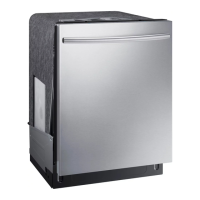
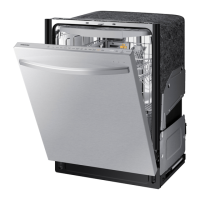
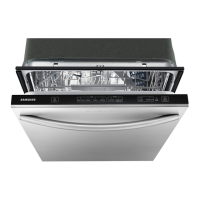
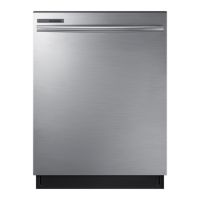
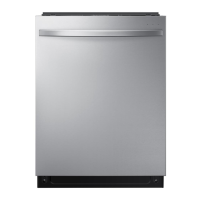
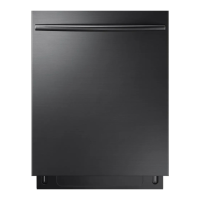
Samsung DW80K7050U - User Manual

Samsung DW80K7050U
72 pages
Print Icon
To Next Page IconTo Next Page
Loading...
Dishwasher
user manual
imagine the possibilities
Thank you for purchasing this Samsung product.
DW80K7050 Series
DW80K5050 Series
DW7000KM-02025A-01_EN.indd 1DW7000KM-02025A-01_EN.indd 1 2016-05-18 10:44:442016-05-18  10:44:44

Questions and Answers

  • C
    Christian GilesAug 23, 2025
    Why is my Samsung DW80K7050U leaving food particles on dishes?
    • M
      Mrs. Leah AlvarezAug 23, 2025
      If your Samsung Dishwasher isn't cleaning dishes properly and food particles remain, consider these potential causes: ensure you've selected the appropriate cycle for the load size and soil level. Verify that the water supply line is connected to a hot water source. Low water pressure could also be the culprit; it should be between 20 and 120 psi. The water may be too hard, so use high-quality detergent with rinse aid. Make sure you're using automatic dishwasher detergent, preferably powder or gel. Check that nothing is blocking the detergent dispenser. Add rinse aid to the dispenser if it's empty. Finally, make sure the nozzles are not clogged and that the dishes are loaded properly, allowing for nozzle rotation and detergent dispensing.
  • O
    omorganAug 25, 2025
    Why won't my Samsung Dishwasher start?
    • M
      Mr. Kevin NicholsAug 25, 2025
      Your Samsung Dishwasher might not start due to several reasons: * The door might not be completely closed and latched. Ensure the door is properly closed. * A cycle might not be selected. Choose an appropriate cycle for your needs. * The power cable might not be correctly connected. Verify the power cable is properly connected. * The water supply might be off. Check if the water supply valve is open. * A circuit breaker might be open. Try resetting the circuit breaker.
  • J
    jamesharrisonAug 27, 2025
    Why Samsung Dishwasher will not start?
    • A
      Amanda KruegerAug 27, 2025
      Your Samsung Dishwasher might not start due to several reasons: * The door may not be completely closed; ensure it is properly latched. * A cycle may not be selected; choose an appropriate cycle. * The power cable may not be correctly connected; ensure it is properly connected. * The water supply might not be working; verify the water supply valve is open. * A circuit breaker could be open; try resetting the circuit breaker.
  • T
    timothyrangelAug 28, 2025
    How to get my Samsung Dishwasher to dry dishes better?
    • P
      Paul MooreAug 29, 2025
      If your Samsung Dishwasher isn't drying dishes well, there are a few things you can check. First, ensure there's rinse aid in the dispenser and that you're using a liquid type. Make sure the water supply line is connected to a hot water supply and consider using rinse aid with the Sanitize option. Proper loading of items can affect drying, so avoid overloading. After the cycle finishes, empty the lower rack first and then the upper rack to prevent water from dripping. If available, activate the AutoRelease™ Dry mode.
  • T
    tracybooneSep 23, 2025
    Why does my Samsung DW80K7050U have a bent upper rack after loading dishes?
    • T
      Terry JonesSep 23, 2025
      If the upper rack of your Samsung Dishwasher is bent after loading dishes, it's likely that the dishes are not loaded properly. Load your dishes as recommended.
  • D
    dennisrileySep 17, 2025
    What to do if my Samsung DW80K7050U Dishwasher has a bent upper rack after loading dishes?
    • I
      Isaiah HoltSep 17, 2025
      If the upper rack of your Samsung Dishwasher is bent after loading dishes, it's likely that the dishes are not loaded properly. Load your dishes as recommended.
  • C
    Craig SchmidtSep 18, 2025
    Why is my Samsung Dishwasher taking so long?
    • N
      nevansSep 18, 2025
      A possible reason for a Samsung Dishwasher taking too long to complete a cycle is that cold water is being supplied to the unit. Check to ensure that the water supply line is connected to a hot water supply. When cold water is supplied, the dishwasher requires additional time to heat the water.
  • P
    paul45Sep 8, 2025
    What to do if my Samsung DW80K7050U Dishwasher leaves glasses with a dim polish?
    • J
      josenobleSep 9, 2025
      If your Samsung Dishwasher leaves glasses with a dim polish, it could be because the water supplied is soft and too much detergent was used. Try underloading the dishwasher and using a rinse aid to minimize this. Also, if aluminum dishes were included in the wash load, remove the marks on the dishes using a low sensitivity cleaner.
  • H
    Henry LozanoSep 6, 2025
    Why is my Samsung DW80K7050U taking too long to complete a cycle?
    • R
      robertsandrewSep 6, 2025
      If your Samsung Dishwasher is taking longer than expected to complete a cycle, it might be due to cold water being supplied. Ensure the water supply line is connected to a hot water supply, as additional time is needed to heat cold water.
  • P
    Patricia RobertsonSep 7, 2025
    How to improve cleaning performance of my Samsung DW80K7050U Dishwasher?
    • T
      Tracy MorrisonSep 7, 2025
      If your Samsung Dishwasher isn't cleaning properly, several factors could be at play. First, make sure you're selecting the appropriate cycle for the load size and soil level. Ensure the water supply line is connected to a hot water source, ideally around 120°F (49°C). Check that the water pressure is between 20 and 120 psi (140 - 830 kPa). Use a high-quality, fresh detergent along with a rinse aid. Confirm you are using automatic dishwasher detergent, preferably a powder or gel type. Make sure that large items are not blocking the detergent dispenser. Check the dispenser and add liquid rinse aid if it's empty. Finally, rearrange the dishes so they do not interfere with nozzle rotation and detergent dispenser operation, and avoid overloading.

Samsung DW80K7050U Specifications

General IconGeneral
BrandSamsung
ModelDW80K7050U
CategoryDishwasher
LanguageEnglish

Related product manuals