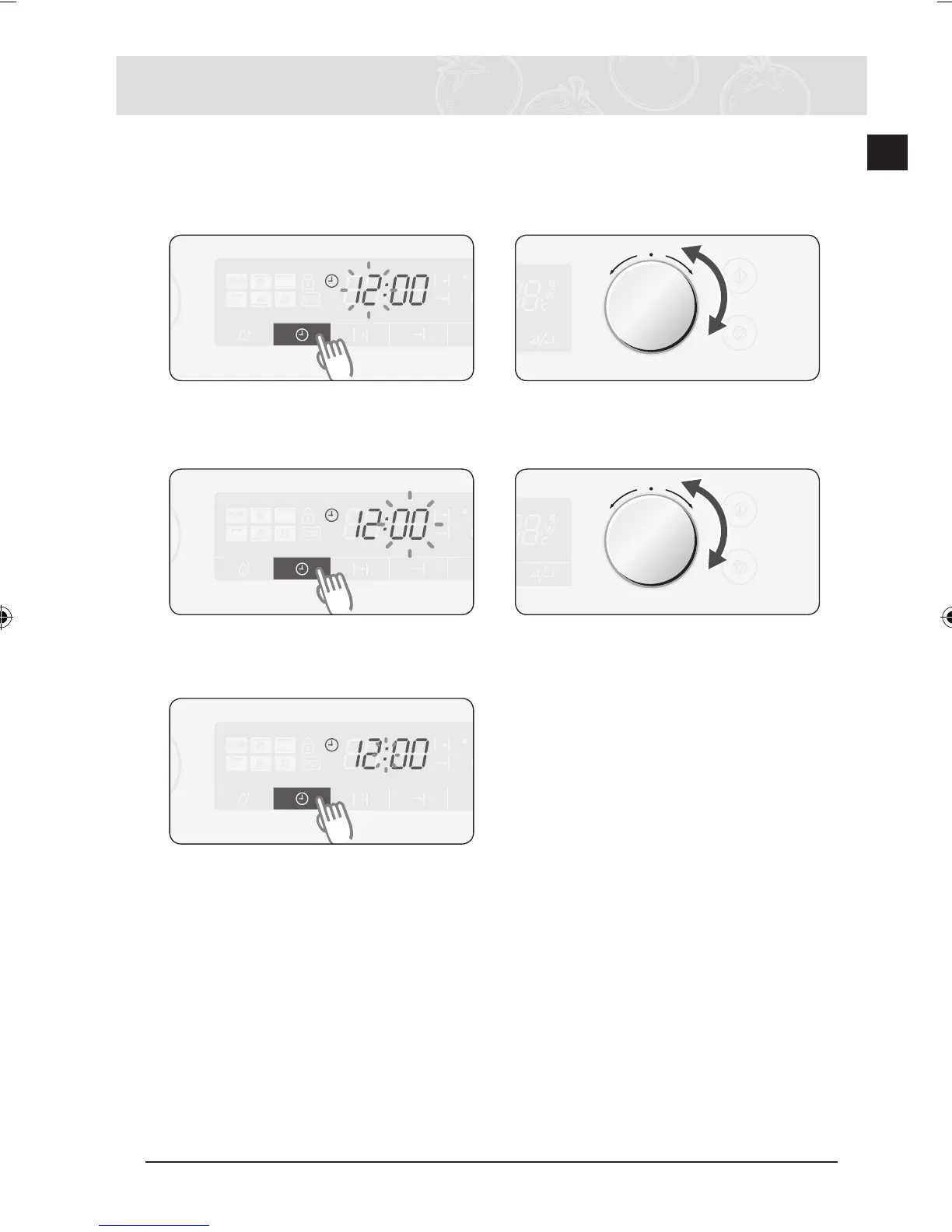
Setting the Clock
When the appliance is first plugged in, the DISPLAY lights up. After three sec-
onds, the Clock symbol and “12:00” blink on the DISPLAY.
Setting the Clock
1
Press CLOCK . The “12” starts
blinking. 2
Turn MULTI-FUNCTION SELECTOR
to set hour.
3
Press CLOCK again. The “00” starts
blinking. 4
Turn MULTI-FUNCTION SELECTOR
to set minute.
5
Press CLOCK again. The clock sets
by itself within 5 seconds.



 To Next Page