EasyManua.ls Logo

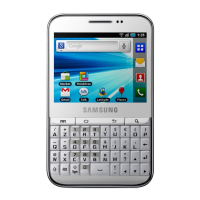
Samsung Galaxy Galaxy Pro - User Manual

Samsung Galaxy Galaxy Pro
126 pages
Print Icon
To Next Page IconTo Next Page
Loading...
GT-B7510
user manual

Table of Contents

Questions and Answers

  • M
    Megan DelacruzSep 10, 2025
    Why is my Samsung Galaxy Galaxy Pro Cell Phone not connecting when dialing from contacts?
    • V
      Victor HarrisSep 10, 2025
      If dialing from contacts on your Samsung Cell Phone doesn't connect the call: * Ensure that the correct number is stored in the contact list. * Re-enter and save the number, if necessary. * Ensure that you have not set call barring for the contact’s phone number.
  • B
    Brian StewartAug 22, 2025
    Why is my Samsung Galaxy Galaxy Pro hot?
    • D
      Deanna PatelAug 22, 2025
      If your Samsung Cell Phone is hot to the touch, it is likely because you are using applications that require more power or using applications for an extended period. This is normal and should not affect your device’s lifespan or performance.
  • P
    Pamela SuttonAug 25, 2025
    What to do if my Samsung Galaxy Galaxy Pro battery does not charge properly?
    • M
      Mrs. Lisa JohnsonAug 25, 2025
      If the battery on your Samsung Cell Phone isn't charging properly or the device turns off: * The battery terminals may be dirty. Wipe both gold coloured contacts with a clean, soft cloth and try charging the battery again. * Dispose of the old battery properly and replace it with a new one.
  • S
    Sonya RobinsonAug 26, 2025
    Why does my Samsung Galaxy Galaxy Pro Cell Phone ask for a password, PIN, PUK, or PIN2?
    • M
      matthewjonesAug 26, 2025
      If your Samsung Cell Phone prompts you to enter a Password, PIN, PUK, or PIN2, here’s what to do: * **Password:** This is required when the device lock feature is enabled. Enter the password you set. * **PIN:** This is usually required when using the device for the first time or when the PIN requirement is enabled. Enter the PIN supplied with your SIM or USIM card. You can disable this in the Lock SIM card menu. * **PUK:** If your SIM or USIM card is blocked due to entering the PIN incorrectly multiple times, enter the PUK supplied by your service provider. * **PIN2:** When a menu requires PIN2, enter the PIN2 supplied with your SIM or USIM card. Contact your service provider for details.
  • R
    reesedavidAug 27, 2025
    Why does my Samsung Galaxy Galaxy Pro display “Service unavailable” or “Network error”?
    • J
      Julian HernandezAug 27, 2025
      If you see “Service unavailable” or “Network error” on your Samsung Cell Phone: * Move to another area and try again. * Contact your service provider for more details.
  • W
    webbjaredAug 29, 2025
    Why are calls being dropped on my Samsung Galaxy Galaxy Pro?
    • J
      Jennifer AdamsAug 29, 2025
      If your Samsung Cell Phone calls are being dropped, try moving to another area and try again.
  • A
    Andrew GonzalezSep 18, 2025
    Why is a connection not established when connecting my Samsung Cell Phone to a PC?
    • R
      royginaSep 18, 2025
      If a connection is not established when you connect your Samsung Cell Phone to a PC: * Ensure that the PC data cable you are using is compatible with your device. * Ensure that you have the proper drivers installed and updated on your PC.
  • E
    Emily MccarthySep 12, 2025
    What to do if error messages appear when launching the camera on my Samsung Galaxy Galaxy Pro?
    • L
      laurensheppardSep 12, 2025
      If error messages appear when launching the camera on your Samsung Cell Phone: * Charge the battery or replace it with a fully charged one. * Free up memory by transferring files to a PC or deleting files from your device. * Restart the device.
  • M
    Marc BraunSep 8, 2025
    Why is my Samsung Cell Phone beeping and the battery icon flashing?
    • M
      Melissa LewisSep 8, 2025
      If your Samsung Cell Phone is beeping and the battery icon is flashing, recharge or replace the battery to continue using the device.
  • S
    Steve HansonSep 5, 2025
    Why can't others hear me on my Samsung Cell Phone?
    • J
      James SmithSep 5, 2025
      If others can't hear you when speaking on a call on your Samsung Cell Phone: * Make sure you are not covering the built-in microphone. * Ensure the microphone is close to your mouth. * If using a headset, ensure it is properly connected.

Summary

Assembling

Install the SIM or USIM card and battery

Steps to insert SIM/USIM card and battery into the device.

Charge the battery

Instructions on how to charge the device's battery.

Getting started

Turn your device on and off

How to power the device on and off, including flight mode.

Use the touch screen

Basic actions and precautions for using the touch screen.

Lock or unlock the touch screen and keys

How to secure the device by locking and unlocking the screen.

Access applications

How to open and navigate the application list.

Set a screen lock

Securing the device with a pattern, PIN, or password.

Enter text

Download applications from Android Market

Install an application

Steps to download and install applications from Android Market.

Communication

Make a call

Step-by-step guide to making a phone call.

Answer a call

How to accept an incoming call.

Use options during a call

Managing calls with features like hold, mute, speakerphone, etc.

Send a text message

Steps to compose and send SMS messages.

Send an email message

Composing and sending email messages.

Entertainment

Camera

Introduction to the camera functions.

Capture a photo

Steps to take a photograph with the device camera.

Record a video

Steps to record video clips with the device.

Personal information

Create a contact

Steps to add new contacts to the device.

Web

Internet

Browsing the internet and web pages.

Browse web pages

Instructions for navigating and accessing web pages.

Get directions to a specific destination

Obtaining driving or walking directions.

Connectivity

Find and connect to a WLAN

Connecting to available Wi-Fi networks.

Settings

Set screen lock

Options for securing the device screen.

Troubleshooting

The touch screen responds slowly or improperly

Tips for resolving touch screen issues.

Your device freezes or has fatal errors

Steps to resolve device freezing or errors.

The battery does not charge properly or the device turns off

Troubleshooting battery charging and power issues.

Safety precautions

Warning: Prevent electric shock, fire, and explosion

Critical warnings regarding electrical hazards and fire risks.

Handle and dispose of batteries and chargers with care

Guidelines for safe battery and charger handling and disposal.

Samsung Galaxy Galaxy Pro Specifications

General IconGeneral
KeyboardQWERTY
SIMMini-SIM
MultitouchYes
Alert typesVibration; MP3, WAV ringtones
LoudspeakerYes
3.5mm jackYes
GPSYes, with A-GPS
ColorsBlack
FeaturesGeo-tagging
WLANWi-Fi 802.11 b/g
Bluetooth2.1, A2DP
RadioStereo FM radio, RDS
USBmicroUSB v2.0
SensorsAccelerometer, proximity, compass
MessagingSMS(threaded view), MMS, Email, Push Email, IM
BrowserHTML
Stand-byUp to 750 h (2G)

Related product manuals