Apps and features
103
Edge screen
Introduction
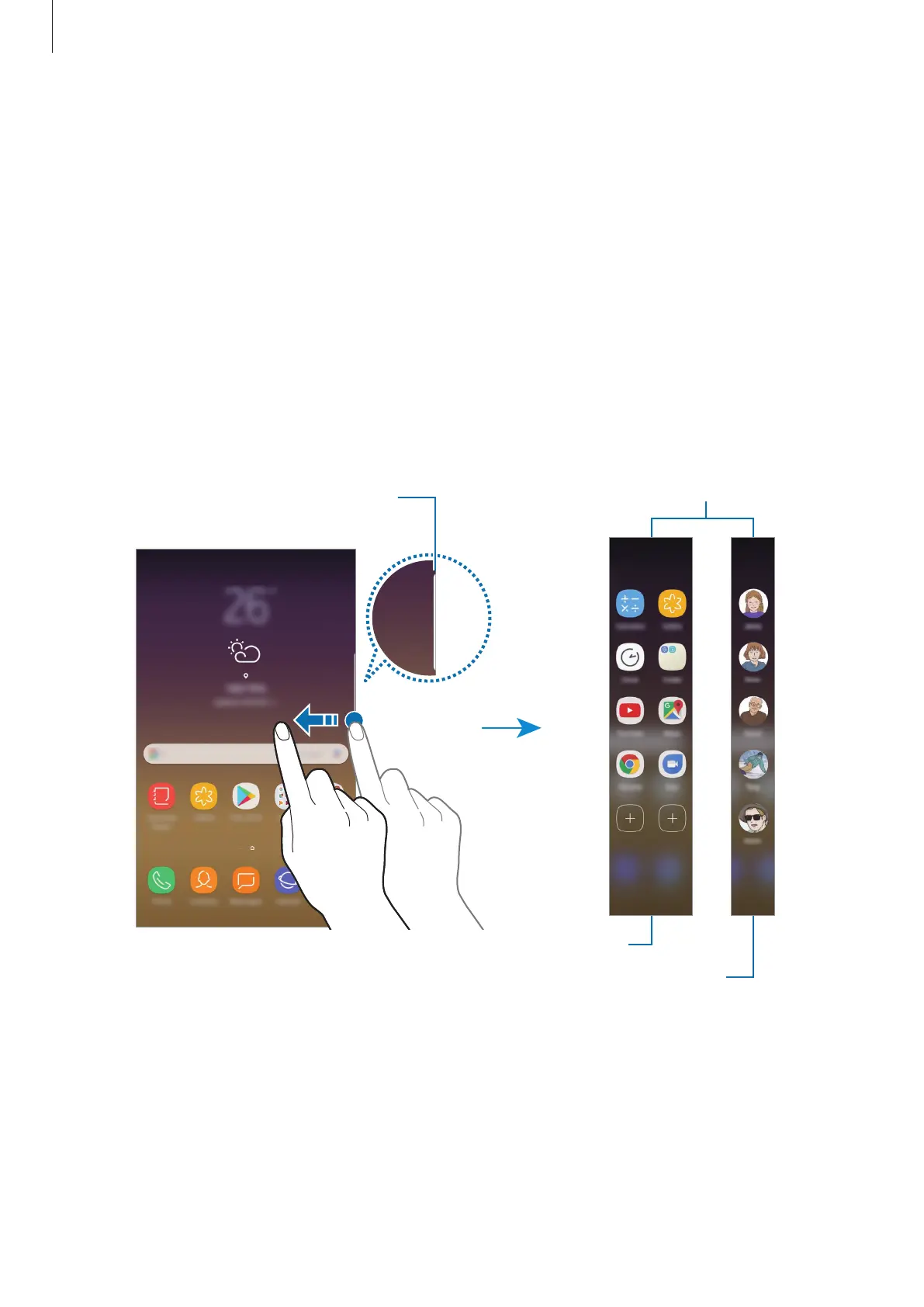
You can easily access your favourite apps, tasks, contacts, and more from various Edge panels.
Using the Edge panels
Drag the Edge panel handle towards the centre of the screen. Then, swipe to the left or right
to switch between the Edge panels.
If the Edge panel handle is not visible, launch the
Settings
app, tap
Display
→
Edge screen
,
and then tap the
Edge panels
switch to activate it.
Apps edge
People edge
Edge panel handle












 To Next Page