Apps and features
150
Using Game Tools
You can set the Game Tools icon to be displayed as a floating icon on game screens.
Launch the
Settings
app, tap
Advanced features
→
Games
, and then tap the
Game Tools
switch to activate it.
While playing a game, tap
to display the Game Tools.
To move the icon, tap
and drag it to a new location.
To hide the icon from the current game screen, tap and hold
and drag it to
Hide
at the top
of the screen.
To show the icon on the game screen again, open the notification panel and tap
SHOW
on
the Game Tools notification.
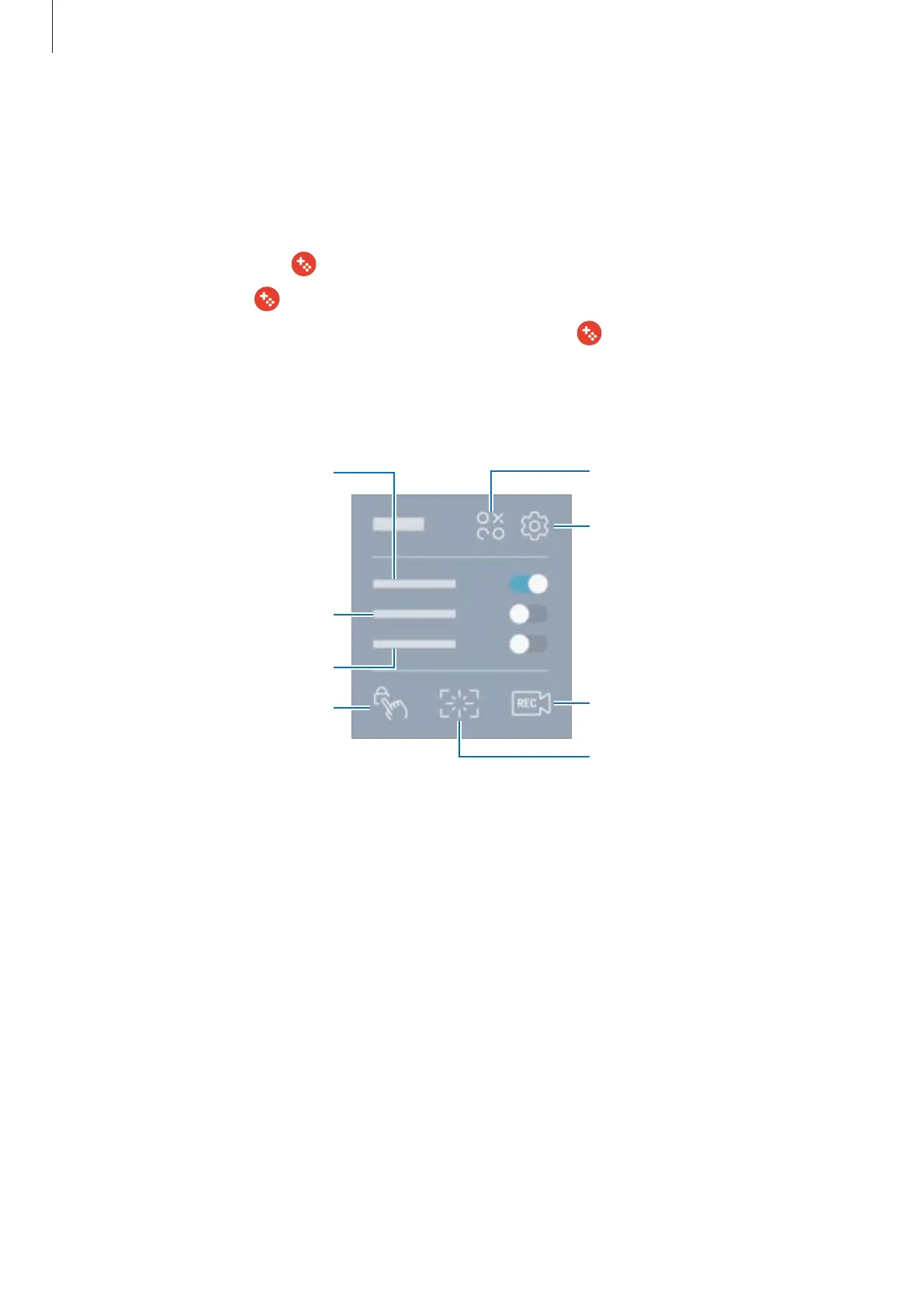
Capture screenshots.
Access the Game Tools settings.
Record your gameplay.
Lock the Back key.
Lock the touch screen.
Mute notification sounds and
display only notifications for
incoming calls and emergency
alerts.
Lock the Recent key.












 To Next Page