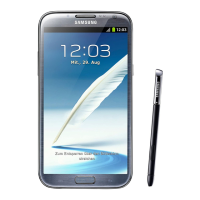
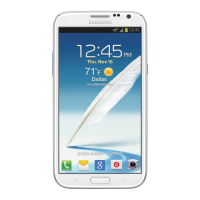
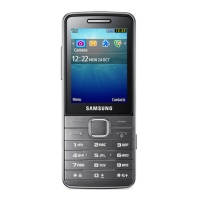
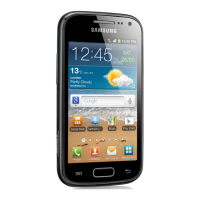
This document describes the Samsung Galaxy Note II smartphone, focusing on its functions, technical specifications, usage, and maintenance features.
The Samsung Galaxy Note II is a feature-rich smartphone designed to simplify daily tasks and enhance connectivity. It offers a blend of traditional smartphone capabilities with unique features like the S Pen, making it versatile for both personal and professional use.
Function Description:
The device supports a wide range of functions, including phone calls, text and multimedia messaging, email, web browsing, and various applications for entertainment, navigation, and productivity. It integrates with Google services like Gmail, Google Maps, YouTube, and Google Play Store, allowing users to access a vast ecosystem of apps and content. The phone also supports social networking accounts such as Facebook and Twitter.
Important Technical Specifications:
- Camera: 8.0 megapixel camera with autofocus, capable of taking high-resolution pictures and videos. It supports various shooting modes (Single shot, Best photo, Best face, Panorama, Share shot, HDR, Buddy photo share, Beauty, Smile shot, Low light) and effects (No effect, Cold vintage, Warm vintage, Posterize, Solarize, Greenpoint, Blue point, Red-yellow point, Washed out, Cartoonify, Black and White, Sepia, Negative).
- Video Recording: Supports H.263 profile 0 @ 30 fps, WVGA (800x480), max 2 Mbps; MPEG-4 simple profile @ 30 fps, 720p (1280x720), max 6 Mbps; H.264 baseline profile @ 30 fps, 720p (1280x720), max 6 Mbps. Recording modes include Normal, Limit for MMS, Slow motion, and Fast motion.
- Battery: Lithium Ion (Li-Ion) battery, providing up to 8.7 hours of continuous digital talk time.
- Storage: Supports microSD™ (Secure Digital) cards up to 64GB for expandable memory. Internal phone storage details are also available.
- Connectivity: Wi-Fi (802.11 b/g/n), Bluetooth, 3G, and 4G data services. It supports Wi-Fi Direct for phone-to-device connections and Sprint Mobile Hotspot to turn the phone into a Wi-Fi hotspot.
- Display: Touchscreen with adjustable brightness, screen mode (Dynamic, Standard, Natural, Movie), screen timeout, and font size (Tiny, Small, Normal, Large, Huge). It also features Smart Stay, which disables screen timeout if the user is watching the screen.
- Operating System: Android Operating System (OS), with options for firmware and software updates.
- S Pen: An intuitive stylus for tapping, writing, drawing, screen capture, and accessing S-Note. It includes a Pen Button for added functionality and a Stylus Tip for screen interaction.
- Sensors: Proximity and Light Sensors to adjust keypad access and turn off the touchscreen when held to the ear. GPS for location-based services.
- Security: Screen lock options including Swipe, Motion, Face unlock, Face and voice, Pattern, PIN, and Password. Data encryption for phone and SD card. Device Administration features for remote security management.
Usage Features:
- Phone Calls: Make calls using the keypad, from logs, or contacts. Supports 3-way calling, call forwarding, call waiting, and speed dialing. Enhanced 911 (E911) information is provided.
- Voicemail: Traditional and Visual Voicemail options. Visual Voicemail allows easy access and selection of messages without listening to all of them.
- Text and Multimedia Messaging (SMS/MMS): Compose and send text messages, and multimedia messages with pictures, videos, audio files, contact cards, or appointments.
- Email: Supports various email services (POP3, IMAP) and Microsoft Exchange ActiveSync for corporate email.
- Web Browsing: Full access to mobile and traditional websites with features like bookmarks, text selection, and desktop view.
- S Pen Functions: Back button, Menu button, Launch S Note Lite, Screen Capture (with ability to write/draw on captured images), and Air View for content preview.
- Multi Window: Allows running two applications simultaneously in resizable windows, with options to adjust size and switch positions.
- Touchscreen Navigation: Tap, touch and hold, swipe or slide, drag, flick, rotate, pinch and spread gestures.
- Applications and Entertainment: Access to Google Play Store for apps, games, movies, music, magazines, and books. Pre-installed apps like YouTube, Google Talk, Google+, Google Messenger, Flipboard, Media Hub, NASCAR Sprint Cup Mobile, Paper Artist, and Google Play Magazines.
- Navigation: Google Maps and TeleNav GPS Navigation for turn-by-turn directions, location search, and local business information.
- Music: Music Player and Google Play Music for playing music files, creating playlists, and managing music libraries. Sprint Music Plus for purchasing and downloading music.
- File Management: My Files application for managing sounds, images, videos, Bluetooth files, Android files, and memory card data. Dropbox integration for cloud storage and file sharing.
- Voice Services: S Voice for voice recognition commands and Voice Recorder for audio recording. Voice Search for initiating Google searches with voice input.
- Bluetooth: Connects wirelessly to headsets, car kits, and other Bluetooth-enabled devices for file transfer and hands-free communication.
- NFC (Near Field Communication): Allows data exchange by touching the phone with compatible devices, used for Android Beam and S Beam.
- AllShare Play: Wirelessly synchronizes media content with other DLNA-certified devices and supports screen sharing via Group Cast.
- Kies Air: Syncs the phone wirelessly with a Windows PC for managing call logs, videos, photos, music, and sending SMS messages.
Maintenance Features:
- Battery Management: Power saving settings (CPU power saving, screen power saving, background color, haptic feedback) and battery usage monitoring.
- Storage Management: View internal and microSD card memory allocation, format microSD cards, and unmount microSD cards safely.
- System Updates: Update phone firmware, Android Operating System, PRL (preferred roaming list), and user profile information.
- Security Settings: Configure screen lock, encrypt device and SD card, manage device administrators, and allow/block unknown sources for app installation.
- Accessibility Settings: Options for users with vision or hearing issues, including TalkBack (synthesized speech), font size, negative colors, text-to-speech output, and sound balance.
- Language and Input Settings: Select display language, default input method (Samsung keyboard, Swype, Google voice typing), and customize keyboard settings.
- Date and Time Settings: Manually adjust date, time, and time zone, or use network-provided values.
- Accessory Settings: Adjust sound and display features when the phone is docked.
- Developer Options: Settings for application development purposes.

 Need help?
 General

 To Next Page