EasyManua.ls Logo

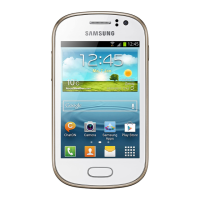
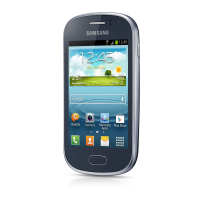
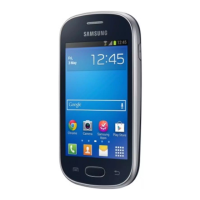
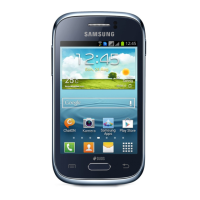
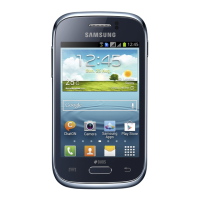
Samsung GT-S6802 - User Manual

Samsung GT-S6802
142 pages
Print Icon
To Next Page IconTo Next Page
Loading...
GT-S6802
user manual

Table of Contents

Other manuals for Samsung GT-S6802

Questions and Answers

  • N
    nancysimonSep 18, 2025
    What to do if another caller cannot hear me speaking on my Samsung Cell Phone?
    • D
      danielwellsSep 18, 2025
      If another caller can't hear you when you're speaking on your Samsung Cell Phone, check the following: 1. Make sure you're not covering the built-in microphone. 2. Ensure the microphone is close to your mouth. 3. If you're using a headset, verify that it's properly connected.
  • B
    Briana VegaAug 25, 2025
    What to do if my Samsung GT-S6802 Cell Phone freezes?
    • D
      Donald FrancisAug 25, 2025
      If your Samsung Cell Phone freezes or has fatal errors, press and hold the Power key for 8-10 seconds and release. You can also perform a factory data reset.
  • T
    Tina MooreAug 25, 2025
    What to do if my Samsung Cell Phone battery does not charge properly?
    • G
      gmathewsAug 26, 2025
      If the battery of your Samsung Cell Phone does not charge properly, the battery terminals may be dirty. Wipe both gold coloured contacts with a clean, soft cloth and try charging the battery again. You can also dispose of the old battery properly and replace it with a new battery.
  • K
    Kelly MeyersAug 26, 2025
    What to do if my Samsung GT-S6802 battery does not charge properly or sometimes the phone turns itself off?
    • R
      Robert AyalaAug 27, 2025
      If your Samsung Cell Phone battery isn't charging correctly or the phone turns off unexpectedly, the battery terminals might be dirty. Clean the gold-colored contacts with a soft, dry cloth and try charging again. If the battery still won't charge fully, replace it with a new one after properly disposing of the old battery.
  • J
    Jason OlsonSep 22, 2025
    What to do if I select a contact to call, but the call is not dialled on my Samsung GT-S6802 Cell Phone?
    • D
      Darrell BruceSep 22, 2025
      If you select a contact to call on your Samsung Cell Phone, but the call isn't dialled, make sure the correct number is stored in the contact list. If necessary, re-enter and save the number.
  • A
    Amy GutierrezSep 23, 2025
    What to do if I enter a number, but the call is not dialled on my Samsung GT-S6802?
    • G
      gabrielstewartSep 23, 2025
      If you enter a number on your Samsung Cell Phone, but the call doesn't dial, ensure that you have pressed the Dial key. Also, confirm that you have accessed the right cellular network and haven't set call barring for the phone number.
  • S
    Sandra ThomasSep 9, 2025
    Why is another Bluetooth device not located by my Samsung GT-S6802?
    • J
      Jacob OnealSep 9, 2025
      If another Bluetooth device is not located by your Samsung Cell Phone, ensure that the Bluetooth wireless feature is activated on your device and on the device you wish to connect to, if necessary. Also, ensure that your device and the other Bluetooth device are within the maximum Bluetooth range (10 m).
  • T
    Travis HawkinsSep 12, 2025
    Why is a connection not established when I connect my Samsung GT-S6802 Cell Phone to a PC?
    • C
      Cheryl HintonSep 12, 2025
      If a connection is not established when you connect your Samsung Cell Phone to a PC, ensure that the USB cable you are using is compatible with your device and that you have the proper drivers installed and updated on your PC.
  • M
    Michael KingSep 3, 2025
    Why is the audio quality poor on my Samsung Cell Phone?
    • S
      Steven ScottSep 3, 2025
      If the audio quality is poor on your Samsung Cell Phone, ensure that you are not blocking the device’s internal antenna. Also, if you are in areas with weak signals or poor reception, move to another area and try again.
  • M
    Mark WestSep 1, 2025
    How to unlock my Samsung GT-S6802 Cell Phone?
    • W
      Wayne JonesSep 1, 2025
      If the phone lock feature is enabled on your Samsung Cell Phone, you'll need to enter the password you set to unlock it.

Summary

Using this manual

Read me first

Important preliminary information and precautions before using the device.

Instructional icons

Explains the meaning of symbols and icons used throughout the manual.

Assembling

Install the SIM or USIM card and battery

Step-by-step guide for inserting SIM/USIM cards and the battery.

Charge the battery

Procedures for charging the device's battery before first use.

Getting started

Turn your device on and off

Instructions on powering the device on and off.

Get to know your device

Overview of the device's physical layout and key components.

Use the touch screen

Guide on basic interactions and gestures for the touchscreen.

Lock or unlock the touch screen and keys

Methods to secure the device from unintended operations.

Get to know the idle screen

Understanding the device's home screen interface.

Access applications

How to find and launch installed applications.

Customise your device

Personalizing device settings to user preferences.

Switch SIM or USIM cards

Managing and switching between dual SIM cards.

Enter text

Various methods for text input on the device.

Download applications from Play Shop

Guide to downloading apps from the official store.

Communication

Calling

Procedures for making, answering, and managing phone calls.

Messaging

Sending and managing text (SMS) and multimedia (MMS) messages.

Google Mail

Managing and using the Gmail application.

Talk

Using the chat feature to communicate with contacts.

Google+

Accessing Google's social network service.

Social Hub

Integrated communication application.

ChatON

Instant messenger for friends and family.

Entertainment

Camera

Capturing photos and recording videos with the device camera.

Gallery

Viewing and managing photos and videos.

Music

Playing audio files and managing music.

FM radio

Listening to radio stations using the FM tuner.

Personal information

Contacts

Creating, editing, and managing contact information.

Calendar

Scheduling events, appointments, and reminders.

Memo

Creating and saving text notes for later reference.

Voice recorder

Recording and playing back audio memos.

Web

Internet

Navigating the web using the device's browser.

Maps

Using mapping services for location finding and directions.

Navigation

GPS-based navigation with voice guidance.

Samsung Apps

Downloading and installing applications from Samsung.

Connectivity

Bluetooth

Enabling and using Bluetooth for wireless data transfer.

Wi-Fi

Connecting to wireless local area networks.

Mobile network sharing

Sharing the device's internet connection with other devices.

GPS

Activating and using location services.

PC connections

Connect with Samsung Kies

Using PC software for data synchronization and management.

Connect as a mass storage device

Using the device as a memory card reader.

VPN connections

Setting up and connecting to virtual private networks.

Tools

Clock

Using the clock, alarms, and timers.

Calculator

Performing mathematical calculations.

My files

Accessing and managing files stored on the device.

Task manager

Monitoring and managing running applications.

Settings

Wireless and networks

Managing Wi-Fi, Bluetooth, and mobile network settings.

Call settings

Customizing features related to phone calls.

Sound

Adjusting volume, ringtones, and notification sounds.

Display

Configuring screen brightness, font, and wallpaper.

Location and security

Securing the device and managing location services.

Privacy

Managing data backup, restore, and privacy settings.

Voice input and output

Configuring voice recognition and text-to-speech features.

Accessibility

Features to assist users with disabilities.

Date and time

Setting the device's date and time.

Troubleshooting

Password

Resolving issues related to forgotten device passwords.

PIN

Troubleshooting SIM/USIM card PIN and PUK codes.

The touch screen responds slowly or improperly

Steps to resolve touchscreen performance issues.

Your device freezes or has fatal errors

Resolving device freezing or critical errors.

The battery does not charge properly or the device turns off

Troubleshooting battery charging and power-off problems.

Safety precautions

Warning: Prevent electric shock, fire, and explosion

Critical warnings about electrical and fire hazards.

Proper care and use of your mobile device

Guidelines for maintaining the device and preventing damage.

Protect your hearing and ears when using a headset

Safety advice regarding loud audio and headset usage.

Do not disassemble, modify, or repair your device

Warnings against unauthorized device servicing.

Keep your personal and important data safe

Measures to protect personal information and device data.

Correct disposal of this product

Environmental guidelines for product and battery disposal.

Disclaimer

Samsung GT-S6802 Specifications

General IconGeneral
ModelGT-S6802
Announced2012, February
NetworkGSM / HSPA
2G bandsGSM 850 / 900 / 1800 / 1900
3G bandsHSDPA 900 / 2100
SpeedHSPA 7.2/5.76 Mbps
GPRSYes
EDGEYes
SIMDual SIM (Mini-SIM)
GPUAdreno 200
RAM512 MB
Internal Storage4 GB
Card SlotmicroSD, up to 32 GB
Primary Camera3.15 MP
Secondary CameraNo
LoudspeakerYes
3.5mm jackYes
WLANWi-Fi 802.11 b/g/n, hotspot
Bluetooth3.0, A2DP
GPSYes, with A-GPS
RadioFM radio
USBmicroUSB 2.0
BrowserHTML
JavaYes, via Java MIDP emulator
ColorsBlack, White
StatusAvailable
TypeTFT capacitive touchscreen
OSAndroid 2.3 (Gingerbread)
CPU1 GHz Cortex-A5
SensorsAccelerometer, proximity
Battery1500 mAh

Related product manuals