EasyManua.ls Logo

Samsung GT-S7500 - User Manual

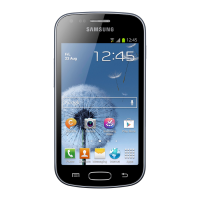
Samsung GT-S7500
158 pages
Print Icon
To Next Page IconTo Next Page
Loading...
GT-S7500
user manual

Table of Contents

Questions and Answers

  • L
    lesliehernandezSep 23, 2025
    Why does my Samsung GT-S7500 ask for a PIN?
    • J
      Janet WillisSep 23, 2025
      When you first use your Samsung Cell Phone, or if PIN requirement is enabled, you must enter the PIN provided with your SIM or USIM card. You can turn this off via the Lock SIM card menu.
  • W
    wmartinAug 25, 2025
    Why does my Samsung GT-S7500 Cell Phone feel hot?
    • M
      melissakimAug 25, 2025
      It is normal for your Samsung Cell Phone to feel warm when using power-intensive applications for extended periods. This shouldn't affect the device's performance or lifespan.
  • A
    Anthony MayAug 25, 2025
    What to do if my Samsung GT-S7500 battery won't charge?
    • B
      brittanymcclureAug 25, 2025
      If your Samsung Cell Phone isn't charging, try wiping the gold contacts on the battery with a clean, soft cloth and then try charging again.
  • C
    Carrie WeaverAug 26, 2025
    What to do if I can't connect my Samsung Cell Phone to a PC?
    • B
      bmaynardAug 27, 2025
      Make sure the USB cable you're using is compatible with your Samsung Cell Phone. Also, verify that you've installed the correct drivers on your computer.
  • J
    Jennifer GallagherAug 27, 2025
    What to do if I receive error messages when opening music files on my Samsung GT-S7500 Cell Phone?
    • J
      john96Aug 27, 2025
      First, try freeing up memory on your Samsung Cell Phone by transferring files to a PC or deleting them. Ensure the music file isn't DRM-protected and that you have the necessary license to play it. Confirm your device supports the file type.
  • T
    Tara WestSep 15, 2025
    How to make sure I am speaking into the microphone on my Samsung Cell Phone?
    • R
      Ryan BennettSep 15, 2025
      Ensure that the microphone is close to your mouth when speaking on your Samsung Cell Phone.
  • A
    Anthony SalazarSep 12, 2025
    How to make sure I am not blocking a number on my Samsung GT-S7500 Cell Phone?
    • A
      aguilarjamieSep 13, 2025
      Ensure that call barring is disabled for the number you're trying to call from your Samsung Cell Phone.
  • G
    gilldennisSep 14, 2025
    How to make sure I am not blocking the antenna on my Samsung GT-S7500?
    • A
      aalvarezSep 14, 2025
      Make sure you are not obstructing the internal antenna on your Samsung Cell Phone.
  • Q
    qsimpsonSep 5, 2025
    How to unblock a number on my Samsung GT-S7500 Cell Phone?
    • R
      randy78Sep 5, 2025
      Ensure that call barring is not enabled for the incoming phone number on your Samsung Cell Phone.
  • E
    Eric BarajasSep 2, 2025
    How to replace the battery on my Samsung GT-S7500 Cell Phone?
    • A
      Abigail DavisSep 2, 2025
      If your Samsung Cell Phone battery no longer charges fully, dispose of the old battery according to local regulations and replace it with a new one.

Summary

Assembling

Install the SIM or USIM card and battery

Step-by-step guide for inserting SIM/USIM and battery.

Charge the battery

Procedure for charging the device's battery.

Insert a memory card (optional)

Guide on how to insert and manage memory cards.

Settings

Location and security

Managing location services and device security.

Troubleshooting

The touch screen responds slowly or improperly

Solutions for unresponsive touch screen issues.

Your device freezes or has fatal errors

Steps to resolve device freezing or critical errors.

Error messages appear when launching the camera

Resolving camera application errors.

Safety precautions

Warning: Prevent electric shock, fire, and explosion

Critical safety warnings regarding electrical hazards.

Samsung GT-S7500 Specifications

General IconGeneral
ModelGT-S7500
Also known asSamsung Galaxy Ace Plus
Announced2012, January
SIMMini-SIM
Display TypeTFT capacitive touchscreen, 16M colors
MultitouchYes
ChipsetQualcomm MSM7227A Snapdragon S1
GPUAdreno 200
RAM512 MB
Internal Storage3 GB
Card slotmicroSD, up to 32 GB
Rear Camera5 MP
Rear Camera FeaturesLED flash
Video480p@30fps
Alert typesVibration; MP3, WAV ringtones
LoudspeakerYes
3.5mm jackYes
WLANWi-Fi 802.11 b/g/n, hotspot
Bluetooth3.0, A2DP
GPSYes, with A-GPS
RadioFM radio
SensorsAccelerometer, proximity, compass
MessagingSMS(threaded view), MMS, Email, Push Email, IM
JavaYes, via Java MIDP emulator
ColorsBlack, White
NetworkGSM / HSPA
StatusAvailable
Weight115 g
Display Size3.65 inches
Display Resolution320 x 480 pixels
OSAndroid 2.3 (Gingerbread)
USBmicroUSB v2.0
BrowserHTML
BatteryLi-Ion 1300 mAh battery

Related product manuals