This document is a user manual for a Samsung Washing Machine, models H146HWB and H146HIB. It provides comprehensive information on installation, operation, maintenance, troubleshooting, and specifications.
Function Description
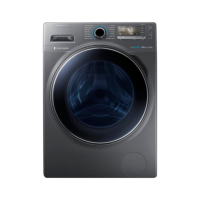
The Samsung Washing Machine is a front-loading appliance designed for domestic use. It offers a variety of washing courses and options to cater to different fabric types and soiling levels, aiming for efficient and effective laundry care. Key functions include automatic weight detection (Calibration), various wash cycles, temperature control, rinse adjustments, spin speed selection, and special modes for energy saving or quiet operation.
Important Technical Specifications
- Model Names: H146HWB, H146HIB
- Dimensions: W600 x D600 x H850 mm
- Water Pressure: 50 kPa ~ 800 kPa
- Net Weight: 73 kg
- Wash and Spin Capacity: 12.0 kg
- Power Consumption:
- Washing (220 V): 150 W
- Washing (240 V): 150 W
- Washing and Heating (220 V): 2000 W
- Washing and Heating (240 V): 2400 W
- Spin (220~240 V): 300 W
- Pumping: 30 W
- Spin Revolutions: 1400 rpm
Usage Features
Installation:
The manual provides a step-by-step guide for installation, emphasizing the need for a solid, level surface, adequate ventilation, and proper electrical and water connections. It details how to remove shipping bolts, adjust leveling feet, and connect both cold and hot water supply hoses (if applicable). The drain hose can be positioned over a wash basin, into a sink drain pipe, or directly into a standpipe, with specific height requirements.
Before You Start:
- Initial Settings: Users are guided to select a preferred language upon first turning on the machine.
- Calibration: A recommended calibration process ensures accurate weight detection. This involves ensuring the drum is empty, pressing the Power button, holding the Prefer Mode button for 3 seconds, selecting "Calibration," and pressing "Start/Pause." The machine will automatically turn off upon completion.
- Laundry Guidelines: Detailed instructions are provided for sorting laundry by care label, color, size, and sensitivity. Users are advised to empty pockets, turn clothing with buttons/embroideries inside out, and use a laundry net for delicate or small items. Overloading is cautioned against, with a maximum load capacity of 2.0 kg for bedding and 800 rpm spin speed.
- Detergent Drawer Guidelines: The machine features a three-compartment dispenser for prewash detergent, main wash detergent (powder, water softeners, pre-soaking agents, bleach, stain removers), and fabric softener. Instructions specify not to open the drawer during operation, avoid tablet/capsule/ball/net type detergents, and dilute concentrated agents. A liquid detergent container is provided for use in the main wash compartment.
Operations:
The control panel features a Course Selector dial, a display area, and buttons for Temp., Rinse, Spin, Options, Prefer Mode, Navigation, Start/Pause, and Power.
- Starting a Course: Turn on the machine, select a course, adjust settings (Temp., Rinse, Spin), add options via the Options button, select a preferred mode via the Prefer Mode button, and press Start/Pause.
- Changing a Course: Stop the current operation with Start/Pause, select a new course, and press Start/Pause again.
- Course Overview: A table lists standard courses like Cotton, Synthetics, Bedding, Wool, Super Eco Wash, Outdoor Care, Baby Care, Delicates, Daily Wash, Dark Garment, Rinse+Spin, and ECO DRUM CLEAN, along with their descriptions and maximum load capacities.
- Specialty Cycle: Six specialty courses (Cooking&Dining, Gardening, Active Sports, Active Kids, Working&Everyday, Hygiene Care) are designed for specific stain types.
- Options: Includes Pre Wash, Intensive, Soak, Easy Iron, Quick Wash, and Delay End. Quick Wash time can be adjusted from 15 to 60 minutes, and Delay End allows setting a finish time up to several hours later.
- Prefer Mode: Offers Speed Wash (reduces washing time, max 6.0 kg for Cotton), Eco Wash (saves power), and Silent Wash (reduces noise/vibration).
- Settings: Child Lock (locks all buttons), Language selection, Sound (mute/unmute), Brightness adjustment for the LCD screen, and License Info.
- Eco Check: Displays energy/water efficiency summary during operation.
- Drum Light: Can be turned on/off by holding the Temp. button for 3 seconds, automatically turns off after 5 minutes.
Maintenance Features
- ECO DRUM CLEAN: A dedicated course to clean the drum and remove bacteria. Recommended every 40 washes without detergent or bleach. The reminder appears every 40 washes and can be ignored 6 times before reappearing on the second 40th wash.
- Smart Check: A self-diagnosis function accessible via the Samsung Smart Washer app on a mobile device. The app recognizes error codes displayed on the washing machine and provides troubleshooting information.
- Emergency Drain: Instructions for draining water from the drum in case of a power failure, involving unplugging the machine, opening the filter cover, pulling out the drain tube, and letting water run into a container.
- Cleaning:
- Surface: Use a soft cloth with nonabrasive detergent.
- Mesh Filter: Clean the water supply hose mesh filter once or twice a year. This involves turning off the machine, closing the water tap, disconnecting the hose, pulling out and cleaning the mesh filter, drying it, and reinserting. A "4E" error code indicates a clogged filter.
- Debris Filter: Clean 5-6 times a year to prevent clogging. This involves unplugging, draining water, opening the filter cover with a coin/key, turning the cap to drain water, removing and cleaning the filter, and reinserting. A "5E" error code indicates a clogged debris filter.
- Detergent Drawer: Clean regularly by removing the release lever and liquid detergent container, washing components with a soft brush, and cleaning the drawer recess. A RINSE+SPIN course with an empty drum can remove remaining detergent.
- Recovery from Freezing: Steps to thaw the machine if temperatures drop below 0°C, involving unplugging, pouring warm water over the tap and into the drum, and reconnecting the hose.
- Care Against Extended Disuse: Instructions for preparing the machine for long periods of inactivity, including running a RINSE+SPIN cycle, closing the water tap, disconnecting the supply hose, unplugging, and leaving the door open to air dry.
Troubleshooting:
A table lists common problems (e.g., machine won't start, insufficient water supply, detergent residue, vibrations, drainage issues, door won't open) and corresponding actions. Information codes (dE, 4E, 5E, UE, cE/3E/Uc) are also explained with their respective solutions. For persistent issues, users are advised to contact a Samsung service center.

 Need help?



 To Next Page
 General