Need help?
Do you have a question about the Samsung HS3000 and is the answer not in the manual?
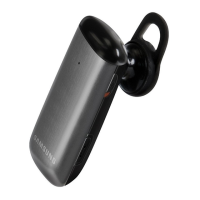
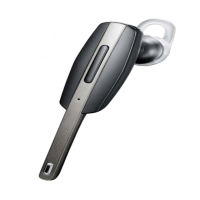
Visual guide to headset components and their functions.
Details the function of each headset button.
Explains the headset charging process and indicator lights.
How to check battery status using indicator light colors.
Guides on correct headset wear for optimal performance.
Procedure to power the headset on and off.
How voice prompts inform about headset status and usage.
How to change voice prompt language via pairing mode.
Procedure to enable or disable voice prompt notifications.
Process for pairing and connecting the headset to a phone.
How to connect headset to two phones simultaneously using Multi-point.
Pairing the headset with music devices like MP3 players.
How to disconnect the headset from a paired device.
Automatic and manual reconnection procedures for paired devices.
Instructions on redialing numbers and dialing by voice.
How to answer an incoming call using the talk button.
Procedure to end an active call.
How to reject an incoming call.
How to increase or decrease the headset volume.
How to mute and unmute the headset microphone.
Moving an active call from the phone to the headset.
How to place an ongoing call on hold.
Handling multiple calls, including answering a second incoming call.
Handling calls on a secondary connected phone.
Controlling music playback using headset buttons.
Applying different sound modes for music listening.
Answers to common questions about headset functionality and compatibility.
Product warranty terms and conditions for repair or replacement.
Technical details like Bluetooth version, talk time, and charging time.
Instructions for environmentally responsible product disposal.
Guidance on proper battery disposal according to regulations.
Lists compliance with R&TTE Directive and applicable safety standards.
Identifies the authorized EU representative for the product.
 General
| Compatibility | Telephone |
|---|---|
| Dimensions (WxDxH) | 53.5 x 9.6 x 21.5 mm |
| Brand compatibility | Samsung |
| Battery level indicator | No |
| Number of products included | 1 pc(s) |
| Standby time | 170 h |
| Bluetooth | Yes |
| Bluetooth version | 3.0+HS |
| Bluetooth profiles | A2DP, AVRCP, HFP, HSP |
| Connectivity technology | Wireless |
| Headset type | Binaural |
| Product type | Headset |
| Product color | Black |
| Wearing style | In-ear |
| Volume control | Digital |
| Recommended usage | Calls/Music |
| Ear coupling | Intraaural |
| Microphone type | Built-in |
 Weight and Dimensions
| Depth | 9.6 mm |
|---|---|
| Width | 53.5 mm |
| Height | 21.5 mm |
| Weight | 13.2 g |

 To Next Page