43
GB
42
OPERATION
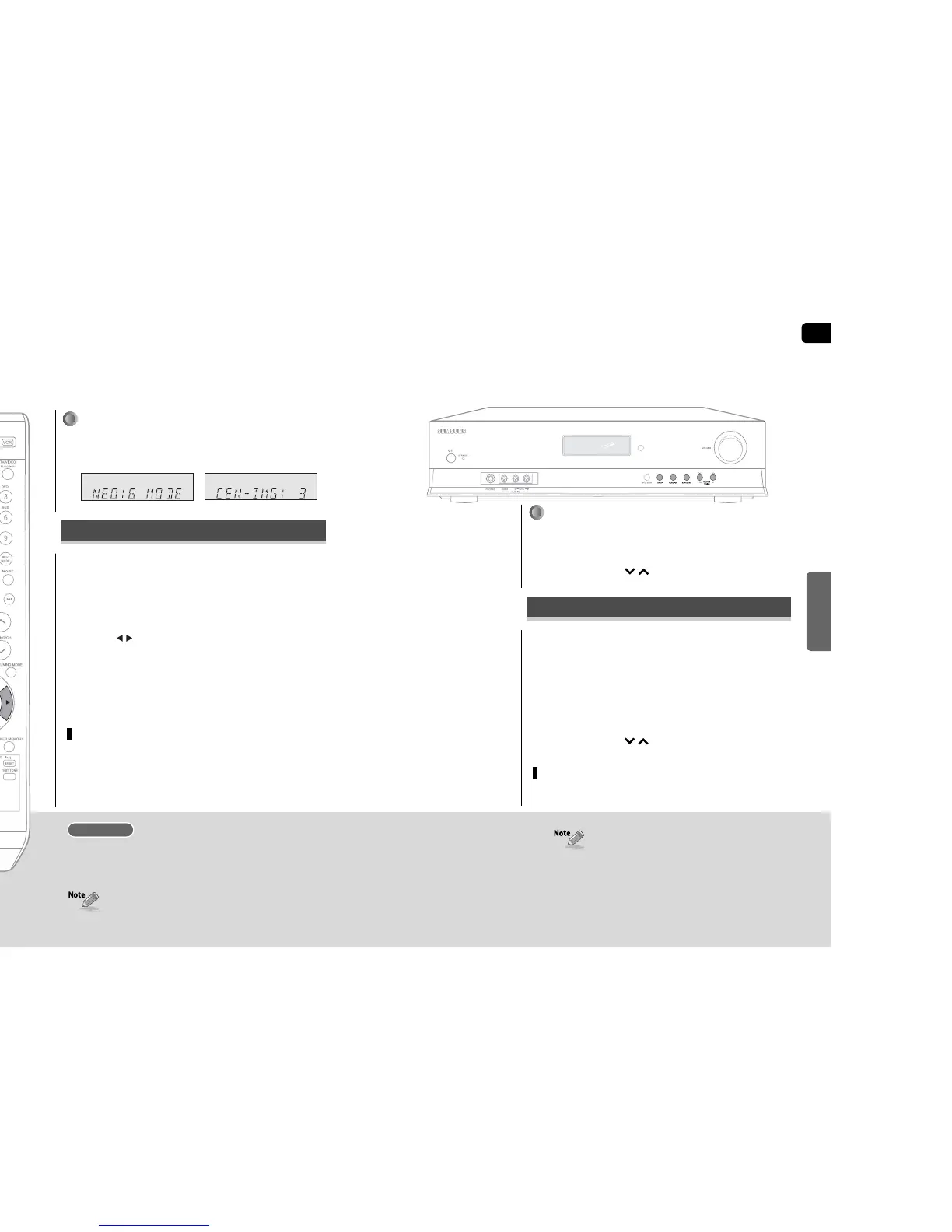
NEO:6 mode
You can play back 2 channel sound over 6.1 channel when enjoying music or a movie.
Press SETUP/MENU button, and then press ENTER
button.
•
“SETUP MODE” appears on the display and goes into Setup Mode.
Press button to select the “NEO:6 MODE”, and then
press ENTER button.
•
“CEN : IMG : 2” appears on the display.
Press …† button to set the sound image you want.
•
You can set the sound image from 0 to 5.
To exit setup mode
•
Wait for about 5 seconds or press SETUP/MENU button.
“SETUP OFF” appears on the display and Setup Mode is exited.
REMOTE CONTROL
1
2
3
This mode decodes 2 channel signals to high precision digital matrix decoder.
DTS NEO:6 decoder discretes 2 channel sound to discrete 6.1 channel sound.
•
MUSIC : NEO:6 MUSIC mode is optimized for music playback
•
CINEMA : NEO:6 CINEMA mode is optimized for movie playback.
NEO : 6 Mode
•
NEO:6 mode can be used with DTS and Dolby Digital multi channel signals.
•
Pro Logic works only for PCM audio signals with sampling frequency of
32KHz, 44KHz or 48KHz.
•
You can use this function to set the sound image of centre speaker
only via the main unit.
If TV (or screen) is installed high on a wall, you can raise the sound image
of the centre speaker to compensate.
To set sound image of centre speaker
Press NEO:6 MODE button.
•
Each time you press this button, MUSIC ➝ CINEMA will be selected in turn.
Press SURROUND button briefly to select “NEO:6” mode.
•
Each time you press this button, DPLIIx ➝ NEO:6 ➝ SFE ➝ STEREO will be
selected in turn.
Press SELECT( ) button.
•
Each time you press this button, MUSIC ➝ CINEMA will be selected in turn.
Press SETUP button.
•
“SETUP MODE” appears on the display and goes into Setup Mode.
Press FUNCTION button to select the “NEO:6 mode”.
Press SURROUND button.
•
“CEN : IMG : 2” appears on the display.
Press SELECT( ) button to set the sound image you want.
•
You can set the sound image from 0 to 5.
To exit setup mode
•
Wait for about 5 seconds or press SETUP button.
“SETUP OFF” appears on the display and Setup Mode is exited.
If TV (or screen) is installed high on a wall, you can raise the sound image
of the centre speaker to compensate.
MAIN UNIT
1
1
2
3
4
2
To set sound image of centre speaker


 To Next Page