55
GB
54
MISCELLANEOUS
•
Do not turn the volume up too high when you use
headphones as It may damage your hearing.
•
In the 5.1 channel mode, if you connect
headphones, the “NOT IN USE” message is
displayed and sound cannot be heard through
the headphones.
Reset function
•
Using the RESET function will erase all stored settings.
•
Do not use this unless necessary.
Caution!
Convenient functions
(cont’d)
Connect the headphone to the headphone
jack and listen to music.
Use headphones (not supplied) for private listening pleasure.
Using headphone
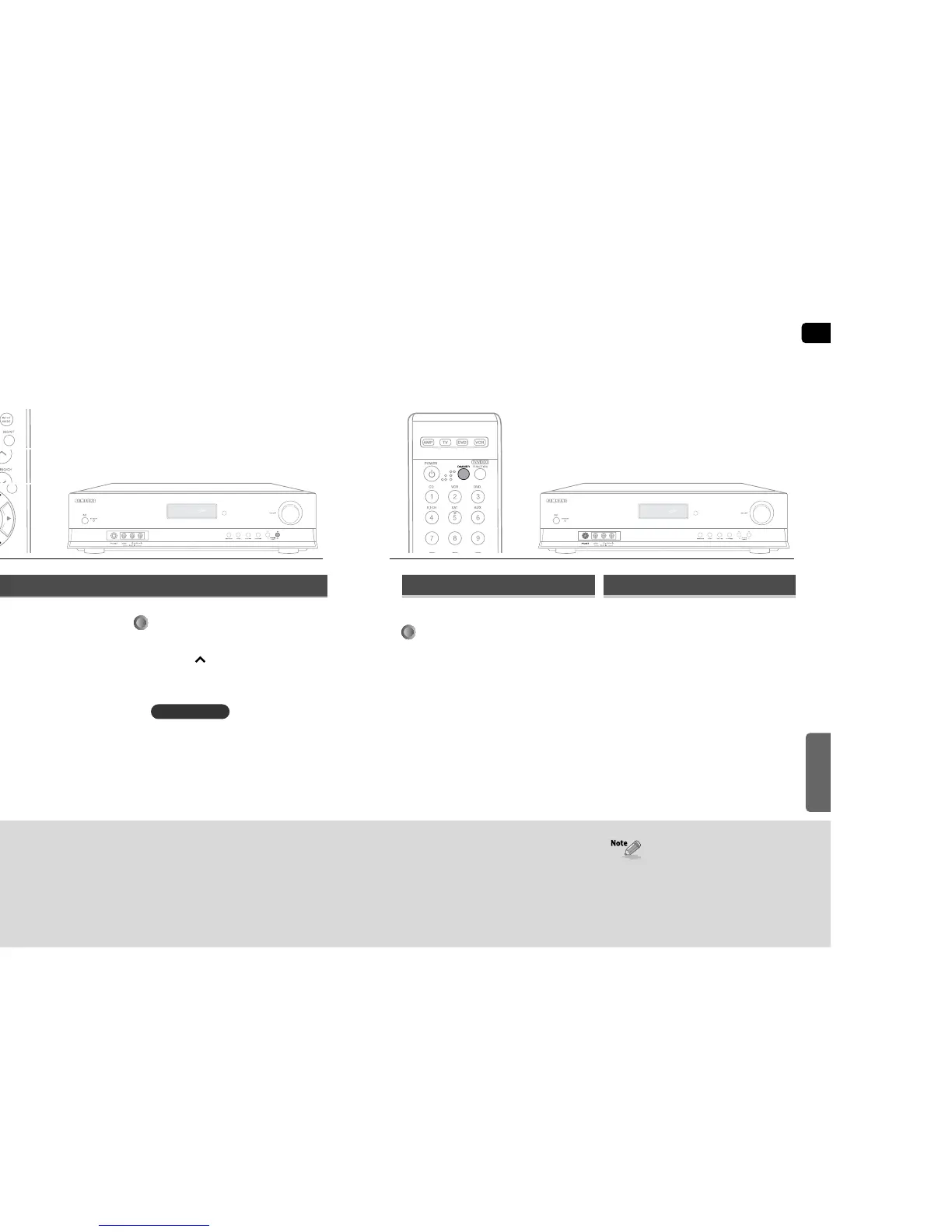
Press the DIMMER button.
•
Each time you press this, the brightness changes as
follows : DARK ➝ BRIGHT.
You can adjust the brightness of the display.
Adjust the display
REMOTE CONTROL
Press the MUTE button.
•
MUTE appears on the display.
Press “0” button five times and then
press ENTER button.
•
“INITIAL : YES” appears on the display.
Press …† buttons to select “YES”.
•
The unit will turn off after 5 seconds.
Turn off the power and hold the
SELECT( ) button for longer than 5
seconds.
•
POWER STANDBY indicator will flash.
REMOTE CONTROL
1
2
3
MAIN UNIT


 To Next Page