EasyManua.ls Logo

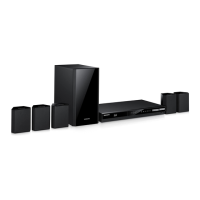
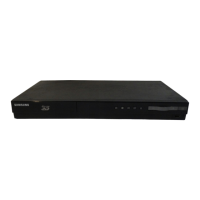
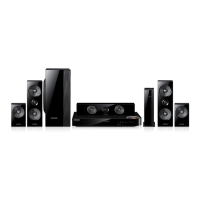
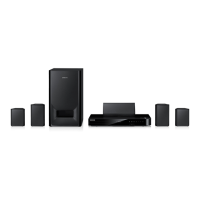
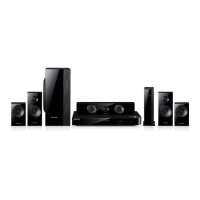
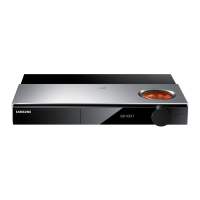
Samsung HT-F455K - User Manual

Samsung HT-F455K
28 pages
Print Icon
To Next Page IconTo Next Page
Loading...
imagine the possibilities
Thank you for purchasing this Samsung product.
To receive more complete service,
please register your product at
www.samsung.com/register
Digital Home
Entertainment System
user manual
HT-F450K
HT-F453K
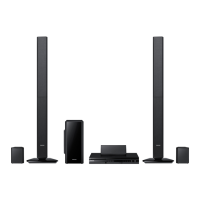
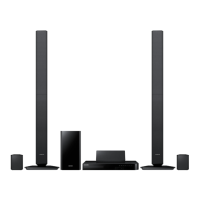
HT-F453HK
HT-F445K
HT-F455K
HT-F450-ENG MIC-12-12.indd 1HT-F450-ENG MIC-12-12.indd 1 2013-2-18 13:49:112013-2-18 13:49:11

Questions and Answers

  • J
    Jennifer PruittAug 18, 2025
    How to reset my Samsung HT-F455K if it is not working?
    • S
      Scott GreenAug 18, 2025
      Press and hold the 5 button on the remote control for longer than 5 seconds with no disc inserted (reset function). Note that using the RESET function will erase all stored settings, so only use this if necessary.
  • N
    Nicole AndrewsAug 20, 2025
    What to do if my Samsung HT-F455K Home Theater System remote control is not working?
    • D
      David HansonAug 20, 2025
      Ensure the remote control is within its operational range in terms of angle and distance. Check if the batteries are drained and replace them if necessary. Also, verify that you have selected the correct mode (RECEIVER DVD/TV) on the remote.
  • T
    Terry OneillAug 23, 2025
    How to fix sound coming from only some speakers on my Samsung HT-F455K?
    • E
      Ernest BeasleyAug 23, 2025
      On some DVD discs, sound is only output from the front speakers. Ensure that the speakers are connected properly and adjust the volume. When listening to a CD, radio, or TV, sound is often output to the front speakers only; select V-SURROUND (Virtual Surround) on the remote control to use all six speakers.
  • P
    Phillip RoblesAug 26, 2025
    How to enable Dolby Digital 5.1 CH Surround Sound on my Samsung HT-F455K Home Theater System?
    • S
      stacycollinsAug 26, 2025
      Dolby Digital 5.1 CH Surround Sound is produced only if the disc is recorded with 5.1 channel sound, so check for the 'Dolby Digital 5.1 CH' mark on the disc. Also, ensure the audio language is correctly set to Dolby Digital 5.1-CH in the information display.
  • F
    fperezAug 28, 2025
    Why are audio language and subtitles not working on my Samsung HT-F455K?
    • R
      Regina ReeseAug 28, 2025
      Audio language and subtitles will not work if the disc does not contain them.
  • G
    gibsonmichaelAug 30, 2025
    Why is there no sound coming from my Samsung Home Theater System?
    • S
      Shawn SpencerAug 30, 2025
      Sound may not be heard during fast playback, slow playback, and step motion playback. Check if the speakers are connected properly and if the speaker setup is correctly customized. Also, verify whether the disc is severely damaged.
  • T
    Travis ShawSep 2, 2025
    Why is my Samsung HT-F455K disc spinning but there's no picture on the TV?
    • R
      riceloriSep 2, 2025
      Make sure your TV is powered on and the video cables are properly connected. Check if the disc is dirty or damaged. A poorly manufactured disc also may not be playable.
  • A
    Anne RogersSep 4, 2025
    What to do if my Samsung HT-F455K Home Theater System won't eject the disc?
    • R
      rbartlettSep 4, 2025
      Ensure the power cord is securely plugged into the outlet. If it is, try turning the power off and then back on.
  • M
    Megan GomezSep 7, 2025
    Why won't my Samsung HT-F455K start playback?
    • R
      romerocharlesSep 7, 2025
      DVD discs purchased from abroad may not be playable, so check the region number of the DVD. CD-ROMs and DVD-ROMs cannot be played on this product. Also, make sure that the rating level is correct.
  • D
    Debra McdonaldSep 9, 2025
    Why can't my Samsung Home Theater System receive radio broadcast?
    • J
      John RobertsSep 9, 2025
      Ensure the antenna is connected properly. If the antenna's input signal is weak, consider installing an external FM antenna in an area with good reception.


Summary

Safety Information

Safety Warnings

Crucial safety guidelines to prevent electric shock, fire, and ensure proper product usage.

Getting Started

Disk and Format Compatibility

Information on compatible disc types, audio/video formats, and file system requirements for playback.

Notes on the USB connection

Guidelines and limitations for connecting USB storage devices, including supported formats and potential issues.

Front Panel

Overview of the product's front panel controls, indicators, and input/output jacks.

Rear Panel

Details the connectivity ports and terminals located on the back of the device.

Remote Control

Comprehensive guide to the functions of each button on the remote control for device operation.

Installing batteries in the Remote Control

Step-by-step instructions for battery installation and initial setup of the remote for TV control.

TV Control Codes

A list of codes enabling the remote control to operate various television brands.

Connections

Connecting the Speakers

Instructions for proper speaker placement and connecting speaker wires to the system for optimal sound.

Speaker Components

Identification and illustration of all speaker components included with different model variants.

Installing the Speakers on the Tallboy Stand

Detailed steps for assembling and attaching speakers to tallboy stands.

Connecting to a TV

Methods for connecting the home theater system to a television using HDMI or video cables.

Connecting to External Devices

Guidance on connecting analog and digital audio sources to the system using various input jacks.

Connecting Microphone

Instructions for connecting microphones and utilizing karaoke features like volume and echo control.

Settings

The Initial Settings Procedure

Walkthrough for initial setup of language, TV aspect ratio, and speaker configuration.

Display

Options for customizing screen display settings, including TV aspect ratio and BD Wise feature.

Resolution

Configuration of HDMI output resolution to match TV capabilities for optimal video quality.

HDMI Format

Setting the color space for HDMI output to ensure compatibility with connected display devices.

Audio

Audio settings including speaker layout, sound modes, delay time, and audio sync adjustments.

System

System-level configurations such as initial setup, DivX registration, and deactivation options.

Language

Selection of preferred language for on-screen menus, disc menus, and audio/subtitle options.

Security

Management of parental lock features, rating levels, and password settings for content control.

Basic Functions

Disc Playback

Comprehensive guide to playing discs, including controls, resume function, and disc handling tips.

Audio CD(CD-DA);MP3;WMA Playback

How to play audio CDs, MP3, and WMA files, including track navigation and file selection.

5 Minute Skip Function

Functionality to skip playback forward or backward by 5-minute intervals for DivX content.

Using the Disc;Title Menu

Accessing and navigating disc menus for audio language, subtitles, and title selection.

Repeat Playback

Options to repeat playback of entire discs, tracks, chapters, or specific sections (A-B Repeat).

Caption Function

Guide to using subtitle files (*.smi, *.sub, *.srt) with DivX media for synchronized text display.

Using the Special Remote Control Buttons

Explains the use of advanced buttons like P.BASS, GIGA Sound, S.VOL, and DSP/EQ for audio enhancement.

V SURROUND

Feature to simulate 5.1 channel surround sound from 2-channel audio sources.

TV SOUND

Allows switching audio output between the Home Theater system and the connected TV speakers.

Listening to Radio

Instructions for tuning into FM radio stations, setting presets, and adjusting mono/stereo modes.

USB Function

How to play media files (photos, videos, music) stored on USB devices via the USB host port.

USB Recording

Guide to recording audio from CDs, FM radio, or external inputs onto a connected USB storage device.

Other Information

Troubleshooting

Solutions and remedies for common operational issues and error messages encountered with the product.

Specifications

Technical details of the product, including dimensions, weight, operating conditions, and performance metrics.

OpenSSL License

OpenSSL License

Legal terms and conditions governing the use and distribution of the OpenSSL cryptographic software.

SAMSUNG WORLD WIDE

Contact Information

Global contact details, including phone numbers and websites for Samsung customer support and service centers.

Samsung HT-F455K Specifications

General IconGeneral
Audio Channels5.1
Total Power Output1000W
DVD PlaybackYes
HDMI OutputYes
USB PlaybackYes
BluetoothNo
FM RadioYes
3D Blu-rayNo
Smart HubNo
Anynet+ (HDMI-CEC)Yes
TypeHome Theater System
Disc PlayerYes
Total Power1000W
Audio DecodingDolby Digital

Related product manuals