EasyManua.ls Logo

Samsung HT-F9750W - User Manual

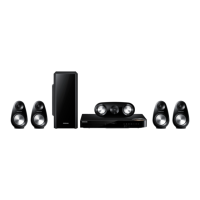
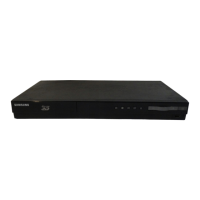
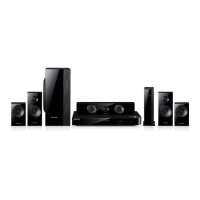
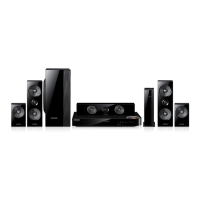
Samsung HT-F9750W
62 pages
Print Icon
To Next Page IconTo Next Page
Loading...
imagine the possibilities
Thank you for purchasing this Samsung product.
To receive more complete service,
please register your product at
www.samsung.com/register
7.1CH Blu-ray™
Home Entertainment System
user manual
HT-F9750W
HT-F9750W-XY-0604.indd 1HT-F9750W-XY-0604.indd 1 2013-06-04 오전 10:08:552013-06-04 오전 10:08:55

Questions and Answers

  • E
    Eugene DanielsSep 10, 2025
    Why is no sound produced by my Samsung HT-F9750W Home Theater System?
    • V
      vjonesSep 10, 2025
      If you are not getting sound from your Samsung Home Theater System, consider the following: * The home cinema does not play sound during fast playback, slow playback, and step motion playback. * Check if the speakers are connected properly and if the speaker setup is correctly customized. * Ensure the disc is not severely damaged.
  • S
    Sarah TurnerAug 22, 2025
    How to troubleshoot no HDMI output on Samsung HT-F9750W?
    • B
      Bailey HoganAug 23, 2025
      If you are not getting any HDMI output from your Samsung Home Theater System, check the connection between the TV and the HDMI jack on the product. Also, ensure that your TV supports the HDMI input resolution (576p/480p/720p/1080i/1080p).
  • F
    Fernando SantiagoAug 25, 2025
    How to reset a Samsung HT-F9750W that is not working normally?
    • E
      Eric FlemingAug 25, 2025
      If your Samsung Home Theater System is not working normally, you can reset it by pressing and holding the remote control's 5 button for 5 seconds in STANDBY mode. Be aware that using the RESET function will erase all stored settings, so only use this if necessary.
  • M
    Megan BrownAug 26, 2025
    What to do if my Samsung Home Theater System HDMI output resolution is not supported by my TV?
    • J
      Jason LangAug 26, 2025
      If the HDMI output is set to a resolution that your TV does not support, you might not see a picture. To resolve this, press and hold the 5 button on the front panel for more than 5 seconds while there is no disc in the product. This will revert all settings to the factory defaults.
  • P
    Phillip CohenAug 27, 2025
    How to reset the rating level password on a Samsung Home Theater System?
    • L
      Lisa SwansonAug 27, 2025
      If you've forgotten the rating level password on your Samsung Home Theater System, remove any disc from the product, then press and hold the 5 button on the product for longer than 5 seconds. 'INIT' will appear on the display, and all settings will return to the default values. Then, press the POWER button. Keep in mind that this reset will erase all stored settings, so use it only when necessary.
  • M
    Matthew HerreraAug 29, 2025
    Why is there no sound while listening to TV audio through my Samsung HT-F9750W?
    • K
      Kelly HigginsAug 29, 2025
      If you are listening to TV audio through your Samsung Home Theater System and no sound is heard, and if you pressed the OPEN/CLOSE ^ button while using the D. IN or AUX functions, the Blu-ray/DVD disc functions might be turned on, muting the TV audio.
  • P
    Peter JonesSep 18, 2025
    How to change aspect ratio on Samsung HT-F9750W?
    • R
      ramirezjohnSep 18, 2025
      You can play 16:9 Blu-ray/DVD discs in 16:9 Full mode, 4:3 Letter Box mode, or 4:3 Pan-Scan mode on your Samsung Home Theater System, but 4:3 Blu-ray/DVD discs are played in 4:3 ratio only. Refer to the Blu-ray Disc jacket and then select the appropriate function.
  • D
    David ClarkSep 12, 2025
    Why is sound only coming from a few speakers on my Samsung HT-F9750W Home Theater System?
    • B
      Belinda JonesSep 12, 2025
      If you are only hearing sound from a few speakers (and not all 8) on your Samsung Home Theater System, it could be due to the following reasons: * Some Blu-ray/DVD discs output sound from the front speakers only. * Check if the speakers are connected properly. * Adjust the volume. * When listening to a CD, radio, or TV, sound is often output to the front speakers only.
  • J
    jacob98Sep 8, 2025
    How to fix Samsung Home Theater System when it can't receive radio broadcasts?
    • J
      Jason SmithSep 8, 2025
      If you can't receive radio broadcasts on your Samsung Home Theater System, ensure that the antenna is connected properly. If the antenna's input signal is weak, install an external FM antenna in an area with good reception.
  • A
    Adam MendozaSep 5, 2025
    What to do if I cannot eject the disc from my Samsung HT-F9750W?
    • T
      thompsonclaireSep 5, 2025
      If you cannot eject the disc from your Samsung Home Theater System, verify that the power cord is securely plugged into the outlet. If it is, try turning the power off and then back on.

Summary

Safety Information

Warning

Important safety instructions to reduce risk of electric shock and personal injury.

Disc Storage & Management

Guidelines for handling, cleaning, and storing discs to maintain playback quality.

Handling Cautions

Precautions for handling the apparatus to prevent damage or hazards.

Using the 3 D Function

Health and safety information for using the 3D viewing feature.

Getting Started

Disk and Format Compatibility

Information on which disc types and file formats the product can play or cannot play.

Region Code Information

Details on region codes for Blu-ray and DVD discs and product compatibility.

Logos of Discs the Product can Play

Visual identification of supported disc formats and technologies.

Supported Media Formats

Comprehensive list of supported video, audio, picture, and subtitle file formats.

Connections

Speaker Setup and Connection

Guides on positioning, installing, and connecting speakers for optimal audio performance.

Connecting to External Devices

Instructions for connecting TVs, external audio, and digital components via HDMI and other ports.

Network Connection Setup

Methods for connecting the product to a network via wired or wireless connections.

Settings

Initial Setup and Home Screen Navigation

Steps for initial setup, understanding the Home Screen, and accessing settings.

Remote Control for Settings Menu

Explanation of remote control buttons used for navigating settings menus.

Display and Audio Configuration

Adjusting display settings like 3D, aspect ratio, and audio settings like speaker levels.

Network and System Configuration

Configuring network connections (wired, wireless, Wi-Fi Direct) and system language.

Software Updates and Resetting

Procedures for upgrading product software and restoring factory default settings.

Media Play

Accessing and Playing Media Files

How to access and play content from discs, USB devices, and networks via All Content screen.

Controlling Video and Music Playback

Detailed functions for controlling video and music playback, including playback modes and navigation.

Advanced Media Features

Creating playlists, ripping music, Bluetooth connectivity, photo playback, radio tuning, and sound effects.

Network Services

Samsung Account and Smart Hub Setup

Logging into your Samsung account and setting up Smart Hub for online services.

Downloading and Managing Apps

How to download, install, manage, and delete applications from Samsung Apps.

Web Browser and Internet Access

Using the web browser for internet access, navigation, and security settings.

Linking Service Accounts and BD-LIVE

Connecting to internet services and managing BD-LIVE content for enhanced disc features.

Appendix

Additional Information and Notes

Supplementary details on connections, settings, and product features.

Troubleshooting Common Issues

Solutions for common operational problems like disc errors, sound issues, and connectivity failures.

Product Specifications

Detailed technical specifications for the main unit and speaker system.

Samsung HT-F9750W Specifications

General IconGeneral
Disc loading typeTray
Disc types supportedBD, BD-R, BD-RE, BD-ROM, CD, CD-R, CD-RW, DVD, DVD+R, DVD+RW, DVD-RAM, DVD-RW
Number of optical discs1 discs
Optical disc player typeBlu-Ray player
Built-in HDDNo
Apple docking compatibilityNot supported
3DYes
Video formats supportedAVCHD, DIVX, MKV, WMV, XVID
Audio decodersDolby Digital, Dolby Digital Plus, Dolby Pro Logic II, Dolby TrueHD, DTS, DTS Neo:6, DTS-HD
RMS rated power1330 W
Audio output channels7.1 channels
Audio formats supportedAAC, LPCM, MP3, WMA
Supported radio bandsFM
Wireless satellite speakers-
Subwoofer typePassive subwoofer
Product colorBlack, Silver
HDMI in2
USB version2.0
SCART ports quantity0
Number of HDMI outputs1
Power consumption (standby)0.5 W
Power consumption (typical)128 W
Weight and Dimensions IconWeight and Dimensions
Main unit dimensions (WxDxH)430 x 310 x 61 mm
Subwoofer dimensions (WxDxH)208 x 350 x 390 mm
Front speaker dimensions (WxDxH)1320 x 70 x 90 mm
Center speaker dimensions (WxDxH)360 x 85 x 70 mm
Satellite speaker dimensions (WxDxH)90 x 70 x 1300 mm

Related product manuals