EasyManua.ls Logo

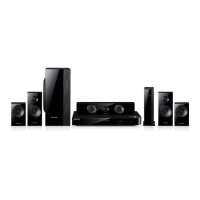
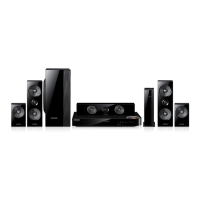
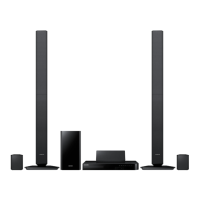
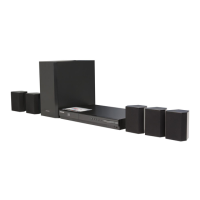
Samsung HT-FM45 - User Manual

Samsung HT-FM45
39 pages
Print Icon
To Next Page IconTo Next Page
Loading...
imagine the possibilities
Thank you for purchasing this Samsung product.
To receive more complete service,
please register your product at
www.samsung.com/register
5.1CH Blu-ray™
Home Entertainment System
user manual
HT-FM45
HT-FM45_ZA_0530.indd 1HT-FM45_ZA_0530.indd 1 2013-05-30 3:22:452013-05-30 오후 3:22:45

Questions and Answers

  • C
    Carolyn TaylorSep 23, 2025
    Why can't I connect to the BD-LIVE server on my Samsung HT-FM45 Home Theater System?
    • A
      albertdavisSep 23, 2025
      To troubleshoot BD-LIVE server connection issues on your Samsung Home Theater System: Test whether the network connection is active by using the Network Status function. Check whether a USB memory device is connected to the product. The memory device must have at least 1GB of free space to accommodate the BD-LIVE service. See if the BD-LIVE Internet Connection option is set to Allow(All). If all above fails, contact the contents provider or update to the latest firmware.
  • M
    Michael GalvanAug 23, 2025
    How do I reset the rating level password on my Samsung Home Theater System?
    • K
      Karen CastroAug 23, 2025
      To reset the rating level password on your Samsung Home Theater System, remove any disc from the product, then press and hold the product's 5 button for longer than 5 seconds. 'INIT' will appear on the display, and all settings will return to the default values. Then, press the POWER button. Remember that this will erase all stored settings, so use this function only when necessary.
  • E
    Edwin RomanAug 25, 2025
    How to fix no HDMI output on Samsung Home Theater System?
    • L
      Leah PowersAug 26, 2025
      If there's no HDMI output from your Samsung Home Theater System, first check the connection between the TV and the HDMI jack on the product. Also, verify that your TV supports the HDMI input resolution (480p/720p/1080i/1080p).
  • M
    Michael FosterAug 27, 2025
    Why is Dolby Digital 5.1 CH Surround Sound not produced on my Samsung HT-FM45 Home Theater System?
    • C
      Cheyenne ThompsonAug 27, 2025
      Dolby Digital 5.1 CH Surround Sound is produced by your Samsung Home Theater System only if the disc is recorded with 5.1 channel sound. Check if there is a 'Dolby Digital 5.1 CH' mark on the disc. Also, ensure that the audio language is correctly set to Dolby Digital 5.1-CH in the information display.
  • F
    Fernando MitchellAug 27, 2025
    Why can I only hear sound from a few speakers on my Samsung Home Theater System?
    • O
      Olivia CookAug 27, 2025
      If sound is only coming from a few speakers on your Samsung Home Theater System, ensure that all speakers are connected properly. Adjust the volume. Note that on certain Blu-ray/DVD discs, sound is output from the front speakers only, and when playing audio from a CD, the radio, or a TV, the unit outputs sound to the front speakers only.
  • R
    Renee PopeSep 18, 2025
    What to do if the HDMI output is set to a resolution that my TV cannot support on my Samsung Home Theater System?
    • N
      Norma MartinSep 18, 2025
      Press and hold the 5 button on the front panel of your Samsung Home Theater System for more than 5 seconds with no disc inserted. All settings will revert to the factory settings.
  • D
    Daniel AndersonSep 15, 2025
    What to do if TV audio is muted when listening through the Samsung HT-FM45?
    • A
      avilakellySep 15, 2025
      If you press the OPEN/CLOSE ^ button while listening to TV audio using the D. IN or AUX functions on your Samsung Home Theater System, the Blu-ray/DVD disc functions are turned on, and the TV audio is muted.
  • T
    Tiffany LyonsSep 16, 2025
    How to fix unstable DLNA connection between TV and PC on Samsung HT-FM45?
    • J
      Jason BarronSep 17, 2025
      IP addresses under the same subnetwork should be unique. Check if you have a firewall enabled. If so, disable the firewall function.
  • K
    Kayla RobertsSep 6, 2025
    How to resolve abnormal HDMI output screen on Samsung Home Theater System?
    • A
      Andrew HendricksSep 6, 2025
      If random noise appears on the screen when using HDMI output on your Samsung Home Theater System, it means that the TV does not support HDCP (High-bandwidth Digital Content Protection).
  • B
    Brian PowersSep 4, 2025
    What to do if the Samsung HT-FM45 video is played intermittently?
    • J
      Jeremy DeleonSep 4, 2025
      If video playback on your Samsung Home Theater System is intermittent, check if the network is stable. Also, ensure the network cable is properly connected and the network is not overloaded.

Samsung HT-FM45 Specifications

General IconGeneral
TypeHome Theater System
Total Power Output500W
Number of Channels5.1
DVD PlayerYes
HDMI OutputYes
USB PlaybackYes
BluetoothNo
FM TunerYes
Playable File FormatsMP3, WMA, JPEG
Smart FeaturesNo
USB PortYes
Optical Digital Audio InputYes
Playable Disc TypesDVD, CD
ConnectivityHDMI, USB

Related product manuals