To Next Page
M
Marissa MillsSep 8, 2025
The menu screen does not appear even when the menu function is selected on my Samsung Home Theater System, what should I do?
- AAlyssa WillisSep 8, 2025
You may be using a disc that does not contain menus.

The menu screen does not appear even when the menu function is selected on my Samsung Home Theater System, what should I do?
You may be using a disc that does not contain menus.
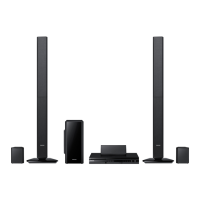
What to do if playback does not start on Samsung HT-F6530?
Check the region number of the Blu-ray/DVD disc; discs purchased from abroad may not be playable. Note that CD-ROMs and DVD-ROMs cannot be played on this product. Ensure that the rating level is correct.
How to reset forgotten rating level password on Samsung Home Theater System?
With no disc in the product, press and hold the product's 5 button for longer than 5 seconds. 'INIT' will appear on the display, and all settings will return to the default values. Then, press the POWER button. Note that using the RESET function will erase all stored settings, so use this only when necessary.
How do I fix 'cannot connect to BD-LIVE server' error on Samsung HT-F6530 Home Theater System?
To resolve BD-LIVE connection issues: First, test if the network connection is active using the Network Status function. Second, check if a USB memory device is connected to the product. The memory device must have at least 1GB of free space, which you can check in BD Data Management. Ensure the BD-LIVE Internet Connection option is set to Allow(All). If problems persist, consider contacting the content provider or updating to the latest firmware.
Why do audio language and subtitles not work on my Samsung HT-F6530?
Audio language and subtitles will not work if the disc does not contain them.
Why is the disc rotating on my Samsung Home Theater System but there is no picture?
If the disc is rotating in your Samsung Home Theater System but no picture is produced, check if the TV is powered on and ensure the video cables are connected properly. Also, inspect the disc for dirt or damage and try cleaning it. Keep in mind that a poorly manufactured disc may not be playable.
Why is Dolby Digital 5.1 CH Surround Sound not working on my Samsung Home Theater System?
If you are not receiving Dolby Digital 5.1 CH Surround Sound on your Samsung Home Theater System, ensure that the disc is recorded with 5.1 channel sound by checking for the 'Dolby Digital 5.1 CH' mark on the disc. Also, verify that the audio language is correctly set to Dolby Digital 5.1-CH in the information display.
How to troubleshoot no HDMI output on Samsung Home Theater System?
To troubleshoot HDMI output issues, first, check the connection between the TV and the HDMI jack on the product. Second, ensure your TV supports the HDMI input resolution (480p/720p/1080i/1080p).
What causes an abnormal HDMI output screen on Samsung HT-F6530 Home Theater System?
If random noise appears on the screen, it means that the TV does not support HDCP (High-bandwidth Digital Content Protection).
Why won't my Samsung HT-F6530 Home Theater System start playback?
If playback won't start on your Samsung Home Theater System, there might be a few reasons. A Blu-ray/DVD disc purchased from abroad may not be playable, so check the region number of the disc. Also, CD-ROMs and DVD-ROMs cannot be played on this product. Finally, make sure that the rating level is correct.
 General
| Type | Home Theater System |
|---|---|
| Audio Channels | 5.1 |
| Total Power Output | 1000W |
| Blu-ray Playback | Yes |
| 3D Playback | Yes |
| HDMI Inputs | 2 |
| USB Playback | Yes |
| Wi-Fi | Yes |
| DLNA Certified | Yes |
| Smart Hub | Yes |
| DVD Player | Yes |
| HDMI Output | 1 |
| Bluetooth | Yes |
| Smart TV Connectivity | Yes |
| Connectivity | HDMI, USB, Wi-Fi, Bluetooth |