EasyManua.ls Logo

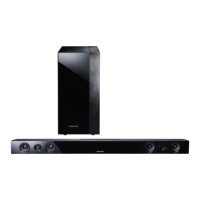
Samsung HW-F450 - User Manual

Samsung HW-F450
50 pages
Print Icon
To Next Page IconTo Next Page
Loading...
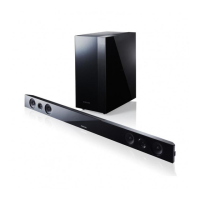
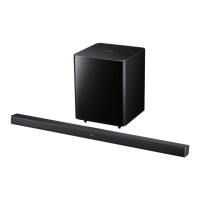
Crystal Surround Air Track
(Active Speaker System)
user manual
imagine the possibilities
Thank you for purchasing this Samsung product.
To receive more complete service,
please register your product at
www.samsung.com/register
HW-F450

Questions and Answers

  • R
    Roberta HernandezAug 2, 2025
    Why is there no sound coming from my Samsung HW-F450?
    • S
      Shawn JonesAug 2, 2025
      If the Samsung Speaker System isn't producing sound, ensure it's correctly connected to your TV. Also, verify that the Mute function is off and the volume isn't set to the minimum. If the unit is properly connected, disable mute, and increase the volume.
  • G
    greenalanAug 10, 2025
    What to do if the Samsung HW-F450 remote control does not work?
    • P
      Philip BurkeAug 10, 2025
      If your Samsung Speaker System's remote control isn't working, the batteries might be drained, or you may be too far from the main unit. Try replacing the batteries with new ones, and make sure you are closer to the unit.
  • D
    daniel70Aug 17, 2025
    Why did the SoundShare (TV pairing) fail on my Samsung Speaker System?
    • C
      Cody HarrisAug 17, 2025
      If the SoundShare (TV pairing) failed on your Samsung Speaker System, first ensure your Samsung TV supports SoundShare, which is available on some models released after 2012. Then, update your TV's firmware to the latest version. If the issue persists, press the button for 5 seconds to reset the product.
  • T
    tfieldsAug 25, 2025
    Why is the sound from the left/right channels reversed on my Samsung HW-F450?
    • V
      vdurhamAug 25, 2025
      If the sound from the left and right channels are reversed on your Samsung Speaker System, the left and right audio output cables from the TV might be connected improperly. Check the connections and connect them correctly.

Summary

FEATURES

SAFETY INFORMATION

SAFETY WARNINGS

Essential warnings to reduce risks of electric shock, fire, or personal injury.

Important Safety Instructions

Read and follow these operating instructions carefully before use.

PRECAUTIONS

Installation Precautions

Guidelines for safe and effective installation of the unit.

Handling Precautions

Precautions for operation, moisture, heat, and battery disposal.

DESCRIPTIONS

FRONT;REAR PANEL

Detailed identification and explanation of front and rear panel ports and controls.

REMOTE CONTROL

TOUR OF THE REMOTE CONTROL

Explains the function of each button on the remote control.

CONNECTIONS

INSTALLING THE WALL MOUNT

Provides instructions and precautions for mounting the unit on a wall.

CONNECTING THE WIRELESS SUBWOOFER

CONNECTING AN EXTERNAL DEVICE USING HDMI CABLE

CONNECTING AN EXTERNAL DEVICE USING AUDIO (ANALOG) CABLE OR OPTICAL (DIGITAL) CABLE

FUNCTIONS

To connect the Air Track to a Bluetooth device

To disconnect the Bluetooth device from the Air Track

SOUNDSHARE

<To pair to your TV>

USB

USING THE REMOTE CONTROL

Muting the sound

Using the 3 D SOUND PLUS function

Using the AUTO POWER LINK function

SPEAKER button

Using the Anynet+(HDMI-CEC) function

Using the TV functions (with Samsung TVs only)

SOFTWARE UPGRADE

TROUBLESHOOTING

The unit will not turn on.

Troubleshooting steps for a unit that fails to power on.

A function does not work when the button is pressed.

Steps for resolving issues with non-responsive functions.

Sound is not produced.

Solutions for when no sound is output by the unit.

The Picture does not appear on a TV when the function is selected.

Troubleshooting steps if the TV displays no picture.

The remote control does not work.

Solutions for an unresponsive remote control.

Samsung HW-F450 Specifications

General IconGeneral
Audio decodersDolby Digital, DTS
RMS rated power280 W
Audio output channels2.1 channels
Audio Return Channel (ARC)Yes
Impedance4 Ω
Subwoofer typeActive subwoofer
Subwoofer connectivityWireless
Receiver included-
Product colorBlack
Apple docking compatibilityNot supported
Soundbar dimensions (WxDxH)906 x 45 x 70 mm
Subwoofer dimensions (WxDxH)178 x 295 x 360 mm
HDMI in1
Bluetooth version2.1+EDR
USB 2.0 ports quantityUSB 2.0 ports have a data transmission speed of 480 Mbps, and are backwards compatible with USB 1.1 ports. You can connect all kinds of peripheral devices to them.
Package weight10400 g
Weight and Dimensions IconWeight and Dimensions
Cord length1.2 m
Soundbar weight1950 g
Subwoofer weight5450 g

Related product manuals