EasyManua.ls Logo

Samsung HW-H450 - User Manual

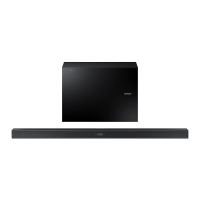
Samsung HW-H450
34 pages
Print Icon
To Next Page IconTo Next Page
Loading...
Wireless Audio - Soundbar
Imagine the possibilities
Thank you for purchasing this Samsung product.
To receive more complete service, please register your product at
www.samsung.com/register
User manual
'This Nanum Gothic Eco font is provided by NAVER'
HW-H450

Questions and Answers

  • J
    Joseph JonesAug 19, 2025
    Why is there no sound coming from my Samsung HW-H450?
    • L
      Louis ReedAug 20, 2025
      If your Samsung Speakers are not producing sound, ensure that the Mute function is off by pressing the Mute button. Also, check the volume level and adjust it if it's set to minimum.
  • J
    Jerry SimpsonAug 21, 2025
    What to do if the red LED on the Samsung Speakers subwoofer blinks and there is no sound?
    • A
      Andrew BarnettAug 21, 2025
      If the red LED on your Samsung subwoofer is blinking and no sound is coming out, it could mean that the subwoofer isn't properly connected to the main unit. Try reconnecting your subwoofer.
  • D
    dawnwheelerAug 25, 2025
    Why is the TV SoundConnect (TV pairing) failing on my Samsung Speakers?
    • B
      brownpaulaAug 25, 2025
      If the TV SoundConnect (TV pairing) is failing on your Samsung Speakers, first ensure your TV supports TV SoundConnect, which is available on some Samsung TVs released from 2012. Update your TV's firmware to the latest version. If an error occurs during connection, contact the Samsung call center. Alternatively, reset the TV MODE connection by pressing and holding the ?? button for 5 seconds.
  • T
    Tamara BrownAug 26, 2025
    How to adjust the subwoofer vibration on Samsung HW-H450 Speakers?
    • G
      Gregory FloresAug 26, 2025
      To adjust the subwoofer vibration on your Samsung Speakers, press the EQUALIZER WOOFER button on your remote control to adjust its value (between SW-6 and SW+6).
  • M
    mcdonaldmatthewAug 27, 2025
    Why is my Samsung Speaker System remote control not working?
    • T
      timothy06Aug 27, 2025
      If your Samsung Speaker System remote control isn't working, the batteries may be drained, or the distance between the remote and the main unit may be too far. Try replacing the batteries with new ones or move closer to the unit.
  • A
    Angelica SanchezAug 29, 2025
    How to fix no sound on Samsung Speaker System?
    • A
      ajohnstonAug 29, 2025
      If your Samsung Speaker System is not producing sound, check if the Mute function is on or if the volume is set to the minimum. To resolve this, press the Mute button to cancel the function or adjust the volume.
  • A
    Alyssa AllenAug 31, 2025
    What to do if TV SoundConnect pairing failed on Samsung Speaker System?
    • K
      Kendra PattersonSep 1, 2025
      If TV SoundConnect pairing failed on your Samsung Speaker System, first ensure your TV supports TV SoundConnect (available on some Samsung TVs released from 2012). Also, update your TV to the latest firmware. You can also press and hold the ?? button for 5 seconds to reset the TV SoundConnect connection.
  • C
    Connor CarrollSep 2, 2025
    How to fix Samsung HW-H450 when no sound is produced?
    • S
      Sabrina DunnSep 3, 2025
      If your Samsung Speakers aren't producing sound, ensure that the Mute function is off by pressing the Mute button. Also, check that the volume isn't set to the minimum. Adjust the volume as needed.
  • H
    harveyronnieSep 4, 2025
    What to do if red LED is blinking on Samsung HW-H450 subwoofer and there is no sound?
    • K
      Katelyn PetersSep 5, 2025
      If the red LED on your Samsung subwoofer is blinking and it's not producing sound, it might not be connected to the main unit. Try reconnecting your subwoofer.
  • S
    Sarah CarterSep 6, 2025
    How to stop Samsung HW-H450 subwoofer from droning and vibrating?
    • J
      John HopkinsSep 6, 2025
      If your Samsung Speakers' subwoofer drones and vibrates noticeably, adjust its value using the EQUALIZER WOOFER button on your remote control (settings range from SW-6 to SW+6).

Summary

FEATURES

HDMI

Transmits video/audio signals simultaneously for clearer picture; ARC function for TV audio.

Bluetooth Function

Connects to Bluetooth devices for wireless music playback with high-quality stereo sound.

SAFETY INFORMATION

Safety Warnings

Critical safety alerts and precautions to reduce risk of electric shock, fire, and injury.

Important Safety Instructions

Essential guidelines for safe operation, installation, and maintenance of the unit.

Precautions

General advice and warnings for safe operation, handling, and environmental considerations.

DESCRIPTIONS

REMOTE CONTROL

CONNECTIONS

Installing the Wall Mount

Step-by-step guide for securely mounting the Soundbar onto a wall.

Connecting the Wireless Subwoofer

Procedure for establishing a wireless connection between the Soundbar and subwoofer.

FUNCTIONS

Bluetooth

Connects a Bluetooth device to the Soundbar for wireless audio streaming.

TV SoundConnect

Enables enjoying TV sound through the Soundbar when connected to a compatible Samsung TV.

TROUBLESHOOTING

Samsung HW-H450 Specifications

General IconGeneral
Audio decodersDolby Digital, DTS
RMS rated power290 W
Audio output channels2.1 channels
Audio Return Channel (ARC)Yes
Soundbar speaker RMS power80 W
Woofer diameter (imperial)6.5 \
Subwoofer connectivityWireless
Receiver included-
Product colorBlack
Audio formats supportedAAC, FLAC, MP3, OGG, WAV, WMA
Consumer Electronics Control (CEC)Anynet+
Subwoofer dimensions (WxDxH)175 x 259 x 362 mm
USB 2.0 ports quantityUSB 2.0 ports have a data transmission speed of 480 Mbps, and are backwards compatible with USB 1.1 ports. You can connect all kinds of peripheral devices to them.
Digital audio coaxial in0
Near Field Communication (NFC)No
Power consumption (standby)0.45 W
Power consumption (typical)30 W
Weight and Dimensions IconWeight and Dimensions
Subwoofer weight5000 g

Related product manuals