EasyManua.ls Logo

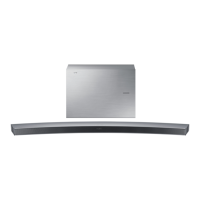
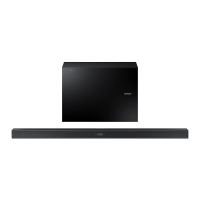
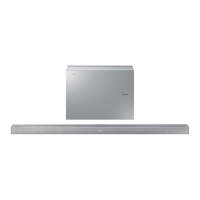
Samsung HW-J651 - User Manual

Samsung HW-J651
32 pages
Print Icon
To Next Page IconTo Next Page
Loading...
Wireless Audio - Soundbar




User manual
'This Nanum Gothic Eco font is provided by NAVER'



Questions and Answers

  • K
    Kimberly ShannonAug 16, 2025
    How to fix Samsung HW-J651 Speakers subwoofer red LED blinking with no sound?
    • J
      James ThomasAug 16, 2025
      If the red LED on your Samsung Speakers subwoofer is blinking and it's not producing sound, it might not be connected to the main unit. Try reconnecting your subwoofer.
  • J
    Jason GravesAug 19, 2025
    How to fix Samsung HW-J651 TV SoundConnect (TV pairing) failed?
    • K
      Kelly TateAug 19, 2025
      If TV SoundConnect (TV pairing) failed on your Samsung Speakers, it may be due to several reasons: * Your TV might not support TV SoundConnect (available on some Samsung TVs released from 2012). * Your TV firmware might not be the latest version. * An error may have occurred during connection. Check if your TV supports TV SoundConnect, update your TV with the latest firmware, or press and hold the p button for 5 seconds to reset the TV SoundConnect connection.
  • D
    douglas47Aug 22, 2025
    What to do if my Samsung HW-J651 Speakers subwoofer drones and vibrates?
    • S
      Sally BensonAug 22, 2025
      If your Samsung Speakers subwoofer drones and vibrates noticeably, use the WOOFER button on your remote control to adjust its value. You can set it between -12, -6 to +6.
  • B
    Brian WilliamsAug 25, 2025
    Why is there no sound coming from my Samsung HW-J651?
    • S
      Sue JacksonAug 26, 2025
      If your Samsung Speakers aren't producing any sound, ensure that the Mute function is off by pressing the (Mute) button. Also, check the volume level and adjust it if it's set to the minimum.
  • A
    abakerAug 28, 2025
    Why is the red LED blinking on my Samsung HW-J651 Speakers subwoofer and no sound is produced?
    • T
      Tyler PierceAug 28, 2025
      If the red LED on the subwoofer of your Samsung Speakers is blinking and no sound is coming out, it might not be connected to the main body. Try connecting your subwoofer again. (See Page 14)
  • C
    Charles RamosAug 31, 2025
    How to fix Samsung HW-J651 Speakers that will not turn on?
    • W
      wendy12Aug 31, 2025
      If your Samsung Speakers won't turn on, ensure the power plug is securely connected to the outlet.
  • M
    mbrownSep 2, 2025
    Why is my Samsung Speakers remote control not working?
    • L
      Larry MckeeSep 3, 2025
      If your Samsung Speakers remote control isn't working, the batteries may be drained, or the distance between the remote and the main unit may be too far. Try replacing the batteries with new ones or moving closer to the unit.
  • C
    Carrie StephensSep 6, 2025
    What to do if the Samsung HW-J651 Speakers remote control does not work?
    • H
      Hannah MendozaSep 6, 2025
      If the remote control for your Samsung Speakers isn't working, first, try replacing the batteries with new ones. If that doesn't solve the issue, move closer to the main unit, as the distance might be too far.
  • C
    clopezSep 8, 2025
    What to do if Samsung HW-J651 subwoofer drones and vibrates noticeably?
    • N
      nicolebrewerSep 9, 2025
      If your Samsung Speakers subwoofer drones and vibrates noticeably, you can adjust its value by pressing the WOOFER button on your remote control. You can set the value between -12, -6 to +6.
  • B
    Brandon WillisSep 12, 2025
    What to do if a function does not work when the button is pressed on Samsung HW-J651 Speakers?
    • T
      Thomas BrownSep 12, 2025
      If a function on your Samsung Speakers isn't working when you press the button, it could be due to static electricity. Try disconnecting the power plug and then reconnecting it.

Summary

Getting Started Guide

Features Overview

Overview of the soundbar's capabilities, including music services, connectivity, and audio features.

Safety Information and Warnings

Safety Warnings

Critical warnings regarding electric shock, fire hazards, and proper usage to ensure user safety.

Usage Precautions

General Precautions

Guidance on installation, ventilation, avoiding moisture, heat, and battery safety.

Connecting Your Soundbar

Connecting the Subwoofer

Guides on how to wirelessly link the main unit with the subwoofer, both automatically and manually.

Connecting to a TV

Explains how to connect the soundbar to a TV using TV SoundConnect, HDMI, and Optical cables.

Troubleshooting Common Issues

Troubleshooting Guide

Provides solutions for common issues like no power, no sound, remote control, and subwoofer problems.

Technical Specifications

Samsung HW-J651 Specifications

General IconGeneral
TypeSoundbar
Channels4.1
Subwoofer TypeWireless
BluetoothYes
HDMI Inputs1
Optical Input1
Audio ProcessingDolby Digital, DTS
ConnectivityBluetooth, HDMI, Optical

Related product manuals