EasyManua.ls Logo

Samsung HW-J6500R - User Manual

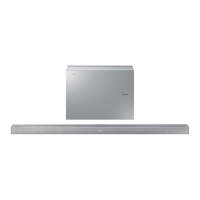
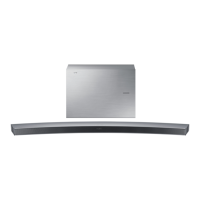
Samsung HW-J6500R
33 pages
Print Icon
To Next Page IconTo Next Page
Loading...
User manual
Imagine the possibilities
Thank you for purchasing this Samsung product.
To receive more complete service, please register your product at
www.samsung.com/register
HW-J6500R
HW-J6501R

Questions and Answers

  • M
    Michelle AlexanderAug 20, 2025
    Why is my Samsung Speaker System remote control not working?
    • B
      Blake WrightAug 20, 2025
      If the Samsung Speaker System remote control isn't working, first, check the batteries. If they're drained, replace them with new ones. Also, make sure you're not too far from the main unit; try moving closer.
  • M
    moralesjustinAug 22, 2025
    How to fix Samsung Speaker System when no sound is produced?
    • A
      anthony89Aug 22, 2025
      If your Samsung Speaker System isn't producing sound, ensure that the Mute function is off by pressing the (Mute) button. Also, check the volume level and increase it if it's set to minimum.
  • Z
    Zachary TranAug 23, 2025
    What to do if a function does not work when the button is pressed on Samsung Speaker System?
    • J
      josephgreenAug 25, 2025
      If a function on your Samsung Speaker System doesn't work when you press the button, it may be due to static electricity. Disconnect the power plug and then reconnect it.
  • A
    Andrew LewisAug 26, 2025
    How to fix Samsung Speakers when no sound is produced?
    • C
      Crystal SullivanAug 26, 2025
      If your Samsung Speakers aren't producing any sound, make sure the Mute function is off by pressing the (Mute) button. Also, check that the volume isn't set to the minimum and adjust it accordingly.
  • A
    Andrew RasmussenAug 27, 2025
    Why did TV SoundConnect (TV pairing) fail on my Samsung HW-J6500R Speakers?
    • A
      Alyssa HooperAug 28, 2025
      If the TV SoundConnect (TV pairing) failed on your Samsung Speakers, it could be due to several reasons. First, ensure that your TV supports TV SoundConnect, which is available on some Samsung TVs released from 2012 onwards. Next, update your TV to the latest firmware. If an error occurs during connection, reset TV SoundConnect and connect again by pressing and holding the p button for 5 seconds. If problems persist, contact the Samsung Call Centre.
  • K
    Karen Simmons MDAug 30, 2025
    How to stop Samsung HW-J6500R Speakers subwoofer from droning and vibrating?
    • O
      ohouseAug 30, 2025
      If the subwoofer on your Samsung Speakers drones and vibrates noticeably, adjust the subwoofer's volume level using the WOOFER button on your remote control. You can set the level between -12, -6, and +6.
  • K
    Karina RamosSep 1, 2025
    Why is TV SoundConnect (TV pairing) failing on my Samsung HW-J6500R Speakers?
    • J
      joseph50Sep 1, 2025
      If the TV SoundConnect (TV pairing) failed on your Samsung Speakers, ensure your TV supports TV SoundConnect (available on some Samsung TVs released from 2012). Update your TV's firmware to the latest version. To reset the TV SoundConnect connection, press and hold the p button for 5 seconds and connect again.
  • P
    Paul TurnerSep 3, 2025
    What to do if Samsung HW-J6500R Speakers subwoofer drones and vibrates?
    • R
      robertmcgeeSep 3, 2025
      If the subwoofer on your Samsung Speakers drones and vibrates noticeably, adjust the subwoofer's volume level using the WOOFER button on your remote control. You can set the level between -12, -6, and +6.
  • T
    Timothy RichardsonSep 5, 2025
    What to do if the red LED on my Samsung Speaker System subwoofer is blinking?
    • A
      Angel BrownSep 5, 2025
      If the red LED on your Samsung Speaker System subwoofer is blinking and no sound is coming out, it might not be connected to the main unit. Try reconnecting the subwoofer.
  • J
    Jennifer RamosSep 6, 2025
    Why did the TV SoundConnect (TV pairing) fail on my Samsung Speaker System?
    • K
      Kyle CarterSep 6, 2025
      If TV SoundConnect (TV pairing) failed on your Samsung Speaker System, ensure your TV supports TV SoundConnect, which is available on some Samsung TVs released from 2012. Update your TV with the latest firmware. If an error continues, reset TV SoundConnect by pressing and holding the p button for 5 seconds and connect again.

Summary

SAFETY INFORMATION

SAFETY WARNINGS

Details critical safety warnings to prevent electric shock and other hazards.

FCC Regulations and Statements

Important Safety Instructions

General safety advice and instructions for proper product operation and maintenance.

PRECAUTIONS

TOP; FRONT PANEL

REAR; BOTTOM PANEL

REMOTE CONTROL

INSTALLING THE SOUNDBAR

Installation Precautions

Key safety and preparation steps before installing the soundbar.

Installation Methods

CONNECTING THE SUBWOOFER

Connecting to the Subwoofer Automatically

Explains the automatic wireless linking process between subwoofer and main unit.

CONNECTING TO A TV

Connecting to a TV Using an HDMI (Digital) Cable

TV SOUNDCONNECT

CONNECTING TO EXTERNAL DEVICES

INPUT MODE

BLUETOOTH

USING THE MULTIROOM APP

SOFTWARE UPDATE

TROUBLESHOOTING

Samsung HW-J6500R Specifications

General IconGeneral
Audio decodersDTS 2.0, Dolby Digital 5.1
RMS rated power300 W
Audio output channels2.1 channels
Audio Return Channel (ARC)Yes
Subwoofer typeActive subwoofer
Subwoofer locationSeparate
Subwoofer connectivityWireless
Apple docking compatibility-
Subwoofer driver diameter (imperial)7 \
Product colorBlack
Audio formats supportedAAC, ALAC, FLAC, MP3, OGG, WAV, WMA
Consumer Electronics Control (CEC)Anynet+
USB 2.0 ports quantity1
Connectivity technologyWired & Wireless
Digital audio coaxial in0
Package depth206 mm
Package width1135 mm
Package height480 mm
Package weight12000 g
Power consumption (standby)0.45 W
Power consumption (typical)28 W
Soundbar speaker RMS power- W
Receiver includedNo
Weight and Dimensions IconWeight and Dimensions
Depth129 mm
Width1078 mm
Height47.5 mm
Soundbar weight2700 g
Subwoofer depth154 mm
Subwoofer width452 mm
Subwoofer height335 mm
Subwoofer weight6800 g

Related product manuals