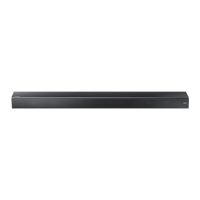
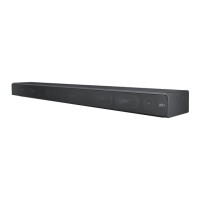
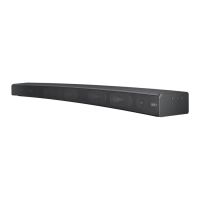
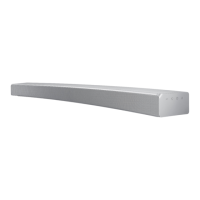
This document describes the Samsung HW-M550 Soundbar, a home audio system designed to enhance TV sound and play music from various external sources.
Function Description:
The Samsung HW-M550 Soundbar is a versatile audio system that serves as a central hub for your home entertainment. Its primary function is to deliver rich, high-quality sound, particularly bass, for an immersive listening experience. It can connect to a TV either wired (via optical or HDMI ARC) or wirelessly (via Bluetooth), allowing users to enjoy TV sound through the Soundbar. Additionally, it supports playing music files from USB storage devices and mobile devices via Bluetooth. The Soundbar can be controlled using its dedicated remote control, the Samsung Audio Remote app (for Android devices), or even a Samsung TV remote control (for compatible 2017 or later models). The system includes a main Soundbar unit and a wireless subwoofer, which automatically connects to the Soundbar for enhanced bass. For an even more immersive experience, the Soundbar can be expanded to true wireless surround sound by connecting the Samsung Wireless Rear Speaker Kit (SWA-8500S), sold separately.
Important Technical Specifications:
- USB: 5V/0.5A
- Weight:
- Soundbar Main Unit: 5.7 lbs (2.6 kg)
- Subwoofer (PS-WM30): 15.9 lbs (7.2 kg)
- Dimensions (W x H x D):
- Soundbar Main Unit: 39.8 x 2.1 x 3.4 inches (1010.5 x 54.0 x 87.5 mm)
- Subwoofer (PS-WM30): 7.9 x 15.4 x 14.9 inches (200.0 x 392.0 x 378.0 mm)
- Operating Temperature Range: +41°F to +95°F (+5°C to +35°C)
- Operating Humidity Range: 10% ~ 75%
- Rated Output Power:
- Soundbar Main Unit: 30W x 6, 6 ohm
- Subwoofer (PS-WM30): 160W, 3 ohm
- Supported Play Formats: LPCM 2ch, Dolby Audio™ (supporting Dolby® Digital), DTS (DTS 2.0 sound is played in DTS format).
- File Format Compatibility (USB):
- .mp3: MPEG 1 Layer2/3, MPEG 2 Layer3, MPEG 2.5 Layer3 (16KHz~48KHz, 80kbps~320kbps)
- .wma: Wave_Format_MSAudio1/2 (16KHz~48KHz, 56kbps~128kbps)
- .aac: AAC, AAC-LC, HE-AAC (16KHz~96KHz, 48kbps~320kbps; AAC-LC 128kbps~192kbps 5.1ch 320kbps; HE-AAC 48kbps~64kbps 5.1ch 160kbps)
- .wav: (16KHz~48KHz, up to 3000kbps)
- .ogg: OGG 1.1.0 (16KHz~48KHz, 50kbps~500kbps)
- .flac: FLAC 1.1.0, FLAC 1.2.1 (16KHz~96KHz, up to 3000kbps)
- Wireless Subwoofer Transmission Distance: Approximately 32.8 ft (10 meters), but may vary depending on the operating environment and presence of obstructions like steel-concrete or metallic walls.
Usage Features:
- Connectivity:
- Optical Digital Input (D.IN): For connecting to external devices like TVs.
- HDMI IN/OUT (TV-ARC): Supports digital video and audio signals, including Audio Return Channel (ARC) for TV sound. Anynet+ function can be enabled for control with a Samsung TV remote.
- AUX IN: For connecting to analog audio outputs of external devices.
- USB (5V 0.5A): For playing music files from USB storage devices.
- Bluetooth (BT): For wireless connection to TVs and mobile devices. Supports "BT READY" for previously connected devices and "BT PAIRING" for new connections.
- Sound Modes: Offers various sound effects including STANDARD, MUSIC, CLEAR VOICE, SPORTS, and MOVIE.
- Sound Control: Allows adjustment of treble, bass, and audio sync. Users can also fine-tune specific frequency bands (150Hz, 300Hz, 600Hz, 1.2KHz, 2.5KHz, 5KHz, and 10KHz) from -6 to +6.
- DRC (Dynamic Range Control): Reduces loud sounds for Dolby Digital tracks, which can be toggled on/off.
- Surround Sound: Enhances depth and spatial sense, with ON/OFF options. "ON" plays sound over all speakers, while "OFF" plays the original source channel sound from several speakers.
- Auto Power Link: Automatically turns on the Soundbar when a connected TV (via optical cable) is turned on.
- Bluetooth POWER On: If enabled, the Soundbar automatically turns on and connects to a previously paired Bluetooth device when the device is activated.
- Remote Control: A dedicated remote control is included with buttons for power, volume, source selection, sound control, play/pause, and navigation. Hidden functions are accessible by pressing and holding certain buttons (e.g., BT Paring, Auto Power Down, ID SET, Auto Power Link, Anynet+, 7 Band EQ, DRC ON/OFF).
- Samsung Audio Remote App: A mobile application (for Android OS 3.0 or later) that allows control of the Soundbar from a smart device.
- TV Remote Control Compatibility: Volume adjustment of the Soundbar can be done using a Samsung TV remote (for 2017 or later models) or even some third-party TV remotes (VIZIO, LG, Sony, Sharp, PHILIPS, PANASONIC, TOSHIBA, GRUNDIG, Hisense, RCA).
Maintenance Features:
- Software Update: Firmware updates can be performed via USB. Users can download update files from the Samsung Electronics website and transfer them to a USB stick. The Soundbar has a DUAL BOOT function, allowing re-update if the initial firmware update fails.
- Auto Power Down Function: The unit automatically turns off after 5 minutes of no audio signal in D.IN/HDMI/BT/USB modes, or after 5 minutes if the AUX cable is disconnected, or after 8 hours of no key input when the AUX cable is connected. This function can be turned off in AUX mode.
- Troubleshooting Guide: The manual provides a comprehensive troubleshooting section to address common issues such as the unit not turning on, functions not working, sound dropouts in BT mode, no sound, remote control malfunction, and subwoofer connection/vibration problems.
- Installation Precautions: Detailed instructions for wall mounting, including recommendations for wall strength, screw types, and cable connections, to ensure safe and optimal installation.
- Battery Replacement: Instructions for inserting and replacing AA batteries in the remote control.
- Cleaning: Recommends cleaning the unit with a dry cloth.
- Environmental Precautions: Advises against exposing the unit to rain, moisture, dripping or splashing liquids, direct sunlight, excessive heat, strong magnetic/electric fields, and improper disposal of batteries. It also provides guidance on handling condensation in cold temperatures.

 Need help?

 To Next Page
 General