
 Need help?
Do you have a question about the Samsung HW-Q850T and is the answer not in the manual?
Guidelines to reduce risks of electric shock, injury, and chemical exposure.
Warnings for fire, shock, attachment, and chemical content.
Precautions for liquid avoidance, placement, and plug accessibility.
Notes and statements on FCC regulations for US users.
Details on the soundbar's front and top controls and display.
Description of ports and connections on the soundbar's bottom panel.
Guide to inserting batteries into the remote control.
Explanation of remote control buttons and functions.
Details on multi-function buttons and their uses.
Specifications of audio output for various sound modes.
How to control soundbar volume using a TV remote.
Steps to connect power to the soundbar and subwoofer.
Procedure for manual subwoofer connection if auto fails.
Explanation of LED indicator statuses on the subwoofer.
Guide to connecting the wireless rear speaker kit.
Steps to connect the soundbar to a TV using an HDMI cable.
Steps to connect the soundbar to a TV using an optical cable.
Steps to connect the soundbar to a TV using Bluetooth.
Connect external devices via HDMI for audio and Dolby Atmos.
Connect external devices via optical cable for audio.
Steps to connect a mobile device using Bluetooth.
Guide to connecting via Wi-Fi using the SmartThings app.
Setup instructions for Amazon Alexa voice control.
Feature to play mobile device audio by tapping the soundbar.
Safety and preparation guidelines for wall mounting.
List and description of parts for wall mounting.
Details on the rubber feet component for stand installation.
How the soundbar updates software automatically.
Procedure for updating software via USB.
Steps to reset the soundbar to factory settings.
Solutions for when the soundbar does not power on.
Troubleshooting steps for general function issues.
Solutions for remote control malfunctions.
Troubleshooting steps for no sound output.
Solutions for subwoofer no sound issues.
Tips to increase subwoofer volume.
Troubleshooting connection issues via HDMI TO TV.
Solutions for no sound with HDMI TO TV connection.
Troubleshooting Bluetooth connection failures.
Solutions for intermittent Bluetooth audio.
Troubleshooting Wi-Fi connection issues.
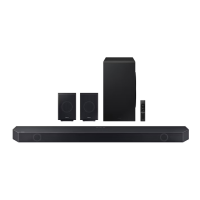
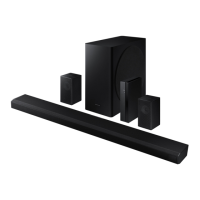
Technical specifications of the soundbar, subwoofer, and speakers.
How to disable/enable Wi-Fi.
How to disable/enable Bluetooth.
 General
| Type | Soundbar |
|---|---|
| Channels | 5.1.2 |
| Total Power Output | 330W |
| Subwoofer Type | Wireless |
| Dolby Atmos | Yes |
| DTS:X | Yes |
| HDMI Inputs | 1 |
| HDMI Output | 1 |
| Bluetooth | Yes |
| Wi-Fi | Yes |
| Optical Input | 1 |
| Q-Symphony | Yes |
| Apple AirPlay 2 | Yes |
| Spotify Connect | Yes |
| Voice Assistant Integration | Yes |




 To Next Page