EasyManua.ls Logo

Samsung HW-Q900C - User Manual

Samsung HW-Q900C
13 pages
Print Icon
To Next Page IconTo Next Page
Loading...
QUESTIONS
OR
COMMENTS?
IN
THE
US
1-800-SAMSUNG (726-7864) www.samsung.com/us/support
Samsung Electronics America, Inc.
85 Challenger Road Ridgefield Park,
NJ
07660
© 2023 Samsung Electronics
Co.,
Ltd.
All
rights
reserved.
SAFETY
INFORMATION
The
following
also applies
to
the
Subwoofer (PS-WC90B).
SAFETY
WARNINGS
TO
REDUCE
THE
RISK
OF
ELECTRIC
SHOCK,
DO
NOT
REMOVE
THE
COVER
(OR
BACK).
NO
USER-SERVICEABLE
PARTS
ARE
INSIDE.
REFER
SERVICING
TO
QUALIFIED
SERVICE
PERSONNEL.
Refer
to
the
table
below
for
an explanation
of
symbols
which may
be
on your Samsung product.
~
Lt.
[Q]
RISK
OF
ELECTRIC
SHOCK.
DO
NOT
Lt.
OPEN.
This symbol indicates
that
high voltage is
present inside.
It
is
dangerous
to
make any
kind
of
contact
with
any
internal
part
of
this
product.
This symbol indicates
that
this
product
has
included
important
literature
concerning
operation and maintenance.
Class
II
product:
This symbol indicates
that
a
safety connection
to
electrical
earth
(ground)
is
not
required.
If
this
symbol is
not
present on a product
with
a power cord,
the
product
MUST
have
a reliable connection
to
protective earth
(ground).
AC
voltage:
Rated voltage marked
with
this
symbol
is
AC
voltage.
-
DC
voltage:
Rated voltage marked
with
this
---
symbol is
DC
voltage.
[fill
Caution. Consult Instructions
for
use:
This
symbol
instructs
the
user
to
consult
the
user
manual
for
further
safety related information.
WARNING
To
reduce
the
risk
of
fire
or
electric shock,
do
not
expose
this
appliance
to
rain
or
moisture.
To
prevent injury,
this
apparatus
must
be securely
attached
to
the
floor/wall
in accordance
with
the
installation
instructions.
This product contains chemicals known
to
the
State
of
California
to
cause cancer and
birth
defects
or
other
reproductive harm.
CAUTION
Do
not
expose
this
apparatus
to
dripping
or
splashing.
Do
not
put
objects
filled
with
liquids, such
as
vases, on
the
apparatus.
To
turn
this
apparatus
off
completely, you
must
pull
the
power
plug
out
of
the
wall
socket. Consequently,
the
power plug must be easily and readily accessible
at
all
times.

Other manuals for Samsung HW-Q900C

Question and Answer IconNeed help?

Do you have a question about the Samsung HW-Q900C and is the answer not in the manual?

Summary

Safety Information

Safety Warnings

Important warnings to reduce the risk of electric shock and injury.

Explanation of Symbols

Meaning of symbols used on the product for safety.

FCC Compliance Information

FCC Suppliers Declaration of Conformity

Details of FCC declaration and contact information for compliance.

FCC Compliance Statement

Conditions for device operation under FCC Part 15 rules.

Important Safety Instructions

General Operating Instructions

14 essential safety instructions for operating the apparatus.

General Precautions

Installation and Usage Precautions

Advice on AC power, ventilation, heat, moisture, and magnetic fields.

Checking the Components

Included Components List

List of all items included in the soundbar package.

Soundbar Connections

Bottom Panel Ports

Description of ports on the bottom panel of the soundbar.

Connecting External Devices

Instructions for connecting devices via HDMI and Optical cables.

Connecting the Soundbar

Power and Unit Connections

How to connect the power and link the subwoofer.

Q-Symphony Functionality

Explanation of how Q-Symphony synchronizes soundbar and TV speakers.

Wireless Connections

Bluetooth Connection

Steps for connecting via Bluetooth and differentiating BT READY/PAIRING.

Wi-Fi Connection

Instructions for connecting the soundbar to a Wi-Fi network using SmartThings.

Troubleshooting Guide

Soundbar Not Turning On

Steps to resolve issues when the soundbar does not power on.

Subwoofer Connection Issues

Troubleshooting steps for subwoofer auto-connection problems.

Sound Output Troubleshooting

No Sound Output from Soundbar

Troubleshooting steps for no audio output from the soundbar.

No Sound Output from Subwoofer

Troubleshooting steps for no audio output from the subwoofer.

Important Service Notes

Specifications and Guide

Limited Warranty Information

Remote Control Usage

Remote Control Buttons

Description and function of each button on the remote control.

Soundbar Installation

Wall Mount Installation

Wall Mount Procedure

Step-by-step guide for mounting the soundbar on a wall.

Key Features

Model and Specifications

Audio Specifications

Number of channels, total wattage, and supported audio features.

Overview

This document serves as a comprehensive user manual for the Samsung HW-Q900C Soundbar, providing detailed instructions on its setup, operation, and troubleshooting. It also includes important safety information, warranty details, and product specifications.

Function Description

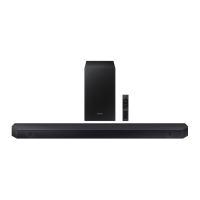
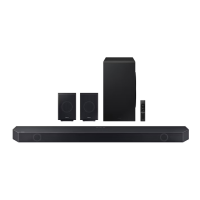
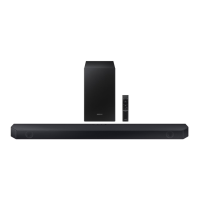
The Samsung HW-Q900C is a high-performance soundbar system designed to enhance your audio experience, particularly when paired with a Samsung TV. It features 7.1.2ch True Dolby Atmos sound, offering an immersive, three-dimensional audio experience with powerful depth and crystal clarity. The system includes a main soundbar unit and a subwoofer, with the option to connect additional components for a richer sound.

A key feature of this soundbar is the Q-Symphony function, which allows it to synchronize with compatible Samsung TVs to play sound simultaneously through both the soundbar and the TV speakers. This creates an expanded and more enveloping surround sound effect.

The soundbar also supports Wireless Dolby Atmos, enabling a surround sound experience without the need for cumbersome HDMI cables, offering greater flexibility in arrangement.

For optimal sound quality tailored to your environment, the SpaceFit Sound Pro feature analyzes your listening space using the soundbar's microphone and automatically optimizes the audio. This ensures room-filling sound calibrated to your specific space.

The Acoustic Lens Subwoofer utilizes up/side firing rear speakers to create dense layers of all-around sound, further enhancing the immersive audio experience.

Integrated Built-in Voice Assistant functionality allows for hands-free navigation of your soundbar and TV using voice commands, provided an Amazon Echo Device is connected.

Adaptive Sound intelligently optimizes audio to make voices clearer, even at low volumes. The Active Voice Amplifier further ensures dialogue is not drowned out by breaking down room noise and optimizing onscreen voices.

For gamers, Game Mode Pro offers a more intuitive gaming experience with 3D optimized sound, utilizing powerful up-firing speakers, acoustic beam, and strong woofers.

The soundbar supports AirPlay 2, allowing users to stream music, podcasts, and more from compatible iPhone or other Apple devices. It also offers various connectivity options including HDMI, Optical, Bluetooth, and Wi-Fi.

Usage Features

Connecting the Soundbar:

The manual provides clear instructions for connecting the soundbar to your TV and other external devices.

  • Wired Connection: You can connect the soundbar using an HDMI cable (for external devices or TV ARC/eARC) or an Optical Cable (D.IN). For HDMI connections, it's recommended to use a Premium High Speed HDMI Cable with Ethernet certified by HDMI.org.
  • Wireless Connection (Bluetooth): The soundbar can be paired with Bluetooth-enabled devices. The manual distinguishes between "BT READY" (for reconnecting previously paired devices) and "BT PAIRING" (for connecting new devices). To enter pairing mode, press the PAIR button on the remote or hold the Mic On/Off button on the soundbar for 5 seconds.
  • Wireless Connection (Wi-Fi): To connect the soundbar to a mobile device via Wi-Fi, the SmartThings app is required. Users need to connect their mobile device to the same Wi-Fi network as the TV, install and launch the SmartThings app, and follow the in-app instructions.

Remote Control Operation:

The included remote control provides comprehensive control over the soundbar's functions.

  • Power: Turns the soundbar on/off.
  • Source: Selects the input source (e.g., HDMI 1, D.IN, Bluetooth).
  • Bluetooth PAIR: Initiates Bluetooth pairing mode.
  • Up/Down/Left/Right: Navigates menus and adjusts settings.
  • Play/Pause: Controls media playback.
  • Mute: Mutes or unmutes the sound.
  • SOUND MODE: Selects desired audio modes like Surround, Game Pro, Standard, or Adaptive Sound.
  • Info: Displays information about the active function or codec. In Bluetooth mode, it shows connected device information.
  • VOLUME: Adjusts the overall sound volume.
  • WOOFER (BASS) LEVEL: Adjusts the subwoofer's bass level.
  • CH LEVEL: Adjusts the volume of individual speakers (Center, Side, Wide, Front Top).
  • Sound Control: Accesses audio functions like SpaceFit Sound, AVA, Voice enhance mode, Night mode, Sync, and Virtual.
  • TONE CONTROL: Adjusts treble or bass sound.

Installation:

The manual offers guidance for installing the soundbar, either on a TV stand or wall-mounted.

  • On a TV Stand: Ensure the soundbar is placed on a flat, solid surface, with sufficient gap from the TV to avoid interference with voice recognition. Align the soundbar's center with the TV's center.
  • Wall Mount: Instructions include using the provided wall mount guide, brackets, and screws. It emphasizes installing on a strong wall, using appropriate fixing screws for the wall type, and connecting cables before mounting.

Troubleshooting:

A dedicated section helps users resolve common issues:

  • Soundbar not turning on: Check power cord connection.
  • Subwoofer not automatically connected: Turn off soundbar, press and hold "ID SET" on subwoofer for 5 seconds, then press "Up" button on soundbar remote for 5 seconds. Check for solid blue LINK LED.
  • Soundbar works erratically: Disconnect and reconnect power cord, or try initializing the product.
  • Remote control not working: Point directly at soundbar, replace batteries.
  • Soundbar indicator solid red: Microphone is turned off; turn it on.
  • No sound output: Adjust volume, select correct input source, check cable connections, ensure TV is set to output sound to soundbar.
  • No subwoofer output: Check if subwoofer's LED is blue; reconnect if blinking or red.
  • TV not connected via HDMI TO TV (eARC/ARC): Check HDMI cable connection, ensure HDMI-CEC is activated on TV, or directly connect soundbar.
  • Soundbar not connecting via Bluetooth: Switch to "BT PAIRING" for new devices, remove soundbar from device's Bluetooth list before reconnecting.
  • Sound drops out via Bluetooth: Move devices closer, check for interference from other wireless devices, ensure no body contact with transceiver or metal furniture.
  • Soundbar not connecting to Wi-Fi: Ensure wireless router is on, reboot router, move router closer to soundbar, remove obstacles.
  • Soundbar not turning on automatically with TV: If soundbar was turned off while watching TV, power synchronization is disabled. Turn off TV first.

Maintenance Features

General Precautions:

  • Power Supply: Ensure AC power supply matches requirements on the identification sticker. Disconnect the AC plug from the wall outlet to fully turn off the unit or if unused for long periods.
  • Environmental Conditions: Avoid exposing the unit to rain, moisture, direct sunlight, other heat sources, dripping/splashing liquids, or strong magnetic/electric fields. Do not place liquid-filled objects on the apparatus.
  • Ventilation: Install horizontally on a suitable base with enough space (3-4 inches) for ventilation. Do not cover ventilation slots or place on hot equipment.
  • Battery Handling: The battery contains harmful chemicals. Do not dispose of in general household trash. Avoid exposing to excess heat, direct sunlight, fire, short-circuiting, disassembling, or overheating. Replace only with the same or equivalent type to prevent explosion risk.
  • Condensation: If transported in cold temperatures, allow approximately 2 hours for the unit to reach room temperature before use.

Servicing:

  • The manual advises against removing the cover or back of the unit, as there are no user-serviceable parts inside. Refer servicing to qualified personnel.
  • An administration fee may be charged if an engineer is called out for a non-defective product or if a non-defective unit is brought to a repair center.
  • For product issues, users are encouraged to consult the manual, visit samsung.com/support, or call Samsung Product Support (1-800-726-7864) before contacting a service center.

Wi-Fi and Bluetooth Deactivation:

  • Wi-Fi: Press the CH LEVEL button on the remote control for 30 seconds to turn Wi-Fi On/Off.
  • Bluetooth: Press the TONE CONTROL button on the remote control for 30 seconds to turn Bluetooth On/Off.

Warranty Information:

The product comes with a limited warranty for manufacturing defects in materials and workmanship. For original consumer purchasers, it's one (1) year for parts and labor, and ninety (90) days for parts and labor for commercial use. Warranty service requires contacting SAMSUNG and presenting the original dated bill of sale. The warranty does not cover damage from shipment, improper installation, misuse, accidents, natural disasters, or issues related to non-SAMSUNG components or failure to follow operating instructions.

Samsung HW-Q900C Specifications

General IconGeneral
RMS rated power446 W
Audio output channels7.1.2 channels
Soundbar mode controlYes
Surround modes quantity4
Number of speakers16
Number of woofer drivers1
Subwoofer typeActive subwoofer
Subwoofer locationSeparate
Subwoofer connectivityWireless
Product colorBlack
Virtual assistantSamsung Bixby
Audio formats supportedAAC, AIFF, ALAC, FLAC, MP3, OGG, WAV, WMA
High Dynamic Range (HDR) technologyHigh Dynamic Range 10+ (HDR10 Plus)
HDMI in2
Bluetooth codecSBC
Wi-Fi frequency5 GHz
HDMI ports quantity3
Connectivity technologyWired & Wireless
Package typeBox
Package depth594 mm
Package width1308 mm
Package height276.8 mm
Package weight24720 g
Cables includedHDMI
Weight and Dimensions IconWeight and Dimensions
Depth137 mm
Width1232 mm
Height68.5 mm
Soundbar weight7711 g
Subwoofer depth414 mm
Subwoofer width221 mm
Subwoofer height409 mm
Subwoofer weight11702 g

Related product manuals