
 Need help?
Do you have a question about the Samsung HW-Q6CC and is the answer not in the manual?
General safety guidance, warnings, and symbols related to product usage.
Regulatory information including FCC compliance and California-specific warnings.
Guidance on electrical, heat, moisture, and installation requirements for safe operation.
Specific safety guidelines and precautions for handling product batteries.
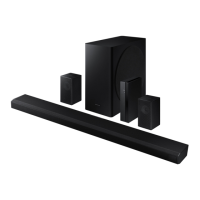
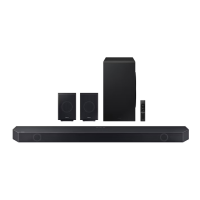
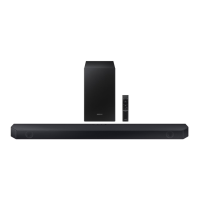
Lists and illustrates all components provided with the soundbar system.
Details on buttons, display, and controls located on the front and top of the soundbar.
Identification of physical input and output ports on the bottom of the soundbar.
How to install batteries and use primary remote controls like Power, Source, Mute, Volume.
Covers sound settings, Bluetooth pairing, navigation, and other advanced controls.
Adjusting bass, treble, and utilizing multi-function hidden buttons on the remote.
Table specifying channel outputs for different sound effect modes with various configurations.
Setup instructions to control soundbar volume using the TV's remote control.
Steps for connecting the power supply and troubleshooting subwoofer connection.
Explanation of the LED indicator lights on the rear of the subwoofer.
Instructions for connecting the optional wireless rear speaker kit.
Guide for connecting the TV via HDMI (ARC/eARC) or optical cable.
Using Q-Symphony and connecting the TV wirelessly via Bluetooth.
Connecting external devices such as Blu-ray players or game consoles via HDMI or optical.
How to connect a USB drive and play music files through the soundbar.
Steps for pairing smartphones and tablets via Bluetooth for audio playback.
Information on connecting multiple Bluetooth devices simultaneously.
Using the Tap Sound feature to play audio by touching the soundbar with a mobile device.
Detailed steps and safety precautions for mounting the soundbar on a wall.
Guidance on positioning the soundbar correctly on a TV stand for optimal performance.
Procedure for updating the soundbar's system firmware using a USB drive.
Instructions on how to perform a factory reset on the soundbar.
Solutions for issues related to power, remote control, and sound output.
Troubleshooting problems with subwoofer sound and device connection issues.
Resolving problems encountered when connecting to a TV or via Bluetooth.
Details regarding licenses and trademarks for audio and connectivity technologies like Dolby, DTS, HDMI, Bluetooth.
Contact information for open source inquiries and recommendations for seeking service.
Comprehensive technical specifications and dimensions for the soundbar and subwoofer.
Explanation of the product's limited warranty coverage, terms, and conditions.
 General
| Type | Soundbar |
|---|---|
| Total Power Output | 360W |
| Subwoofer | Wireless |
| Dolby Atmos | Yes |
| Connectivity | HDMI, Optical, Bluetooth |
| HDMI In | 1 |
| HDMI Out | 1 |
| HDMI ARC | Yes |
| HDMI CEC | Yes |
| Optical In | 1 |
| Bluetooth | Yes |
| Sound Mode | Standard, Surround, Game |




 To Next Page