
 Need help?
Do you have a question about the Samsung HW-Q6CT and is the answer not in the manual?
Key safety warnings for electric shock, fire, and injury prevention.
Explanation of safety symbols and important cautions for product use.
Details on FCC regulations, supplier declaration, and compliance statements.
Guidance on FCC compliance, potential interference, and corrective measures.
Perchlorate warning for California and instructions for responsible electronics disposal.
Essential operating instructions and safety guidelines for user reference.
Advice on avoiding heat sources, sunlight, moisture, and ensuring proper ventilation.
Guidelines on plug safety, power cord protection, and unplugging during storms.
Recommendations for using authorized accessories and seeking professional servicing.
Description of the paper user manual's content for safety, installation, and specifications.
Instructions on how to download or access the complete digital manual online.
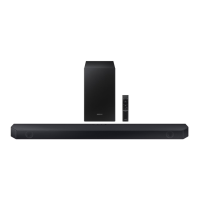
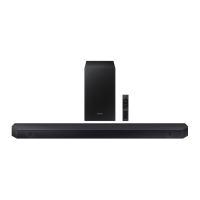
Identification of the Soundbar main unit, subwoofer, remote control, and included accessories.
Step-by-step instructions for inserting batteries into the remote control.
Description of buttons, display, and controls on the soundbar's top and front.
Overview of all ports located on the bottom of the soundbar.
Detailed explanations for USB, DC 24V, HDMI, ARC, and Optical ports.
Procedure for connecting the soundbar and subwoofer to an electrical outlet.
Explanation of the automatic connection process between the soundbar and subwoofer.
Interpretation of LED status lights on the subwoofer for connection status.
Detailed steps to manually connect the subwoofer if automatic pairing fails.
Guide to connecting the optional Samsung Wireless Rear Speaker Kit.
Continues the procedure for connecting the SWA-8500S rear speaker kit.
Introduction to connecting the soundbar to a TV using cables like HDMI or Optical.
Step-by-step guide for connecting the soundbar to a TV via an HDMI cable.
Instructions for connecting the soundbar to a TV using an optical audio cable.
How the soundbar synchronizes with a Samsung TV for enhanced surround sound.
Steps for establishing a wireless audio connection between the TV and soundbar using Bluetooth.
Initial connection steps, selecting the soundbar on the TV, and establishing the Bluetooth link.
Information on BT READY vs. BT PAIRING, disconnection, and common Bluetooth issues.
Procedures for disconnecting the soundbar from the TV, including Bluetooth.
Guide to connecting external devices like Blu-ray players or game consoles using HDMI.
Guide to connecting external devices using an optical audio cable.
Instructions for playing music files from a USB storage device.
List of audio file extensions, codecs, sampling rates, and bitrates supported by USB.
Steps for connecting a smartphone or tablet to the soundbar via Bluetooth.
Explanation of BT READY/PAIRING and enabling Bluetooth Power On.
How to disconnect Bluetooth devices from the soundbar.
Details on Bluetooth technology, potential interference, and quality considerations.
How to connect and manage multiple Bluetooth devices simultaneously.
Identifies main buttons like Power, Source, Mute, and Volume.
Explanation of different sound modes like Standard, Surround, Game Pro, and DTS Virtual:X.
Covers Bluetooth Power, ID SET, Volume Restriction, and navigation controls.
How to adjust Treble, Bass, EQ, Audio Sync, and Woofer volume.
Instructions for enabling and using the TV's remote to control the soundbar's volume.
Details on buttons with multiple functions and audio output channel specifications.
Lists required parts and essential safety guidelines for wall installation.
Steps for using the guide, marking holes, drilling, and installing brackets.
Final steps for hanging the soundbar onto the wall mounts.
Guidelines for positioning the soundbar on a TV stand for optimal performance.
Step-by-step guide for updating the soundbar's system firmware via USB.
Solutions for issues like the 'UPDATE' screen not appearing or update failures.
Resolving issues related to the unit not turning on or the remote control not functioning.
Addressing problems with sound output, dropouts, and subwoofer connectivity.
Information regarding Dolby, DTS, HDMI, and Bluetooth licenses.
Guidance on service procedures, potential fees, and pre-service checks.
Detailed technical specifications for the soundbar and subwoofer, including dimensions and power.
Details on warranty coverage, duration, exclusions, and service procedures.
 General
| Type | Soundbar |
|---|---|
| Channels | 5.1 |
| Total Power Output | 360W |
| Subwoofer | Wireless |
| DTS | DTS Virtual:X |
| HDMI In | 1 |
| HDMI Out | 1 (ARC) |
| Optical In | 1 |
| Bluetooth | Yes |
| Wi-Fi | No |
| Dolby | Dolby Digital |
| Sound Modes | Standard, Surround, Game |




 To Next Page