Switch Clustering
3-275
3
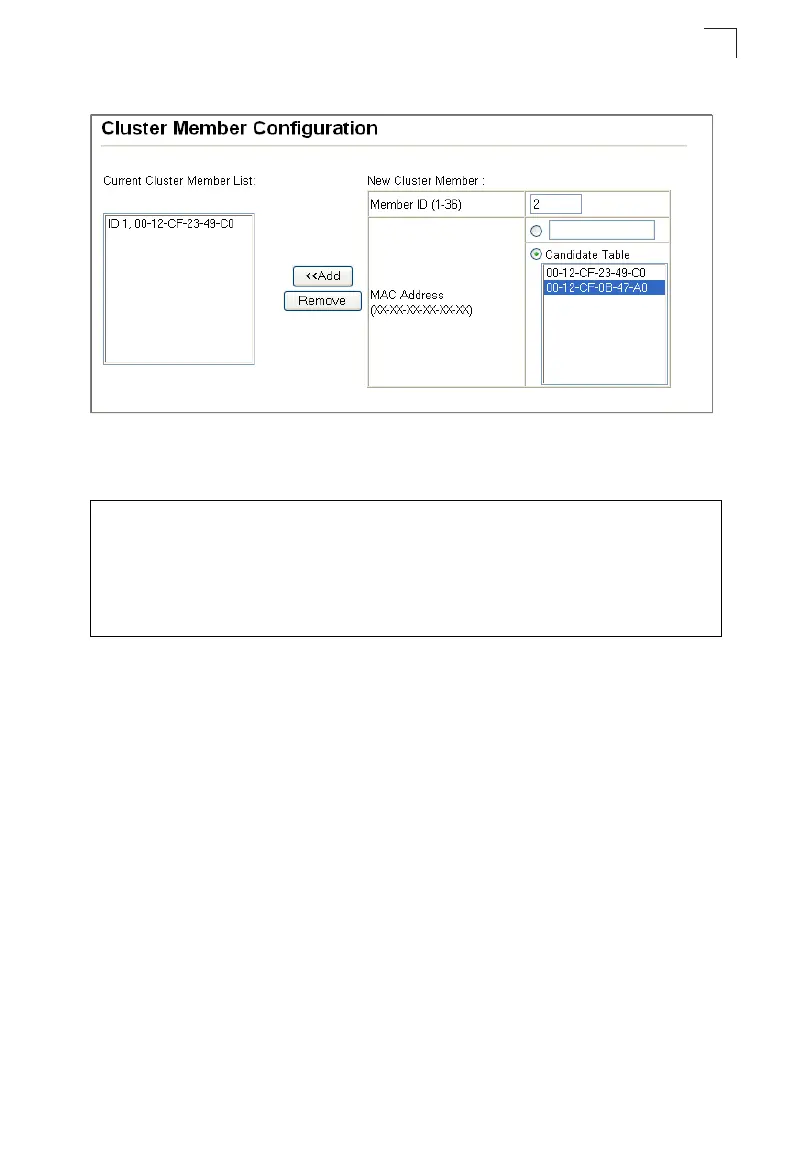
Web – Click Cluster, Member Configuration.
Figure 3-159 Cluster Member Configuration
CLI – This example creates a new cluster Member by specifying the Candidate
switch MAC address and setting a Member ID.
Displaying Information on Cluster Members
Use the Cluster Member Information page to display information on current cluster
Member switches.
Command Attributes
• Member ID – The ID number of the Member switch. (Range: 1-36)
• Role – Indicates the current status of the switch in the cluster.
• IP Address – The internal cluster IP address assigned to the Member switch.
• MAC Address – The MAC address of the Member switch.
• Description – The system description string of the Member switch.
Console(config)#cluster member mac-address 00-12-34-56-78-9a id 5 4-75
Console(config)#end
Console#show cluster candidates 4-77
Cluster Candidates:
Role Mac Description
--------------- ----------------- ----------------------------------------
MEMBER TOBE 00-12-34-56-78-9a
Console#



 To Next Page