4-11
4. Troubleshooting
4-1-6. No Sound
Symptom Audio is normal but no picture is displayed on the screen.-
Major
checkpoints
Check the RF Source
Check the M-star
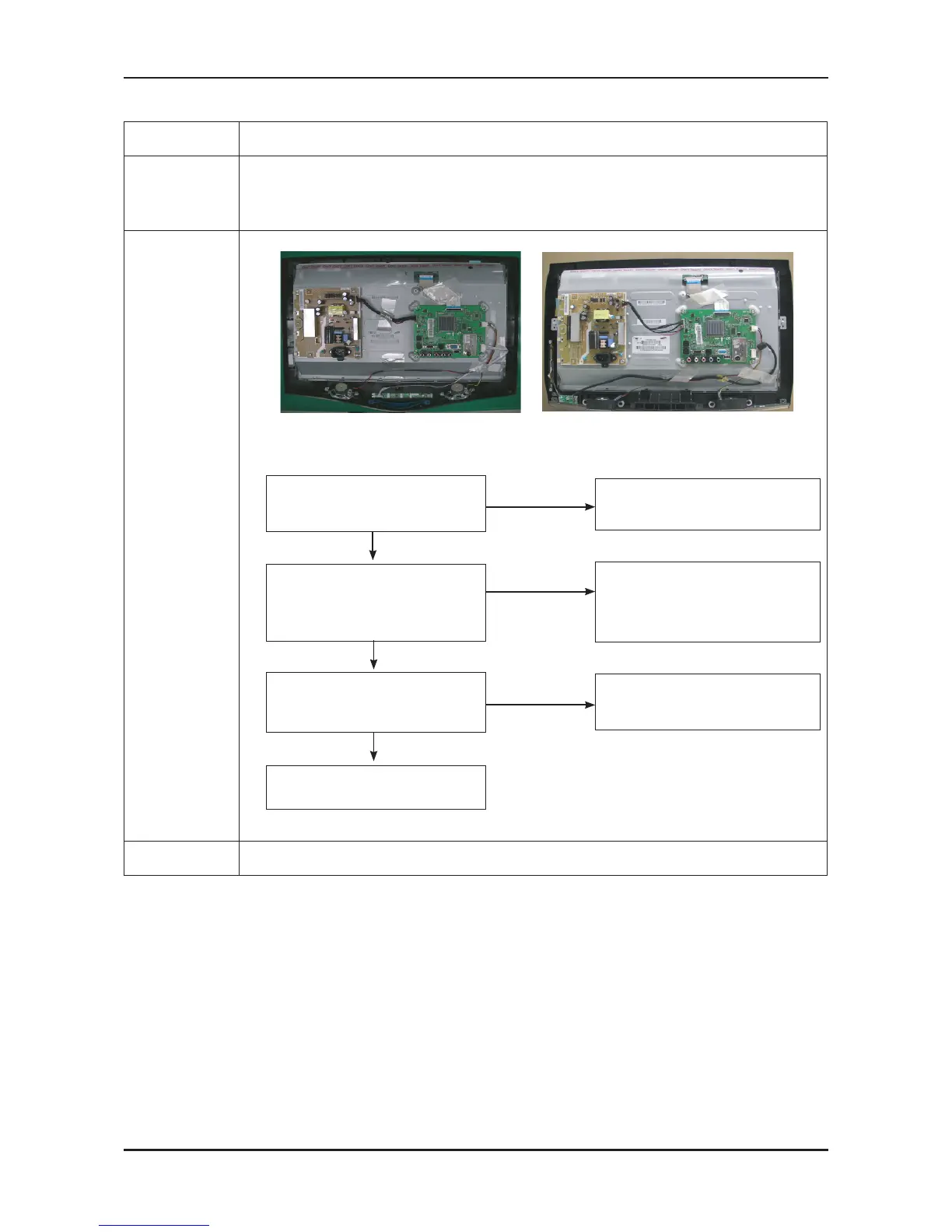
This may happen when the LVDS cable connecting the Main Board and the Panel is disconnected.
-
-
-
Diagnostics
LA22B350F2 LA22B450C8
No
Check a connection harness and
headphone jack/side AV.
Check Sound Processor
IC6003(M-star)
No
Picture is display, no sound.
Check a B13V Line.
Change a main PCB ass’y
No
Does the signal appear at R2109,
R2107,R2108(AUSD,AUWS,AUSCK)
of IC2100?
Check the DC 13V
appear at C2112 of IC2100?
Replace the speaker ass’y?
Yes
Connect a sound cable.
control a volume.
Yes
1
Yes
2
Caution Make sure to disconnect the power before working on the IP board.



 To Next Page