5
English
Getting Started
Getting Started
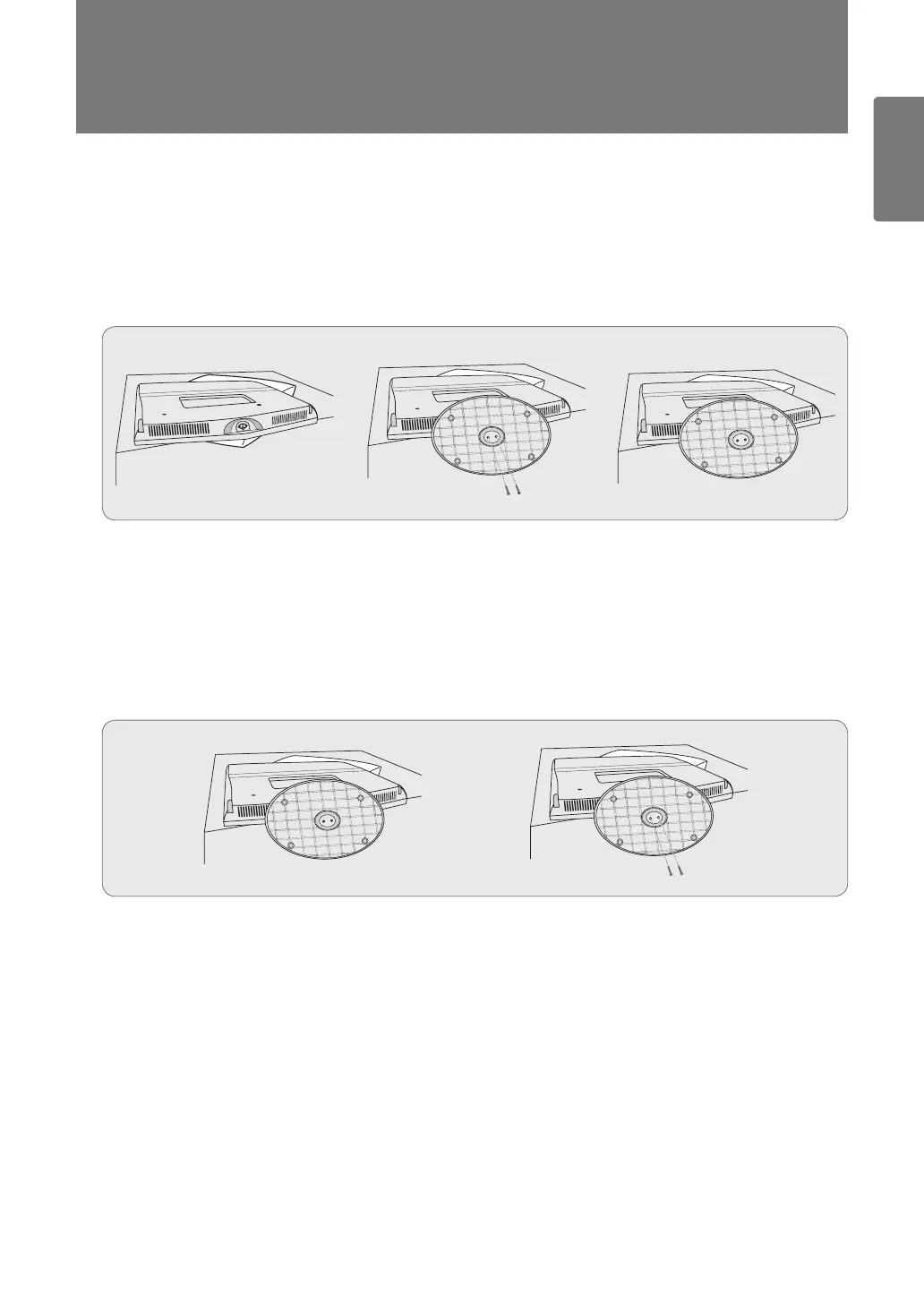
Installing the Stand
1
Place the front of the TV onto a soft cloth or cushion on a table.
Align the TV bottom along the table edge. ■
2
Fasten screws at bottom of the stand.
Stand the product up and fasten the screws. If you fasten the screws with the LCD TV placed down, it may lean to one ■
side.
Disconnecting the Stand
1
Place the front of the TV onto a soft cloth or cushion on a table.
Align the TV bottom along the table edge. ■
2
Remove screws at bottom of the stand.
[330_UK]BN68-03042G-Eng.indb 5 2010-04-12 �� 11:05:10



 To Next Page