EasyManua.ls Logo

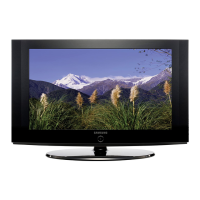
Samsung LN32A450C1D - User Manual

Samsung LN32A450C1D
118 pages
Print Icon
To Next Page IconTo Next Page
Loading...
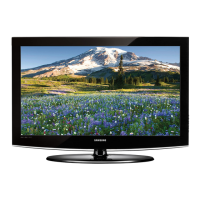
LCD-TV
Chassis : N45B
Model : LN32A450C1D
LN37A450C1D
SERVICE
Manual
TFT-LCD TV Contents
LN32A450C1D / LN37A450C1D
Refer to the service manual in the GSPN (see the rear cover) for the more information.
1. Precautions
2. Product specications
3. Disassembly and
Reassembly
4. Troubleshootin
g
5. Exploded View & Part Lis
t
6. Wiring Diagra
m
7. Schematic Diagra
m

Table of Contents

Other manuals for Samsung LN32A450C1D

Questions and Answers

  • B
    Brandon ReyesAug 15, 2025
    How to fix Samsung Monitor remote control malfunctions?
    • W
      wweeksAug 16, 2025
      If your Samsung Monitor remote control malfunctions, try these steps: * Replace the remote control batteries. * Clean the upper edge of the remote control (transmission window). * Check the battery terminals.
  • D
    David BrownAug 19, 2025
    How to improve poor picture quality on Samsung Monitor?
    • K
      Keith PruittAug 19, 2025
      If your Samsung Monitor has poor picture quality, try another channel, adjust the antenna, and check all wire connections.
  • T
    timothyfowlerAug 21, 2025
    What to do if my Samsung Monitor operates erratically?
    • C
      Cynthia WilliamsAug 21, 2025
      If your Samsung Monitor operates erratically, unplug the TV for 30 seconds, then try operating it again.
  • B
    Brianna DiazAug 25, 2025
    How to remove black bars on Samsung Monitor screen?
    • M
      Marcus RodriguezAug 25, 2025
      If you see black bars on the screen of your Samsung Monitor, make sure the broadcast you’re receiving is High Definition (HD) and set your cable/satellite box to stretch or widescreen mode to eliminate the bars.
  • R
    Richard MeltonAug 28, 2025
    Why is closed captioning not working on my Samsung Monitor?
    • B
      Brandi WangAug 28, 2025
      If closed captioning is not working on your Samsung Monitor and you are using a Cable/Satellite box, you must set Closed Captioning on the box, not your TV.
  • B
    Brian KrauseAug 30, 2025
    How to fix snowy picture on Samsung Monitor?
    • M
      Matthew LeeAug 30, 2025
      If your Samsung Monitor displays a snowy picture, your cable box may need a firmware upgrade. Please contact your Cable company.
  • T
    Tyler MyersSep 2, 2025
    How to fix ghosting on picture of Samsung Monitor?
    • P
      Peggy WhiteSep 3, 2025
      If you are experiencing ghosting on the picture of your Samsung Monitor, try connecting Component cables instead.
  • C
    Christina DavisSep 5, 2025
    How to center the image on my Samsung Monitor screen?
    • A
      Amy BeckSep 5, 2025
      If the image is not centered on the screen of your Samsung Monitor, adjust the horizontal and vertical position. The screen position must be adjusted on the output source (i.e. STB) with a digital signal.
  • D
    Douglas PriceSep 9, 2025
    Why does the picture appear distorted in the corner of my Samsung Monitor?
    • C
      Christopher JohnsonSep 9, 2025
      If the picture appears distorted in the corner of the screen on your Samsung Monitor, and "Just Scan" is selected with some external devices, this symptom is caused by the external devices, not TV.
  • K
    Kathleen ChristensenSep 12, 2025
    Why does my Samsung Monitor say “Resets all settings to the default values”?
    • J
      Joshua ScottSep 12, 2025
      The “Resets all settings to the default values” message appears on your Samsung Monitor when you press and hold the EXIT button for a while. The product settings are then reset to the factory defaults.

Summary

Precautions and Safety Guidelines

Safety and Servicing Precautions

Essential safety, servicing, and ESD precautions for handling the device.

Installation Precautions

Guidelines for safe and proper product installation and placement.

Product Specifications

TV Features and Specifications

Detailed features, display, scanning, resolution, and connectivity specs.

Included Accessories

List of accessories provided with the product, including code numbers.

Disassembly and Reassembly Procedures

Disassembly Guide

Detailed steps and visual aids for disassembling the LCD TV.

Troubleshooting and Adjustments

General Troubleshooting Steps

Initial checks for cable connections and power input.

Symptom-Based Troubleshooting

Diagnoses for common issues like no power, no video, and no sound.

Alignments and Adjustments

Procedures for TV alignment, factory mode access, and calibration.

Exploded View and Part Lists

LN32 A450 C1 D Parts Information

Visual exploded view and detailed part list for the LN32A450C1D.

LN37 A450 C1 D Parts Information

Visual exploded view and detailed part list for the LN37A450C1D.

Wiring and Cable Information

Main Wiring Diagram

Block diagram showing connections between main boards and components.

Cable Specifications

Details and part numbers for various cables used in the TV.

Schematic Diagrams

Scaler and Tuner Schematics

Block diagrams for scaler IC, tuner, and major signal paths.

Input and Power Schematics

Schematics for various inputs (HDMI, PC) and power/standby circuits.

Functional Circuit Schematics

Diagrams for specific functions like function keys and LCD options.

Samsung LN32A450C1D Specifications

General IconGeneral
Screen Size32 inches
Resolution1366 x 768
Display TypeLCD
HDMI Ports2
Component Video Inputs1
Composite Video Inputs1
Speakers2 x 10W
Aspect Ratio16:9
Response Time8 ms
S-Video Inputs1
PC InputYes
RF Input1
Power Consumption130 W
Audio Output1
Contrast Ratio15000:1 (Dynamic)
VGA Input1
Audio Outputs1
Brightness500 cd/m²
Viewing Angle178°
Dimensions (W x H x D) Without Stand3.5 inches
Dimensions (W x H x D) With Stand31.5 x 22.6 x 8.3 inches
HDTV CompatibilityYes (720p/1080i)
Sound Output20W RMS

Related product manuals