Using the Option Menu
1. Complete Steps 1 to 3 of “Using the WISELINK Menu”. (Refer to page 44)
2. Press the ◄ or ► button to move to “Photo”, then press the ENTER button. The
saved file information is displayed as a folder or file.
3. Press the ▲, ▼, ◄ and ► button to select a file, then press the ENTER button.
Pressing the button over a photo thumbnail displays the photo in full screen.
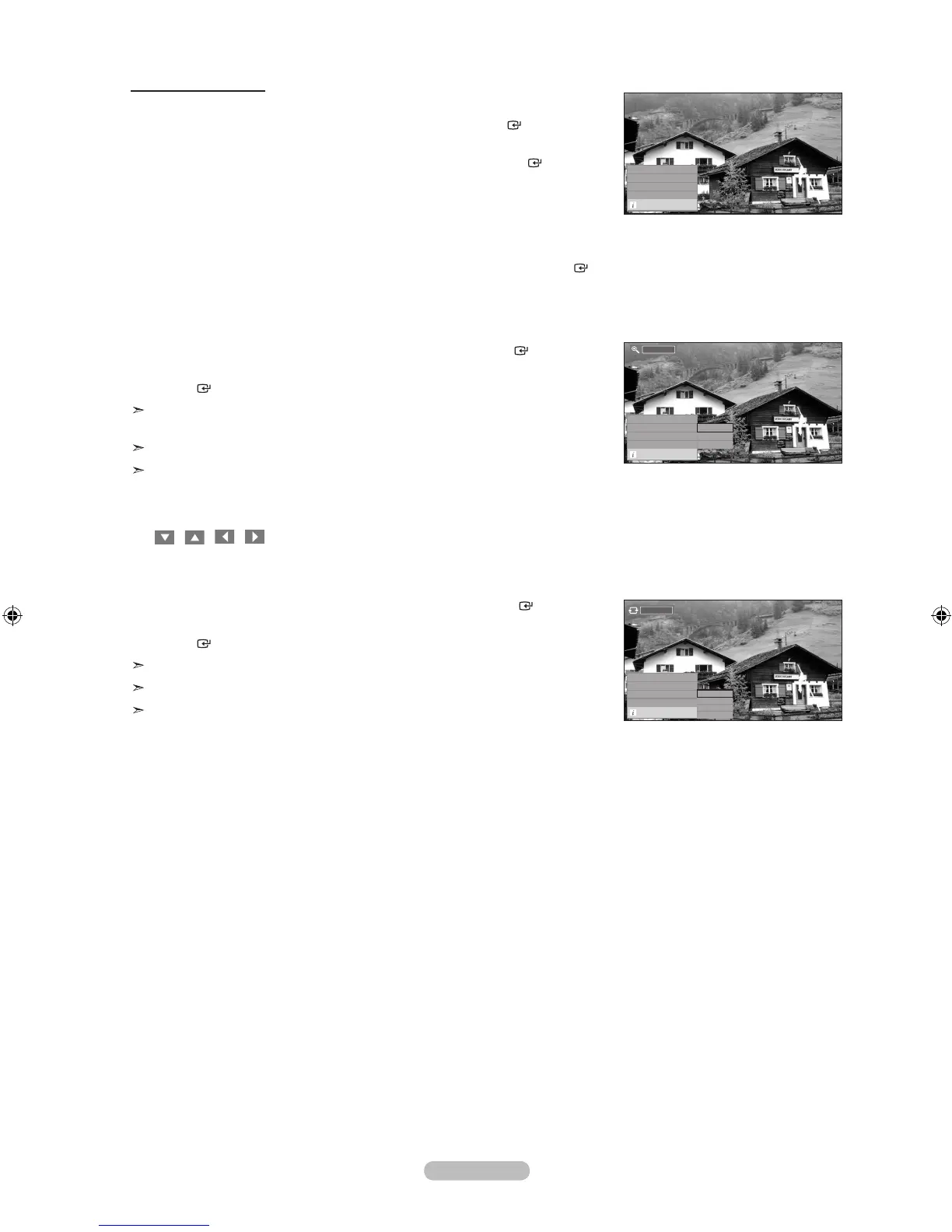
4. Press the INFO button to display the option (“Start Slide Show”, “Zoom”, “Rotate”, “List”)
Start Slide Show:
• Press the ▲ or ▼ button to select “Start Slide Show”, then press the ENTER
button. You can start a Slide Show.
Zoom:
• Press the ▲ or ▼ button to select “Zoom”, then press the ENTER button.
• Select the required option by pressing the ▲ or ▼ button, then press the
ENTER button. (x1, x2, x4)
To pan up/down/left/right in the zoomed-in photo, press the INFO button to exit
option menu, then press the ▲, ▼, ◄ and ► buttons.
“Start Slide Show” or “Rotate” is disabled when the “Zoom” option is selected.
“ x1 ” : Restore a photo to its original size.
“ x2 ” : Zoom-in to a photo x2.
“ x4 ” : Zoom-in to a photo x4.
/ / / : Move the zoomed-in photo up/down/right/left.
Rotate:
• Press the ▲ or ▼ button to select “Rotate”, then press the ENTER button.
• Select the required option by pressing the ▲ or ▼ button, then press the
ENTER button. (0°, 90°, 180°, 270°)
The rotated file is not saved.
“Start Slide Show” or “Zoom” is disabled when the “Rotate” option is selected.
“0°” : This rotates a photo to its original position
“90°” : This rotates a photo by 90 degrees
“180°” : This rotates a photo by 180 degrees
“270°” : This rotates a photo by 270 degrees
English - 48
Start Slide Show
Zoom
x 1 ►
Rotate
0
°
►
List
Exit
Start Slide Show
Zoom
x 1
Rotate
0
°
►
List
Exit
x 1
x 1
x 2
x 4
0°
Start Slide Show
Zoom
x 1 ►
Rotate
0
°
List
Exit
0 °
90 °
180 °
270 °









 To Next Page