
 Need help?
Do you have a question about the Samsung M3015 Series and is the answer not in the manual?
Describes servicing by trained technicians and using Samsung replacement parts.
Covers toxic materials, electric shock, and fire hazards during operation.
Details procedures to prevent damage from static electricity to components.
Advises on preventing customer data loss during service procedures.
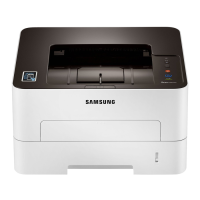
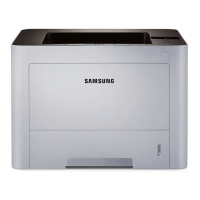
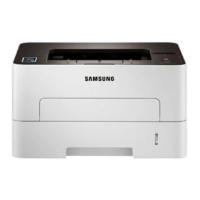
Lists key technical details and features of the printer, including speed and resolution.
Provides detailed specifications for the printer's performance and capabilities.
Describes the printer's internal components and their overall layout.
Outlines safety measures before and during part replacement.
Provides steps for replacing common wear-and-tear components.
Details the process for removing major service parts from the unit.
Explains the functions of buttons and indicators on the control panel.
Describes the meaning of different LED status lights on the printer.
Provides instructions for updating the printer's firmware via USB or network.
Guides on how to remove jammed paper from various locations in the printer.
Introduces tools like SyncThru™ Web Service and Easy Printer Manager.
Explains the Engine Diagnostic Test program for troubleshooting.
Outlines steps for diagnosing printer issues based on observed symptoms.
Lists error codes and their corresponding troubleshooting steps.
Details common image quality issues and their solutions.
Illustrates the overall system architecture and component connections.
Shows the detailed wiring and interconnections between components.
Lists recommended tools for performing service and diagnostics.
Defines technical terms and abbreviations used in the manual.
Provides a test pattern for evaluating print quality and speed.
Explains the naming convention and coding for different printer models.
Lists the versions and changes made to the service manual.
 General
| Printer Type | Laser |
|---|---|
| Print Speed (Black) | 30 ppm |
| Print Speed (A4) | 30 ppm |
| Print Resolution | 1200 x 1200 dpi |
| Processor | 600 MHz |
| Memory | 128 MB |
| Duplex Printing | Manual |
| Paper Capacity (Standard) | 250 sheets |
| Dimensions | 368 x 334.5 x 202 mm |
| Connectivity | USB 2.0 |
| Paper Capacity | 250 sheets |
| First Page Out Time | 8.5 seconds |
| Supported Operating Systems | Windows, Mac, Linux |







 To Next Page