120 Section 2G: Using the Phone’s Scheduler and Tools
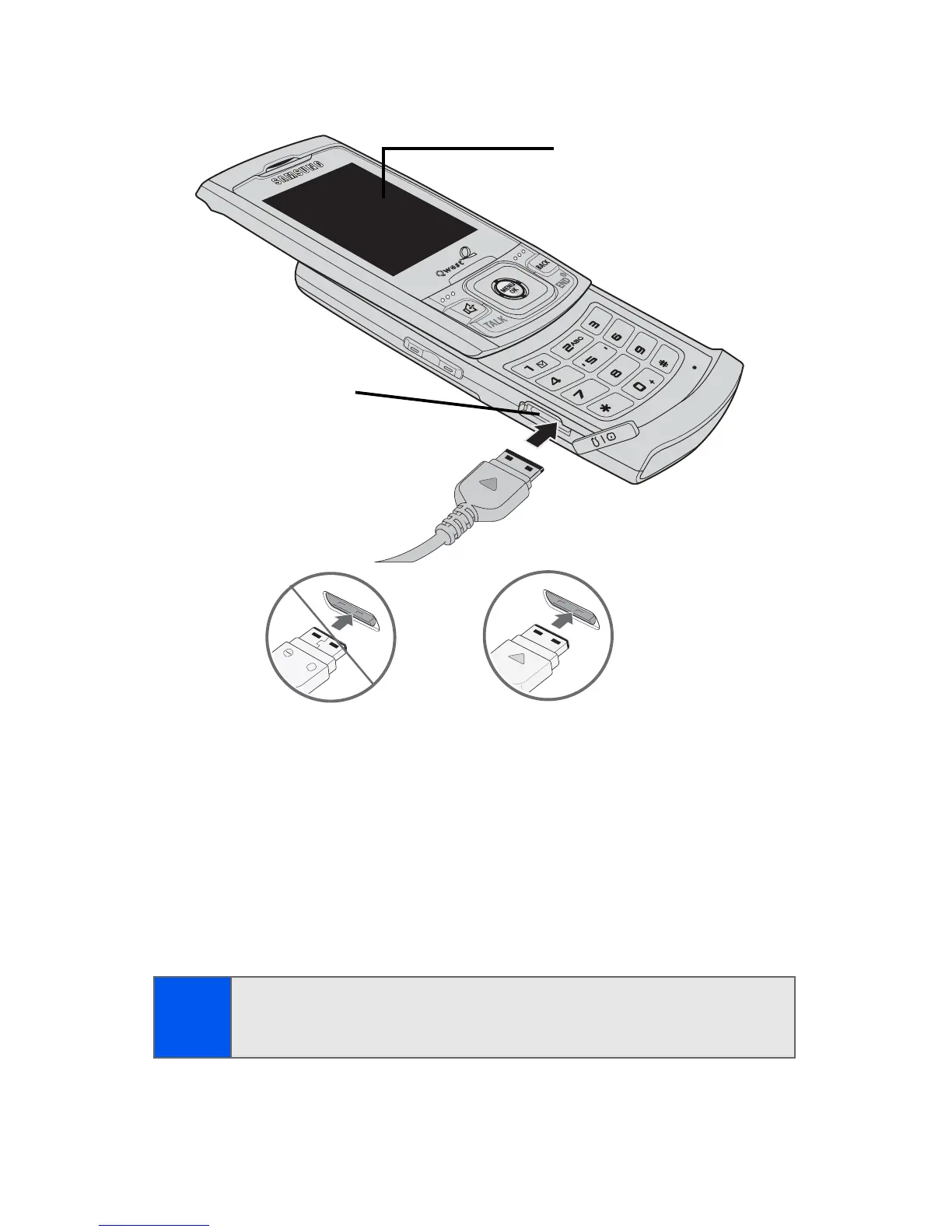
To connect the phone to a computer:
1. Plug one end of the USB cable into your Power/Accessory
Interface Connector located on the side of the phone.
2. Connect the other end of the cable to your Computer.
3. Select Menu > Tools > Mass Storage > Connect to PC. Once a
successful connection is established between the two devices, your
phone will appear onscreen as a newly assigned drive letter.
Note:
This procedure requires that a compatible memory card be installed
into the phone prior to connection with the computer. (See “Using a
microSD™ Memory Card With Your Phone” on page 29.)
DEF
TUV
W
XYZ
PQRS
MNO
JKL
JKL
Shift
Next
Space
Display
Screen
Interface
Connector



 To Next Page