24 Section 2A: Phone Basics
Installing the Battery
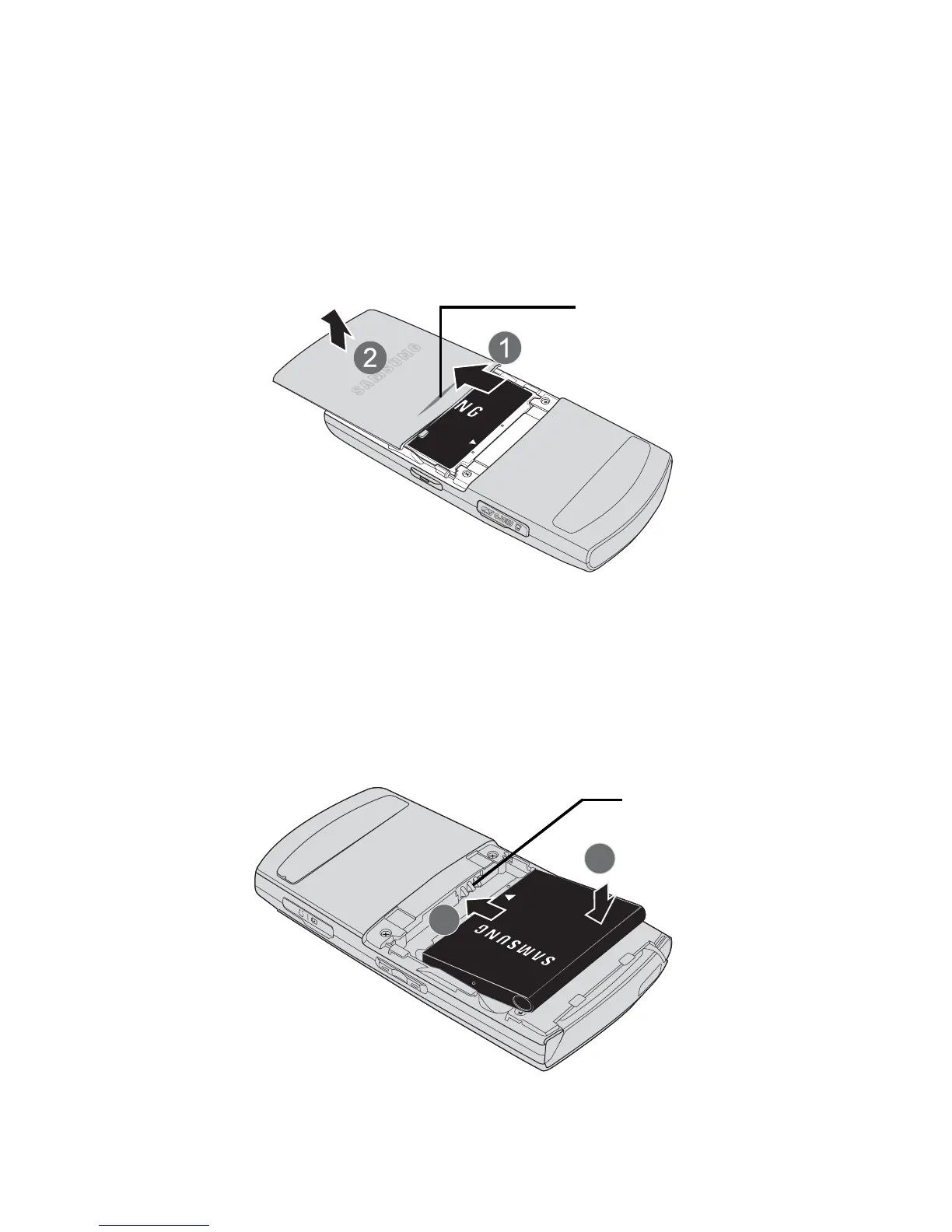
To install the Li-Ion battery:
1. Pressing down on the release (1), remove the battery cover (located
on the back of the phone) by sliding the cover in the direction of the
arrow (2).
2. Carefully lift the battery cover away from the phone.
3. Slide the battery into the compartment so that the tabs on the end
align with the slots at the bottom of the phone, making sure to line
up the gold contacts (3).
4. Gently press down on the battery until it snaps into place (4).









 To Next Page