EasyManua.ls Logo

Samsung M759 - User Manual

Samsung M759
21 pages
Print Icon
To Next Page IconTo Next Page
Loading...
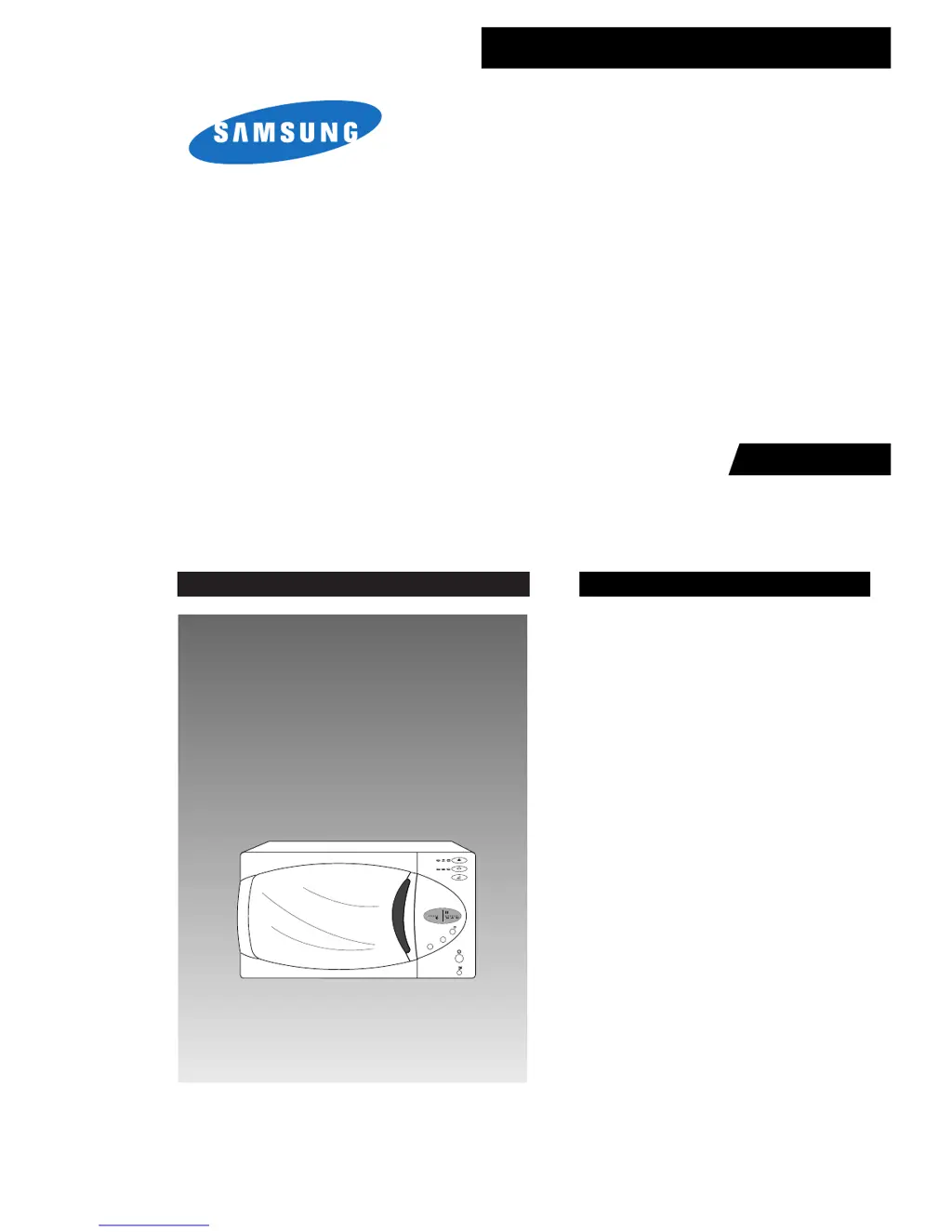
MICROWAVE OVEN
M759R
SERVICE
Manual
MICROWAVE OVEN CONTENTS
/g
/kg
/10s.
1min
10min
Auto
Auto
1 Min +
Start
1. 2. 3.
Auto
1. 2. 3.
1. 2. 3.
1. Precaution
2. Specifications
3. Operating Instructions
4. Disassembly and Reassembly
5. Alignment and Adjustments
6. Troubleshooting
7. Exploded Views and Parts List
8. PCB Diagrams
9. Schematic Diagrams
BWT

Questions and Answers

  • D
    David DiazAug 20, 2025
    What to do if my Samsung Microwave Oven timer starts but there is no heat?
    • W
      Wesley DominguezAug 20, 2025
      If the timer on your Samsung Microwave Oven starts counting down but there is no microwave oscillation, and the oven lamp and fan motor turn on, it could be due to several reasons. These include: misalignment of latch switches, an open or loose connection in the high voltage circuit (especially the magnetron filament circuit), defective high voltage components (H.V.Transformer, H.V.Capacitor, H.V.Diode, H.V.Fuse, Magnetron), open or loose wiring of the power relay, a defective primary latch switch, or a defective power relay or Ass'y PCB. Adjust the door and latch switches. Check the high voltage components according to the component test procedure and replace them if defective. You may also need to replace the PCB main.
  • O
    obrienjacquelineAug 22, 2025
    What to do if my Samsung M759 stops during cooking?
    • K
      Kelly DavisAug 22, 2025
      If your Samsung Microwave Oven stops operating during cooking, it may be due to an open or loose wiring of the primary interlock switch or the operation of the thermal cutout (Magnetron). Adjust the door and latch switches.
  • W
    William TuckerAug 25, 2025
    What to do if my Samsung M759 Microwave Oven does not accept key input?
    • K
      Kathryn BeltranAug 25, 2025
      If your Samsung Microwave Oven does not accept key input for programming, it could be because the key input is not in sequence, there is an open or loose connection of the membrane keypad to the Ass'y PCB, a shorted or open membrane panel, or a defective Ass'y PCB. Refer to the operation procedure. Replace the PCB main.
  • M
    Melissa CollierAug 26, 2025
    What to do if my Samsung M759 Microwave Oven can program but the timer doesn't start?
    • D
      Dawn GilbertAug 26, 2025
      If your Samsung Microwave Oven can be programmed, but the timer does not start, it may be due to an open or loose wiring of the secondary interlock switch, off-alignment of the primary interlock, or a defective secondary interlock S/W. Adjust the door and interlock switches.
  • R
    rodriguezkeithAug 28, 2025
    How to fix a Samsung Microwave Oven turntable motor that doesn't rotate?
    • R
      Robert AllenAug 28, 2025
      If the turntable motor in your Samsung Microwave Oven does not rotate, it could be due to an open or loose wiring connection to the turntable motor or a defective turntable motor. Replace the turntable motor.
  • S
    Seth GreenAug 30, 2025
    What to do if my Samsung M759 Microwave Oven sparks?
    • C
      Christopher WoodAug 30, 2025
      Sparks can occur if metallic ware or cooking dishes touch the oven wall or if ceramic ware trimmed with gold or silver powder is used. Avoid using cookware with metallic trimming.
  • A
    albert15Sep 1, 2025
    Why is my Samsung M759 Microwave Oven taking longer to cook food?
    • M
      Megan AlvarezSep 1, 2025
      Your Samsung Microwave Oven may take longer to cook food if there is a decrease in the power source voltage, an open or loose wiring of the magnetron filament circuit causing intermittent oscillation, or due to the aging of the magnetron. It is recommended to consult an electrician.
  • C
    Curtis WelchSep 3, 2025
    What to do if my Samsung M759 Microwave Oven has no display and doesn't operate after fuse is blown?
    • M
      Michael HowellSep 3, 2025
      If your Samsung Microwave Oven has no display and does not operate after the fuse is blown, it could be due to a shorted lead wire harness, a defective primary latch switch, a defective monitor switch, a shorted HV capacitor, or a shorted HV transformer. Check the adjustment of the primary, interlock monitor, and door sensing switch.
  • M
    Mary GarzaSep 5, 2025
    How to fix loud buzzing noise from Samsung Microwave Oven?
    • I
      iphillipsSep 5, 2025
      A loud buzzing noise from your Samsung Microwave Oven can be caused by loose fan and fan motor screws, loose screws on the H.V.Transformer, or a shorted H.V.Diode. Tighten the screws of the fan motor and H.V.Transformer. Replace the H.V.Diode.
  • J
    John AndersonSep 6, 2025
    What to do if my Samsung Microwave Oven does not operate and returns to the plugged in mode?
    • J
      Joseph JohnsonSep 7, 2025
      If your Samsung Microwave Oven does not operate and returns to the plugged-in mode, it is likely due to a defective Ass'y PCB. Replace the PCB main.

Summary

Precaution and Safety Measures

Safety Precautions

General safety measures for servicing the microwave oven, including electrical and physical hazards.

Special Servicing Precautions

Additional safety guidelines for servicing, focusing on continuity checks and component integrity.

Special High Voltage Precautions

Specific safety measures for handling high voltage components and capacitors.

Microwave Oven Specifications

Technical Specifications Table

Detailed technical specifications including power source, output power, and dimensions.

Feature Comparison Chart

Comparison of key features like auto reheat, auto cook, and defrost for the model.

Operating Instructions and Features

Control Panel Overview

Description and layout of the microwave oven's control panel buttons and indicators.

External Views and Features

Overview of the microwave oven's exterior features and internal components.

Disassembly and Reassembly Procedures

Magnetron, Motor, and Lamp Replacement

Procedures for replacing key internal components like the magnetron, fan motor, and lamp.

High Voltage Transformer Replacement

Detailed steps for safely removing and replacing the high voltage transformer.

Door Assembly Replacement

Instructions for the disassembly and reassembly of the microwave door.

Fuse Replacement

Procedure for safely removing and replacing the main fuse.

Drive Motor Replacement

Steps to remove and replace the turntable drive motor.

Control Circuit Board Replacement

Instructions for replacing the main control circuit board.

Alignment and Adjustments

High Voltage Transformer Checks

Checks and resistance readings for the high voltage transformer terminals.

Low Voltage Transformer Checks

Checks and resistance readings for the low voltage transformer on the PCB.

Magnetron Continuity Checks

Continuity checks for the magnetron filament and between terminals and case.

High Voltage Capacitor and Diode Tests

Continuity and resistance tests for the high voltage capacitor and diode.

Relay Continuity and Switch Adjustments

Checking relay continuity and adjusting interlock and sensing switches.

Magnetron Output Power Measurement

Measuring magnetron output power using a water temperature rise test.

Microwave Heat Distribution Testing

Checking heat distribution evenness using beaker temperature rises.

Microwave Energy Leakage Measurement

Procedures and checks for measuring microwave energy leakage.

Measurement Notes

Important notes and considerations for measurement procedures.

Troubleshooting Electrical Malfunctions

Oven Dead or No Display Issues

Troubleshooting steps for a dead oven or no display issues.

Fuse Blown Diagnosis

Diagnosing and resolving issues when the fuse is blown.

Key Input and Program Selection Problems

Troubleshooting problems with key input and program selection.

No Microwave Oscillation (No Heat)

Diagnosing why the timer starts but no heat is produced.

Lamp;Fan ON, Timer No Start

Troubleshooting when lamp/fan are on but the timer doesn't start.

Program Timer Start Issues

Resolving issues where the program timer does not start correctly.

Low Microwave Output or Long Cooking Times

Diagnosing low power output or longer cooking times.

Fan Motor ON, Oven Inoperative

Troubleshooting when the fan motor runs, but the oven is otherwise dead.

Loud Buzzing Noise Troubleshooting

Identifying causes and solutions for loud buzzing noises.

Turntable Motor Problems

Troubleshooting turntable motor problems, including no rotation or noise.

Oven Stops During Cooking

Diagnosing why the oven stops operation mid-cycle.

Sparks Inside the Oven

Causes and prevention of sparking inside the microwave.

Uneven Cooking Issues

Addressing issues of uneven cooking intensity.

Exploded Views and Parts List

Exploded Views Diagram

Visual breakdown of the microwave oven components.

Main Parts List

List of main components with part numbers and specifications.

Door Parts List

Detailed list of parts related to the microwave door assembly.

Control Parts List

List of parts for the control panel and main PCB.

Body Latch Parts List

List of parts associated with the body latch mechanism.

Standard Parts List

List of common hardware and standard parts used in the oven.

Schematic Diagrams

Overall Schematic Diagram

Complete electrical schematic illustrating the oven's circuitry.

Samsung M759 Specifications

General IconGeneral
BrandSamsung
ModelM759
CategoryMicrowave Oven
LanguageEnglish

Related product manuals