EasyManua.ls Logo

Samsung M757 - User Manual

Samsung M757
22 pages
Print Icon
To Next Page IconTo Next Page
Loading...
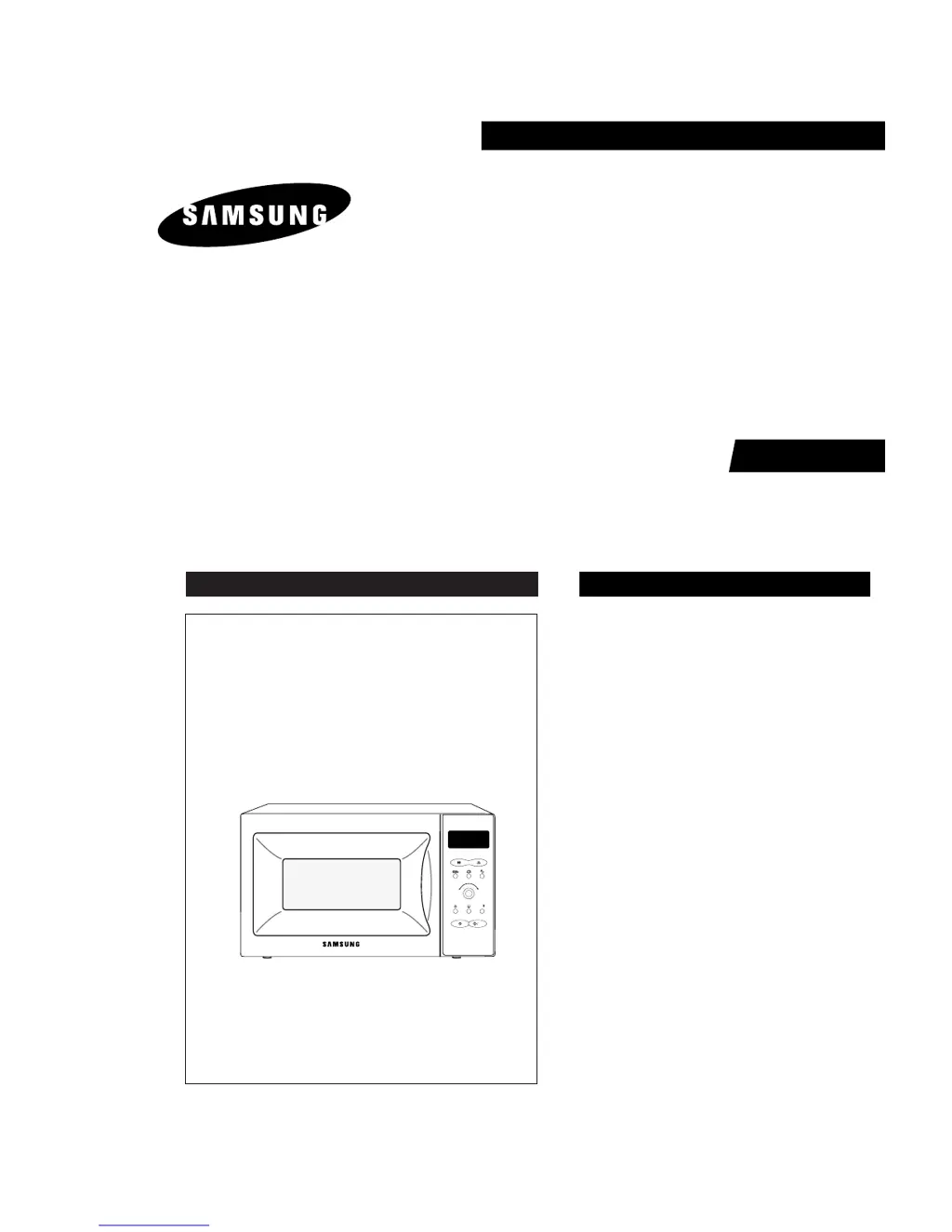
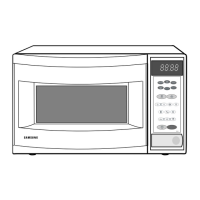
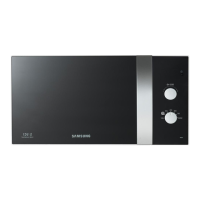
MICROWAVE OVEN
M757
SERVICE
Manual
MICROWAVE OVEN CONTENTS
M
1min+
A
u
t
o
D
e
f
r
o
s
t
A
u
t
o
R
e
h
e
a
t
&
C
o
o
k
S
t
o
p
/
C
a
n
c
e
l
S
t
a
r
t
M757
1. Precaution
2. Specifications
3. Operating Instructions
4. Disassembly and Reassembly
5. Alignment and Adjustments
6. Troubleshooting
7. Exploded Views and Parts List
8. PCB Diagrams
9. Schematic Diagrams
SEI

Questions and Answers

  • V
    Victor ClarkAug 20, 2025
    Why Samsung Microwave Oven output is low? Oven takes longer time to cook food.
    • Z
      zacharybaldwinAug 20, 2025
      If your Samsung Microwave Oven takes longer to cook food, it could be due to: * A decrease in the power source voltage. * A loose wiring of the magnetron filament circuit, leading to intermittent oscillation. * The aging of the magnetron. Consult an electrician to check the power source.
  • W
    Willie FieldsAug 22, 2025
    What to do if my Samsung M757 does not accept key input (Program)?
    • M
      Monica OwensAug 22, 2025
      If your Samsung Microwave Oven isn't responding to key inputs, the problem could stem from: * Key input not being in the correct sequence. * A loose connection between the membrane keypad and the Ass'y PCB. * A shorted or open membrane panel. * A defective Ass'y PCB. Refer to the operation procedure. Replace the PCB main.
  • M
    Maurice SmithAug 25, 2025
    How to fix uneven cooking in Samsung M757?
    • J
      Joseph LesterAug 25, 2025
      Uneven cooking in your Samsung Microwave Oven may be due to the inherent characteristics of microwave intensity. To mitigate this: * Wrap thinner parts of the food with aluminum foil. * Use plastic wrap or cover with a lid. * Stir foods like soup, cocoa, or milk once or twice during cooking.
  • S
    Steven VargasAug 26, 2025
    Why Samsung M757 turntable motor does not rotate?
    • D
      Danielle KentAug 26, 2025
      If the turntable motor in your Samsung Microwave Oven isn't rotating, it could be due to: * Open or loose wiring of the turntable motor. * A defective turntable motor. Replace the turntable motor.
  • D
    davispatrickAug 28, 2025
    What to do if my Samsung M757 timer starts countdown but no microwave oscillation?
    • M
      Matthew McmillanAug 28, 2025
      If the timer counts down but there's no heat, while the oven lamp and fan motor are on, the issue could be due to several reasons: * Misaligned latch switches. * A loose connection in the high voltage circuit, particularly the magnetron filament circuit. High contact resistance can lower magnetron filament voltage, causing reduced output or intermittent oscillation. * Defective high voltage components like the H.V. Transformer, H.V. Capacitor, H.V. Diode, H.V. Fuse, or Magnetron. * Loose wiring of the power relay. * A defective primary latch switch. * A defective power relay or Ass'y PCB. Adjust the door and latch switches. Check the high voltage components and replace any defective parts. Consider replacing the PCB main.
  • E
    Erik JohnsonAug 30, 2025
    What causes sparks in my Samsung M757 Microwave Oven?
    • C
      Clinton SanchezAug 30, 2025
      Sparks inside your Samsung Microwave Oven are usually caused by: * Metallic ware or cooking dishes touching the oven wall. * Ceramic ware trimmed with gold or silver powder. Avoid using any cookware with metallic trimming.
  • E
    Erica CampbellSep 1, 2025
    Why my Samsung M757 stops operation during cooking?
    • T
      tami50Sep 1, 2025
      If your Samsung Microwave Oven stops during cooking, it could be due to: * Open or loose wiring of the primary interlock switch. * Activation of the thermal cutout (Magnetron). Adjust the door and latch switches.
  • J
    joseph65Sep 3, 2025
    What to do if my Samsung M757 has no display and no operation at all, and the fuse is blown?
    • D
      dunnbruceSep 3, 2025
      If your Samsung Microwave Oven has no display, doesn't operate, and the fuse is blown, the cause might be: * A shorted lead wire harness. * A defective primary latch switch. * A defective monitor switch. * A shorted HV Capacitor. * A shorted HV Transformer. Check the adjustment of the primary, interlock monitor, and door sensing switches.
  • M
    Michael PerrySep 5, 2025
    What to do if my Samsung Microwave Oven is dead, fuse is OK, with no display and no operation at all?
    • H
      hilljacobSep 5, 2025
      If your Samsung Microwave Oven is completely dead (no display, no operation) but the fuse is okay, the possible causes include: * An open or loose lead wire harness. * An open thermal cutout (Magnetron). * An open low voltage transformer. * A defective Ass'y PCB. Check the fan motor if the thermal cutout is defective. Check the Ass'y PCB if the LVT is defective.
  • B
    blindseySep 7, 2025
    Why Samsung Microwave Oven can program but timer does not start?
    • A
      Adrian HatfieldSep 7, 2025
      If your Samsung Microwave Oven can be programmed, but the timer doesn't start, the issue might be: * Open or loose wiring of the secondary interlock switch. * Misalignment of the primary interlock. * A defective secondary interlock switch. Adjust the door and interlock switches.

Summary

Precaution

Safety Precautions

Detailed safety instructions for handling and repairing the microwave oven, emphasizing potential hazards.

Special Servicing Precautions

Further safety measures for technicians, including checks and component handling precautions.

Special High Voltage Precautions

Warnings and procedures related to high voltage hazards and discharging capacitors during servicing.

Specifications

Table of Specifications

Lists key technical specifications of the microwave oven, including power, dimensions, and operating frequency.

Comparison Chart

Compares features available in the M757 model against various functions.

Operating Instructions

Control Panel

Identifies and explains the function of each button and dial on the microwave's control panel.

Features & External Views

Provides an overview of the microwave's external features and physical components with diagrams.

Disassembly and Reassembly

Replacement of Magnetron, Motor Assembly and Lamp

Step-by-step instructions for removing and replacing the magnetron, fan motor, and oven lamp.

Replacement of High Voltage Transformer

Procedures for safely replacing the high voltage transformer, including capacitor discharge.

Replacement of Door Assembly

Instructions for removing and replacing the microwave oven's door assembly.

Removal of Door Assembly

Instructions for removing the entire door assembly by unscrewing hinges.

Removal of Door C

Details on how to remove the fragile inner door component "C".

Removal of Door E

Procedure for removing the outer door component "E" using a thin metal plate.

Removal of Key Door & Spring

Steps for detaching the key door and its spring from the door assembly.

Reassembly Test

Steps for testing and ensuring proper alignment and sealing after door assembly replacement.

Replacement of Fuse

Guide for replacing the fuse, including checks for related components if the new fuse blows.

Replacement of Drive Motor

Instructions for removing and replacing the turntable drive motor.

Replacement of Control Circuit Board

Steps for safely replacing the main control circuit board, including static discharge precautions.

Alignment and Adjustments

High Voltage Transformer

Procedures for checking the continuity and resistance of the high voltage transformer.

Low Voltage Transformer

Steps to check the continuity of the low voltage transformer located on the main PCB.

Magnetron

Methods for checking the magnetron for open filaments or shorts via continuity tests.

High Voltage Capacitor

Instructions for checking the continuity and resistance of the high voltage capacitor.

High Voltage Diode

Procedure for testing the high voltage diode's front-to-back resistance.

Main Relay and Power Control Relay

Steps to isolate and check the continuity of main and power control relays.

Adjustment of Primary Switch, Door Sensing Switch and Monitor Switch

Detailed procedure for adjusting and testing interlock switches for proper door closure and safety.

Output Power of Magnetron

Method for measuring magnetron output power using a water temperature rise test.

Microwave Heat Distribution - Heat Evenness

Procedure to check heat distribution within the oven using multiple water beakers.

Procedure for Measurement of Microwave Energy Leakage

Detailed steps for measuring microwave energy leakage using a survey meter and specific procedures.

Check for Microwave Leakage

Steps to check for microwave leakage at various points on the oven.

Note on Measurement

Important notes and precautions for accurate microwave leakage measurement.

Leakage Measuring Procedure

General guidance on the leakage measuring procedure.

Record keeping and notification after measurement

Requirements for recording measurement data and notifying manufacturers about high leakage.

Troubleshooting

Electrical Malfunction

Lists common electrical symptoms, their causes, and recommended corrective actions for the oven.

Electrical Malfunction(continued)

Continues the table of electrical malfunctions, symptoms, causes, and corrections.

Exploded Views and Parts List

Exploded Views

Diagrams showing the exploded view of the microwave oven components for parts identification.

Main Parts List

Comprehensive list of main parts with their part numbers, specifications, quantity, and remarks.

Door Parts List

List of parts specifically related to the oven door assembly.

Control Parts List

List of parts associated with the control panel and main PCB.

Body Latch Parts List

List of parts related to the body latch mechanism and switches.

Standard Parts List

List of standard hardware components like screws and bolts used in the oven assembly.

P.C.B Diagrams

P.C.B Diagrams

Placeholder for PCB diagrams, no actual diagram on this page.

P.C.B Parts List

Detailed list of components found on the Printed Circuit Boards (PCBs).

Schematic Diagrams

Schematic Diagrams

The main schematic diagram illustrating the electrical connections and components of the microwave.

Samsung M757 Specifications

General IconGeneral
BrandSamsung
ModelM757
CategoryMicrowave Oven
LanguageEnglish

Related product manuals