EasyManua.ls Logo

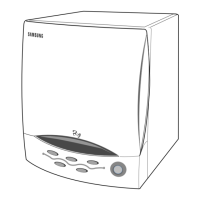
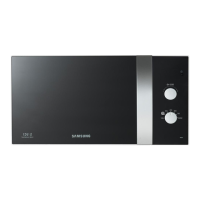
Samsung M759R - User Manual

Samsung M759R
21 pages
Print Icon
To Next Page IconTo Next Page
Loading...
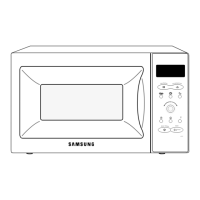
MICROWAVE OVEN
M759R
SERVICE
Manual
MICROWAVE OVEN CONTENTS
/g
/kg
/10s.
1min
10min
Auto
Auto
1 Min +
Start
1. 2. 3.
Auto
1. 2. 3.
1. 2. 3.
1. Precaution
2. Specifications
3. Operating Instructions
4. Disassembly and Reassembly
5. Alignment and Adjustments
6. Troubleshooting
7. Exploded Views and Parts List
8. PCB Diagrams
9. Schematic Diagrams
BWT

Questions and Answers

  • C
    Courtney HooverAug 20, 2025
    What to do if my Samsung M759R Microwave Oven timer starts but there is no heat?
    • S
      Sara WilliamsAug 20, 2025
      If the timer on your Samsung Microwave Oven starts counting down but there is no microwave oscillation, and the oven lamp and fan motor turn on, it could be due to several reasons. These include: misalignment of latch switches, an open or loose connection in the high voltage circuit (especially the magnetron filament circuit), defective high voltage components (H.V.Transformer, H.V.Capacitor, H.V.Diode, H.V.Fuse, Magnetron), open or loose wiring of the power relay, a defective primary latch switch, or a defective power relay or Ass'y PCB. Adjust the door and latch switches. Check the high voltage components according to the component test procedure and replace them if defective. You may also need to replace the PCB main.
  • F
    fbarnesAug 22, 2025
    What to do if my Samsung M759R stops during cooking?
    • B
      brianarroyoAug 22, 2025
      If your Samsung Microwave Oven stops operating during cooking, it may be due to an open or loose wiring of the primary interlock switch or the operation of the thermal cutout (Magnetron). Adjust the door and latch switches.
  • N
    Nancy StoneAug 25, 2025
    What to do if my Samsung M759R does not accept key input?
    • J
      jessicalewisAug 25, 2025
      If your Samsung Microwave Oven does not accept key input for programming, it could be because the key input is not in sequence, there is an open or loose connection of the membrane keypad to the Ass'y PCB, a shorted or open membrane panel, or a defective Ass'y PCB. Refer to the operation procedure. Replace the PCB main.
  • M
    Mario LopezAug 27, 2025
    What to do if my Samsung M759R can program but the timer doesn't start?
    • J
      Jeffery WyattAug 27, 2025
      If your Samsung Microwave Oven can be programmed, but the timer does not start, it may be due to an open or loose wiring of the secondary interlock switch, off-alignment of the primary interlock, or a defective secondary interlock S/W. Adjust the door and interlock switches.
  • D
    Danielle McgeeAug 28, 2025
    How to fix a Samsung M759R Microwave Oven turntable motor that doesn't rotate?
    • T
      Toni MillerAug 28, 2025
      If the turntable motor in your Samsung Microwave Oven does not rotate, it could be due to an open or loose wiring connection to the turntable motor or a defective turntable motor. Replace the turntable motor.
  • P
    parkerpamelaAug 30, 2025
    What to do if my Samsung M759R sparks?
    • L
      laurenstevensAug 30, 2025
      Sparks can occur if metallic ware or cooking dishes touch the oven wall or if ceramic ware trimmed with gold or silver powder is used. Avoid using cookware with metallic trimming.
  • R
    Ricky StevensSep 1, 2025
    Why is my Samsung Microwave Oven taking longer to cook food?
    • N
      Nicholas DavisSep 1, 2025
      Your Samsung Microwave Oven may take longer to cook food if there is a decrease in the power source voltage, an open or loose wiring of the magnetron filament circuit causing intermittent oscillation, or due to the aging of the magnetron. It is recommended to consult an electrician.
  • H
    hunterkarenSep 3, 2025
    What to do if my Samsung M759R has no display and doesn't operate after fuse is blown?
    • R
      Rebecca PriceSep 3, 2025
      If your Samsung Microwave Oven has no display and does not operate after the fuse is blown, it could be due to a shorted lead wire harness, a defective primary latch switch, a defective monitor switch, a shorted HV capacitor, or a shorted HV transformer. Check the adjustment of the primary, interlock monitor, and door sensing switch.
  • D
    Dillon MasseySep 5, 2025
    How to fix loud buzzing noise from Samsung M759R?
    • S
      Susan ParkerSep 5, 2025
      A loud buzzing noise from your Samsung Microwave Oven can be caused by loose fan and fan motor screws, loose screws on the H.V.Transformer, or a shorted H.V.Diode. Tighten the screws of the fan motor and H.V.Transformer. Replace the H.V.Diode.
  • J
    john65Sep 7, 2025
    What to do if my Samsung M759R does not operate and returns to the plugged in mode?
    • J
      Joseph CampbellSep 7, 2025
      If your Samsung Microwave Oven does not operate and returns to the plugged-in mode, it is likely due to a defective Ass'y PCB. Replace the PCB main.

Summary

Microwave Energy Safety Precautions

Precautions

General Safety Precautions

Essential safety measures for handling microwave ovens during repair and operation.

Special Servicing Precautions

Specific safety guidelines for technicians performing microwave oven servicing.

High Voltage Precautions

Critical safety steps to prevent electrocution from high voltage components.

Operating Instructions

Disassembly and Reassembly

Replacing Magnetron, Motor, and Lamp

Step-by-step guide to removing and replacing key internal components.

Replacing High Voltage Transformer

Procedure for safely replacing the high voltage transformer.

Alignment and Adjustments

Magnetron Output Power Measurement

Measuring magnetron output power using a water temperature rise test.

Microwave Energy Leakage Measurement

Procedure for measuring microwave energy leakage using a survey meter.

Troubleshooting Guide

Electrical Malfunctions

Diagnosing and correcting common electrical issues and symptoms.

Electrical Malfunctions (Continued)

Further diagnosis and correction of electrical malfunctions in the oven.

Samsung M759R Specifications

General IconGeneral
Power Levels10
TurntableYes
Cooking Levels10
ColorBlack
Control TypeDigital
Preset ProgramsYes
Child LockYes
Defrost FunctionYes
Auto CookYes
Auto ReheatYes
Interior Dimensions12.4" x 11.5" x 7.0" (W x D x H)

Related product manuals