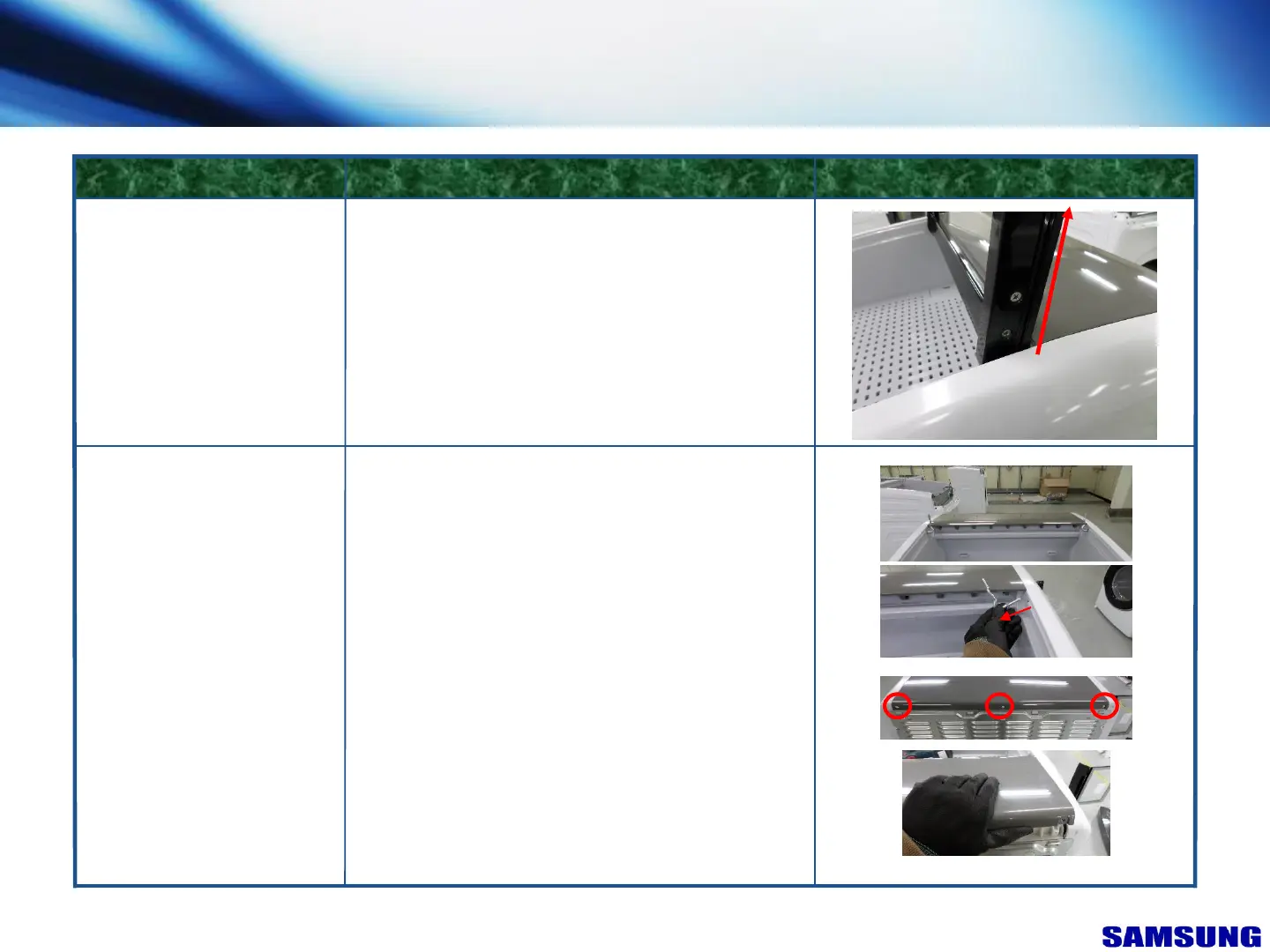
1. Remove 4 screws from the ASSY LID T.C
2. Pull up ASSY LID T.C as shown direction
Note : ASSY LID T.C can get easily scratched. Be
careful when removing
ASSY LID T.C
FIGUREDESCRIPTIONPART NAME
COVER T.C
1. Remove ASSY LID T.C and GUIDE PIN
2. On backside of dryer, remove 3 screws from the
COVER T.C
3. Lift up backside of COVER T.C upside, and slide
COVER T.C forward simultaneously
7. Disassembly & Reassembly
“This document can not be used without Samsung's authorization”
56



 To Next Page