ENGENG
You can store up to:
15 FM stations
Switch the system on by pressing STANDBY/ON.
Select the TUNER function by pressing TUNER(FM).
To search for a Press TUNING MODE
station...
Manually Once or more times until MANUAL
is displayed.
Automatically Once or more times until AUTO is
displayed.
Select the station to be stored by:
Turning the MULTI JOG knob to the right or to the left to increase
or decrease the frequency respectively
or
Pressing TUNING/ALBUM or on the remote control
To scroll through the frequencies faster when searching
manually, hold down the or buttons.
The automatic search procedure may stop on a frequency that
does not correspond to a radio station. If this happens, use the
manual search mode.
Adjust the volume by:
Turning the VOLUME knob on the front panel
or
Pressing the VOLUME + or – buttons on the remote control
Select the FM stereo or mono mode by pressing MONO/ST.
If you do not want to store the radio station found, revert to Step 3
and search for another station.
Otherwise:
a Press MEMORY.
b Press or to assign a program number .
c Press MEMORY to store the radio station.
To store any other radio frequencies required, repeat Steps 3 to 7.
Searching for and Storing the Radio
Stations
1
2
3
4
5
6
7
8
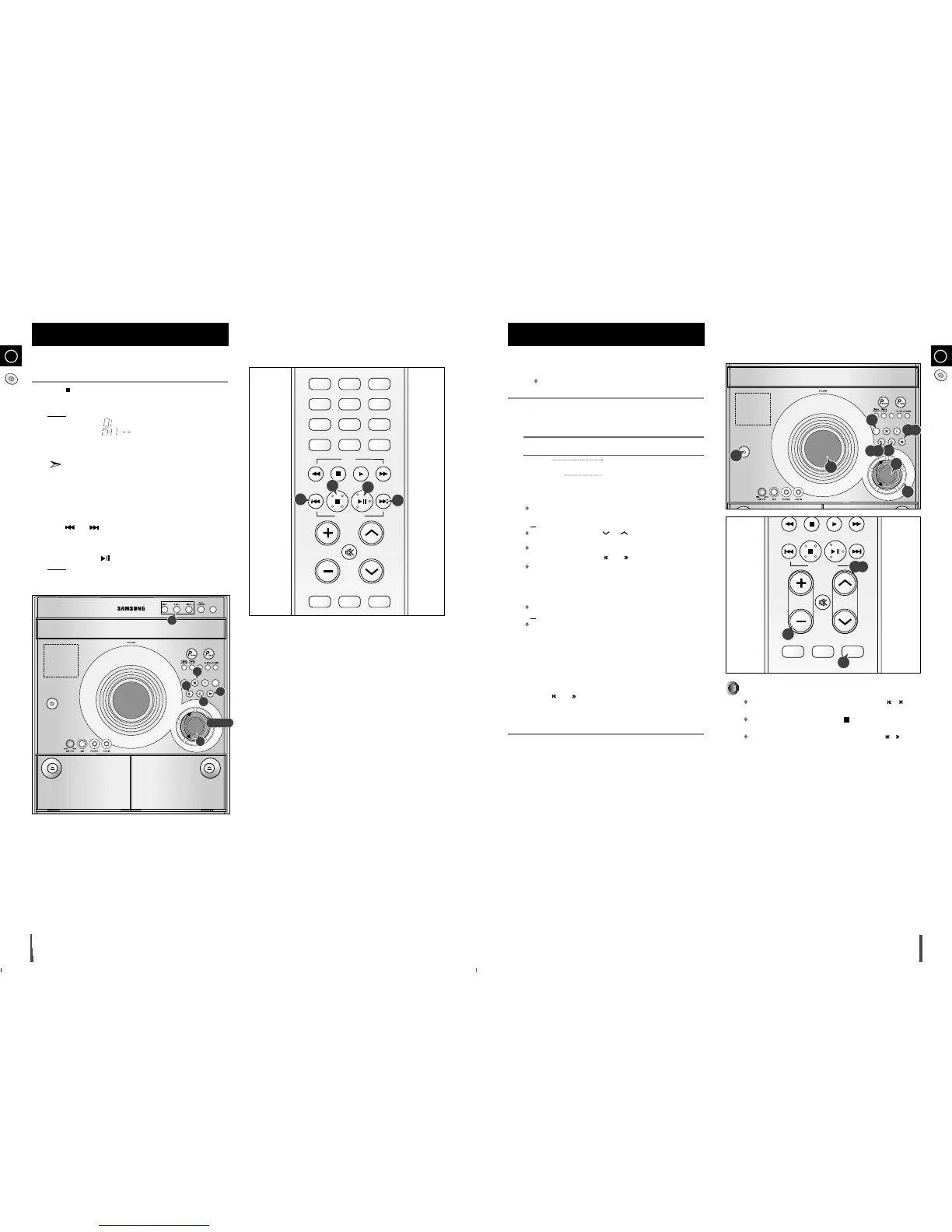
You can check or change your selection of tracks at any time.
Press once if you have started listening to the selection.
Press ENTER/PRGM..
Result: The following indications are displayed:
(CH = Check, 01=Program No, CH1 = Disc No, – – = Track No on the
disc)
If you have already programmed 24 tracks, CH is displayed
instead of PR when you press ENTER/PRGM..
Press
ENTER/PRGM.
once or more times until the track to be changed is
displayed.
If necessary, press the corresponding Disc (1, 2, 3) button to change discs.
Press and or turn MULTI JOG to select a different track.
Press ENTER/PRGM. to confirm your change.
Press MP3/CD-CD ( ) to start listening to the selection.
Result:
The first track selected is played.
1
2
3
4
5
6
7
1
5
5
7
2,3,6
Checking or Changing Programmed
CD Tracks
In Tuner mode
In manual tuning mode, you can use MULTI JOG or /
button on the panel front to manual search a radio station.
During Tuner auto searching, press button to stop auto
searching.
In Preset tuning mode, you can use MULTI JOG or /
button on the panel front to search a stored radio station.



 To Next Page