ENG
17
ENG
16
The timer enables you to switch the system on or off at
specific times.
Example:
You wish to wake up to music every morning.
If you no longer want the system to be switched on or off
automatically, you must cancel the timer.
Before setting the timer, check that the current time is correct.
For each step, you have a few seconds to set the desired option. If
you exceed the time, you must start again.
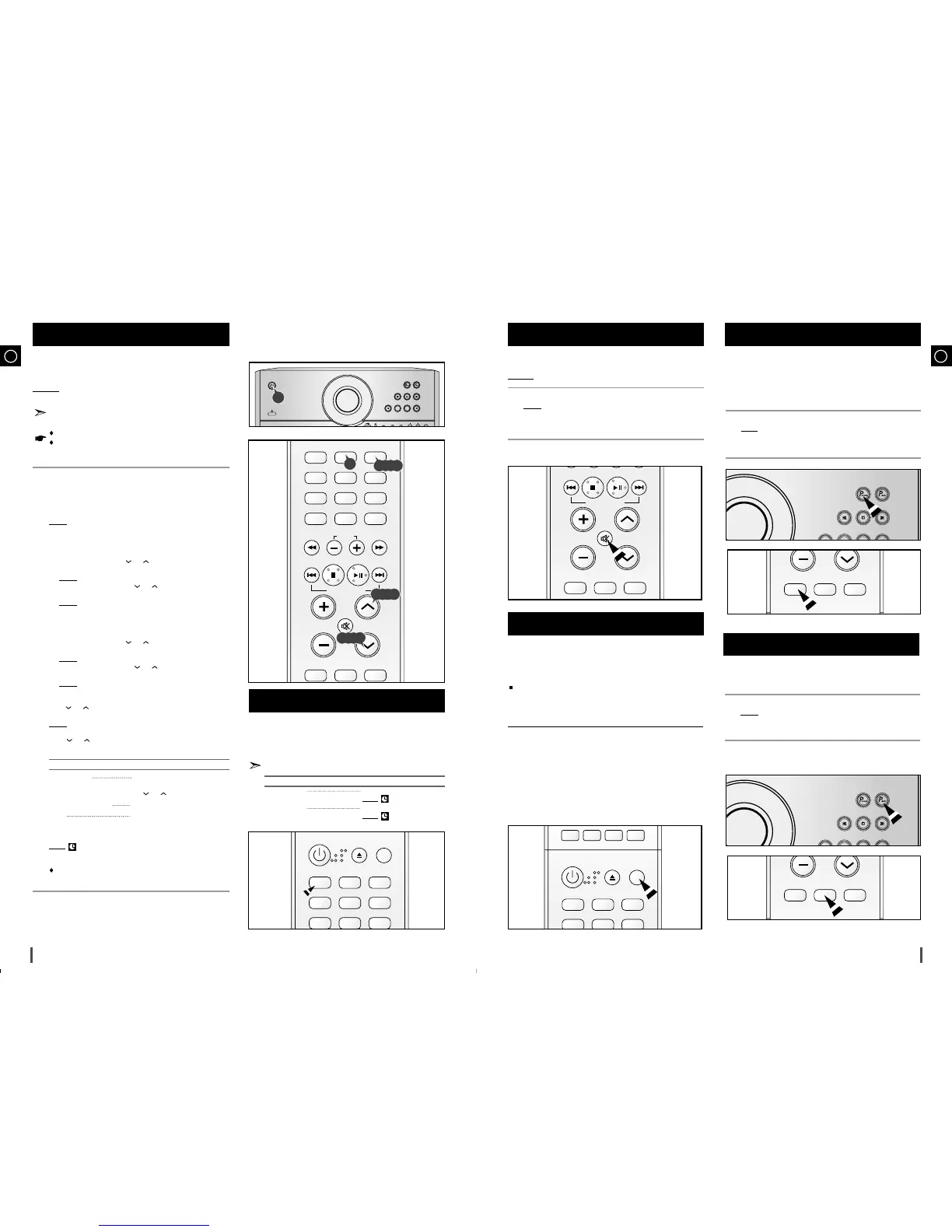
Press the STANDBY/ON button to switch on the power.
Press TIMER/CLOCK until TIMER is displayed.
Press PROGRAM/SET.
Result:
ON TIME is displayed (instead of the equalizer symbols) for
a few seconds, followed by any switch-on time already set;
you can set the timer switch-on time.
Set the timer switch-on time.
a Set the hour by pressing
or
button.
b Press PROGRAM/SET.
Result: The minutes flash.
c Set the minutes by pressing
or
button.
d Press PROGRAM/SET.
Result:
OFF TIME is displayed (instead of the equalizer symbols)
for a few seconds, followed by any switch-off time already
set; you can now set the timer switch-off time.
Set the timer switch-off time.
a Set the hour by pressing
or
button.
b Press PROGRAM/SET.
Result: The minutes flash.
c Set the minutes by pressing
or
button.
d Press PROGRAM/SET.
Result:
VOL XX is displayed, where XX corresponds to the
volume already set.
Press
or
button to adjust the volume level and press
PROGRAM/SET.
Result:
The source to be selected is displayed.
Press
or
button to select the source to be played when the
system switches on.
If you select... You must also...
TUNER (radio) a Press PROGRAM/SET.
b
Select a preset station by pressing
or
.
MP3/CD (compact disc) Load a compact disc.
USB connect usb.
Press PROGRAM/SET to confirm the timer.
Result
: is displayed to the left of the time, indicating that the timer
has been set. The system will switch on and off automatically
at the required times.
If the timer switch on and off times are identical, the word ERROR
is displayed.
Timer Function
7
5
6
1
2
3
4
8
After having set the timer, it will start automatically as shown by the
TIMER indication on the display. If you no longer wish to use the
timer, you must cancel it.
You can stop the timer at any time (system on or in standby mode).
To... Press TIMER ON/OFF...
Cancel the timer Once.
Result
: is no longer displayed.
Restart the timer Twice.
Result
: is displayed again.
Cancelling the Timer
1
Your mini-compact system is equipped with the function
of POWER SOUND mode .
The function of POWER SOUND mode amplifies bass and
improves high key or bass twice as much for you to
appreciate powerful real sound.
Press the POWER SOUND button on the front panel.
Result: “P.SOUND” is displayed, each time the P.SOUND button is
pressed, “PSOUND, PASS” is selected or cancelled in this
order.
1
You can turn the sound off temporarily on your system.
Example
: You wish to answer a telephone call.
Press MUTE.
Result:
MUTE appears in the display.
To switch the sound back on , press MUTE again or the VOLUME
buttons.
Mute Function
2
1
EQ : You can select ROCK, POP, or JAZZ to optimize the sound for the
genre of music you are playing.
Press the EQ button.
Each time the button is pressed, the selection changes as follows:
POPS
➝
JAZZ
➝
ROCK
➝
STUDIO
➝
CLUB
➝
HALL
➝
MOVIE
➝
CHURCH
➝
PASS
Selecting EQ Function
Power Sound Function
• POPS, JAZZ, ROCK : Depending on the genre of music, you can select
POP, JAZZ, and ROCK.
• STUDIO : Provides a sense of presence as if in a studio.
• CLUB : Simulates the sound of a dance club with a throbbing bass beat.
• HALL : Provides a clear vocal as if listening in a concert hall.
• MOVIE : Provides the feeling of a movie theater.
• CHURCH : Gives the feel of being in a grand church.
• PASS : Select this for normal listening.



 To Next Page