EasyManua.ls Logo

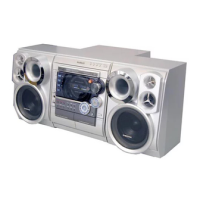
Samsung MAX-C550 - Adjustments; Tape Speed Adjustment

Samsung MAX-C550
45 pages
Print Icon
To Next Page IconTo Next Page
To Previous Page IconTo Previous Page
Loading...
Samsung Electronics 4-1
4. Adjustments
(GND)
VTVM
1. To Adjust Tape Speed
1) Measuring tape: i) MTT-111 (or equivalent)
(Tapes recorded with 3kHz)
ii) MTT-5512 (or equivalent)
2) Connect the SPK OUT of the MAIN PCB to the fre-
quency counter as in figure 1-5.
Notes
NOR
SPEED
Control
1
SPK OUT
(connected
to the frequency
counter)
Fixed
3KHz
Remark
Standard
To Adjust
Pre-Setup
Item
Step
Pre-Setup
Condition
1) Deck :MTT-111
2) Press PLAY
SW button
SPK OUT
Figure 1-7
In Out
MAIN PCB
Oscilloscope
±1%
range
Figure 1-8
Audio OSC.
SET
(MAIN PCB)
Oscilloscope
AUX IN
VTVM
IN
SPK OUT
IN OUT
TP
Figure 1-6
Recording /Play head
AZIMUTH control screw
(RVS Play)
AZIMUTH control screw
(FWD Play)
MAIN PCB
output
SPK OUT
Frequency Counter
Figure 1-5
Cassette Deck

Related product manuals