ENG
RDS allows FM stations to send an additional signal along with their regular program signals. For example, the stations
send their station names, as well as information about what type of program they broadcast, such as sports or music, etc.
You can see the RDS signals the station sends on the display.
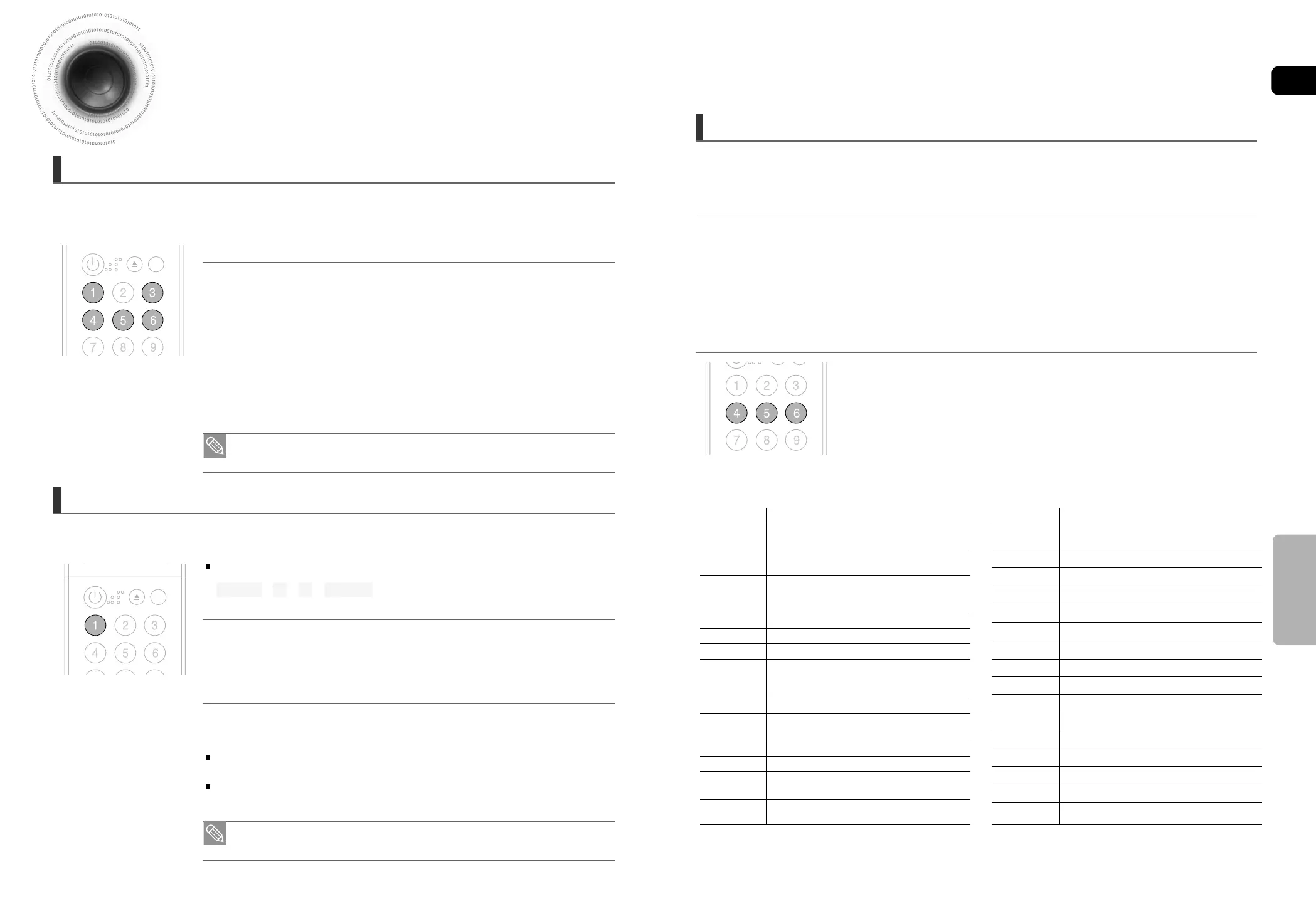
Press the RDS DISPLAY button while listening to an FM station.
Each time you press the button, the display change to show you the following information:
About characters shown in the display
When the display shows PS,or RT signals,the following characters are used.
The display window cannot differentiate upper case and lower case letters and always uses
upper case letters.
The display window cannot show accented letters, “A,” for instance, may stands for accented
“A’s” like “À, Â, Ä, Á, Å and Ã.”
Using the RDS (Radio Data System) to receive FM stations
OPEN/
CLOSE
DISC SKIP
POWER
RDS DISPLAY TA
PTY- PTY SEARCH PTY+
OPEN/
CLOSE
DISC SKIP
POWER
RDS DISPLAY TA
PTY- PTY SEARCH PTY+
TO show the RDS signals
• RDS may not operate correctly if the station tuned is not transmitting RDS signal properly or if
the signal strength is weak.
• If searching finishes at once, “PS”, and “RT” will not appear on the display.
When tuned to an FM station which provides the RDS service,the RDS
indicator lights up on the display.
Description on RDS function
• PTY (Program Type) : Displays the type of programme currently being broadcast
• PS NAME (Program Service Name) : Indicates the name of broadcasting station and is composed
of 8 characters.
• RT (Radio Text) : Decodes the text broadcast by a station (if any) and is composed of maximum 64
characters.
• CT (Clock Time) : Decodes the real time clock from the FM frequency.
Some stations may not transmit PTY, RT or CT information therefore this may
not be displayed in all cases.
• TA (Traffic Announcement) : When this symbol flashes it shows that the traffic announcement is in
progress.
• PS (Program Service) : While searching, "PS" appears and then the station names will be
displayed. "NO PS" appears if no signal is sent.
• RT(RadioText) : while searching, "RT" appears and then text messages the station sends will be
displayed. "NO RT" appears if no signal is sent.
• Frequency : station frequency (non-RDS service)
PS NAME ➝ RT ➝ CT ➝ Frequency
One of the advantages of the RDS service is that you can locate a particular kind of program from the preset channels by
specifying the PTY codes.
PTY (Program Type) indication and PTY-SEARCH function
To search for a program using the PTY codes
Before you start, remember...
•
The PTY Search is only applicable to preset stations.
•
To stop searching any time during the process, press STOP while searching.
•
There is a time limit in doing the following steps. If the setting is cancelled before you finish, start from step 1 again.
1 Press the PTY SEARCH while listening to an FM station.
2 Press the PTY- or PTY+ until the PTY code you want appears on the display.
•
The display gives you the PTY codes described to the right.
3 Press the PTY SEARCH again, while the PTY code selected in the auto
Frequency is still on the display.
•
If search the same “PTY” , it will stop. If there is no the same “PTY”, it will
search a round then stop at the beginning.
RDS DISPLAY TA
PTY- PTY SEARCH PTY+
Display
NEWS
AFFAIR
INFO
SPORT
EDUC.
DRAMA
CULTUR
SCIEN.
VARIED
POP M
ROCK M
M.O.R.
LIGHT
Program Type
News including an announced opinion and
report
Several matters including a current incident,
documentary, discussion and analysis.
Information including weights and measures,
returns and forecast, matters interesting the
customer, medical information, etc.
Sports
Education
Drama-Radio serial, etc.
Culture-National or local culture including the
religious problem, social science, language,
theater,etc.
Natural science and technology
Others-Speech, amusing program (quiz, game),
interview, comedy and satirical play, etc.
Pop music
Rock music
Current contemporary music considered to be
“easy listening.”
Light classical music- Classical music and
instrumental and chorus music
CLASS
OTHER
WEATHE
FINANC
CHILD
SOCIAL
RELIG.
PHONE
TRAVEL
LEISUR
JAZZ
COUNTR
NATION
OLDIES
FOLK M
DOCU.
Heavy classical music-Orchestra music,
symphony, chamber music and opera
Other music - Jazz, R&B country music
Weather
Finance
Children’s programmes
Social affairs
Religion
Phone in
Travel
Leisure
Jazz Music
Country Music
National Music
Oldies Music
Folk Music
Documentary
Display Program Type
47
48
About RDS broadcasting
RADIO OPERATION
39~65-DA66-RDS ENG 2008.5.22 2:50 PM Page 40



 To Next Page