GB
23
If you do not want to store the radio station found, revert to Step 4
and search for another station.
Otherwise:
a Press Memory.
Result:
The PRGM is displayed for a few seconds.
b Press Tuning Down and Up to assign a programme number
between 1 and 15.
c Press Memory to store the radio station.
Result:
PRGM is no longer displayed and the station is stored.
To store any other radio frequencies required, repeat Steps 3 to 7.
The MEMORY function can be used to assign a new station to an
existing programme number.
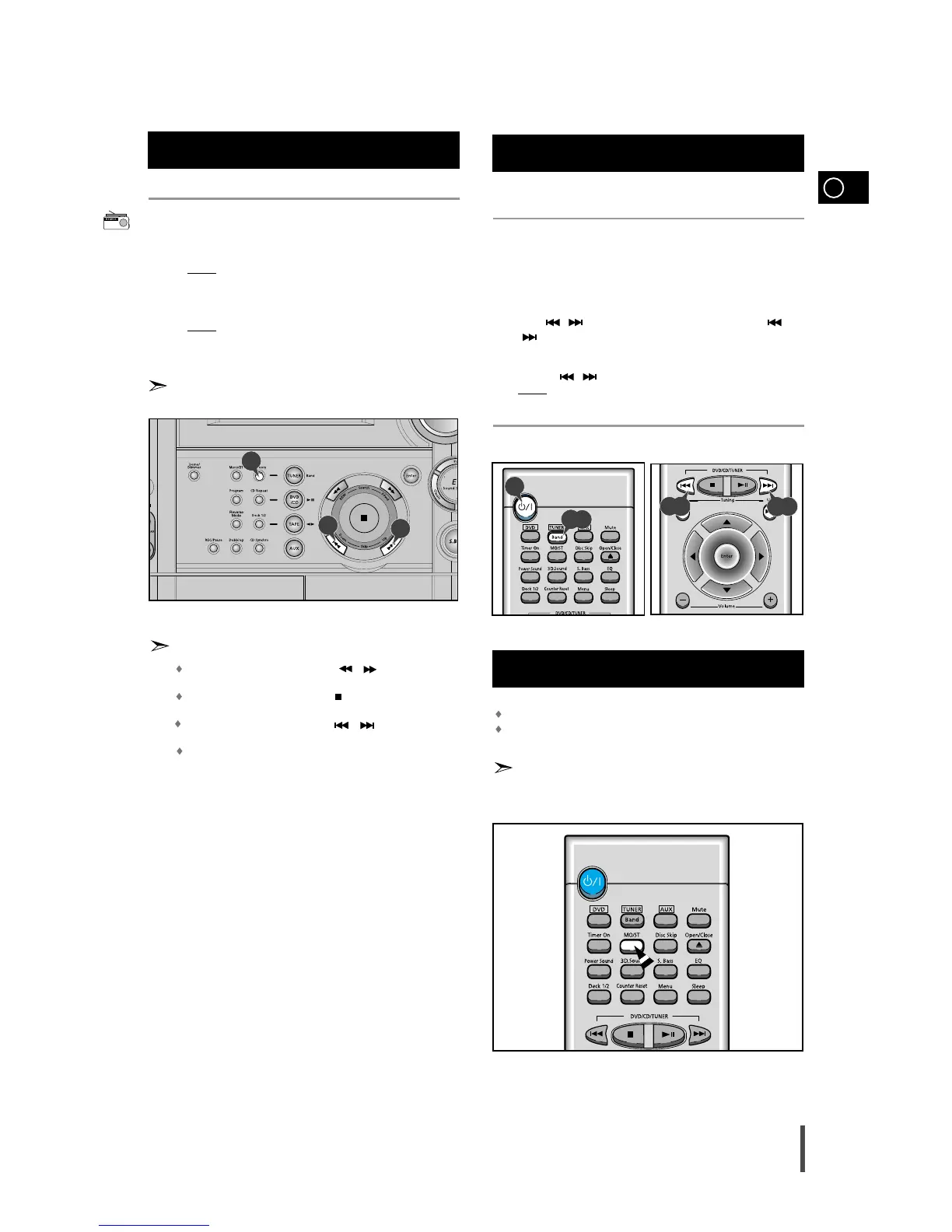
In Tuner Mode
In manual tuning mode, you can use / button to manual
search a radio station.
During Tuner auto searching, press button to stop auto search-
ing.
In Preset tuning mode, you can use / button to search a
stored radio station.
you can use Program /Set button on the remote control to
instead Memory button in step 7.
You can listen to a stored radio station as follows:
Switch the system on by pressing On/Standby.
Select the TUNER function by pressing TUNER .
Select the required frequency band by pressing TUNER (Band) on
the remote control or TUNER (Band) again on the front panel.
Press , button on the front panel of the unit, or the
, button on the remote control until “PRESET” is displayed.
Select the desired station by pressing the station number stored,
using the , button on the remote control.
Result:
The desired station is now received.
You can improve the quality of radio reception by:
Rotating the FM or AM(MW) aerial
Testing the positions of the FM and AM(MW) aerials before fixing them
permanently
If reception from a specific FM radio station is poor, press MO/ST on
the remote control to switch from stereo mode to mono. The quality
of the sound will be improved.
8
9
Searching for and Storing the Radio
Stations (continued)
1
2
3
4
5
Improving Radio Reception
8
8
Selecting a Stored Station
8
2,3
1
4,5
4,5



 To Next Page