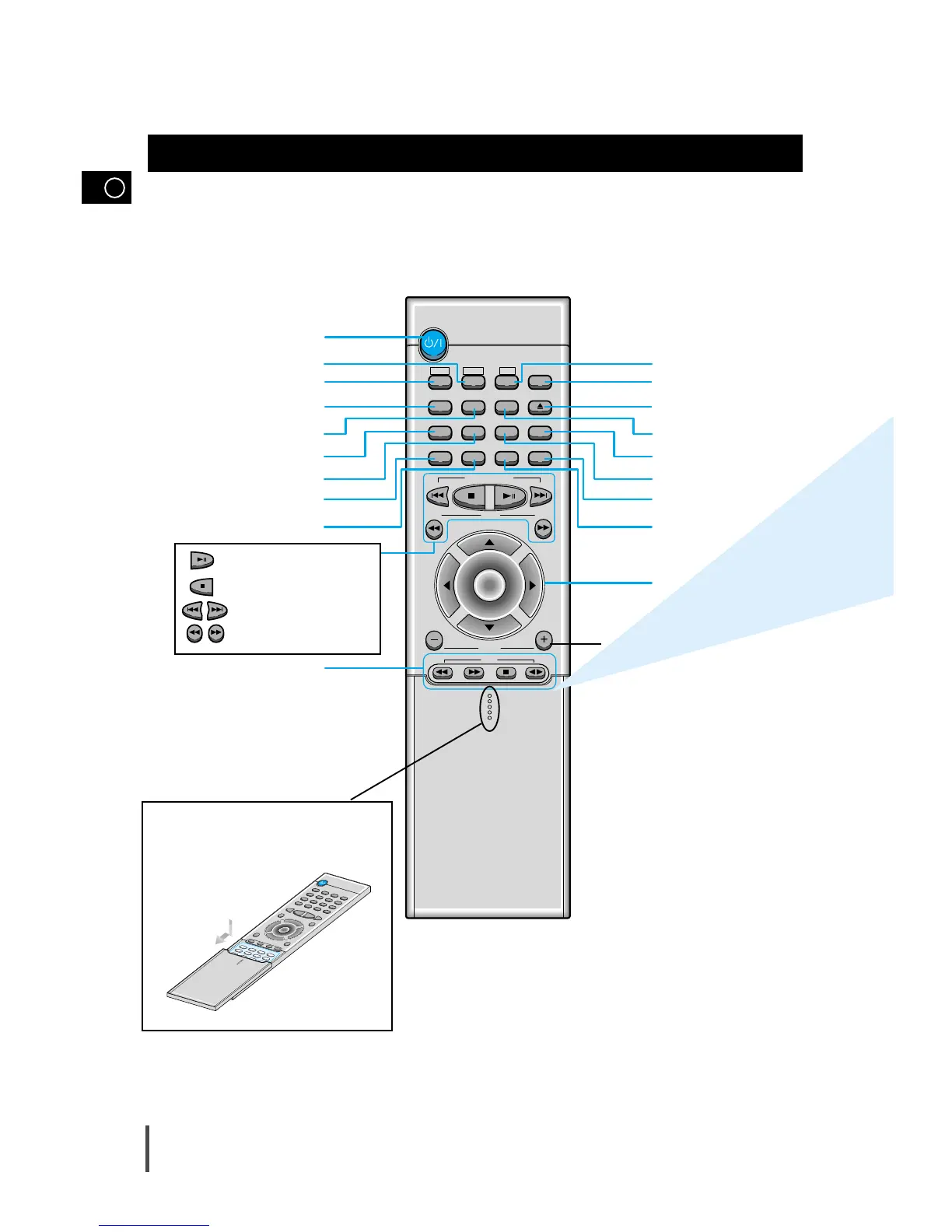
Remote Control
Standby/On button
TUNER(Band) button
DVD button
Timer On button
Power Sound button
3D.Sound button
Deck 1/2
button
Counter Reset button
TAPE Function buttons
MO/ST(mono/stereo) button
To open the cover of the remote
control, push the top of the cover,
then slide downward.
AUX button
Mute button
EQ button
S.Bass button
Sleep button
Menu button
Direction/Enter button
Disc Number Skip
button
Open/Close button
Volume Control buttons
Speaker output volume control
Play/Pause button
Stop button
Tuning Preset/CD Skip button
Tuning Up/Down/CD Search button
GB
6



 To Next Page