GB
7
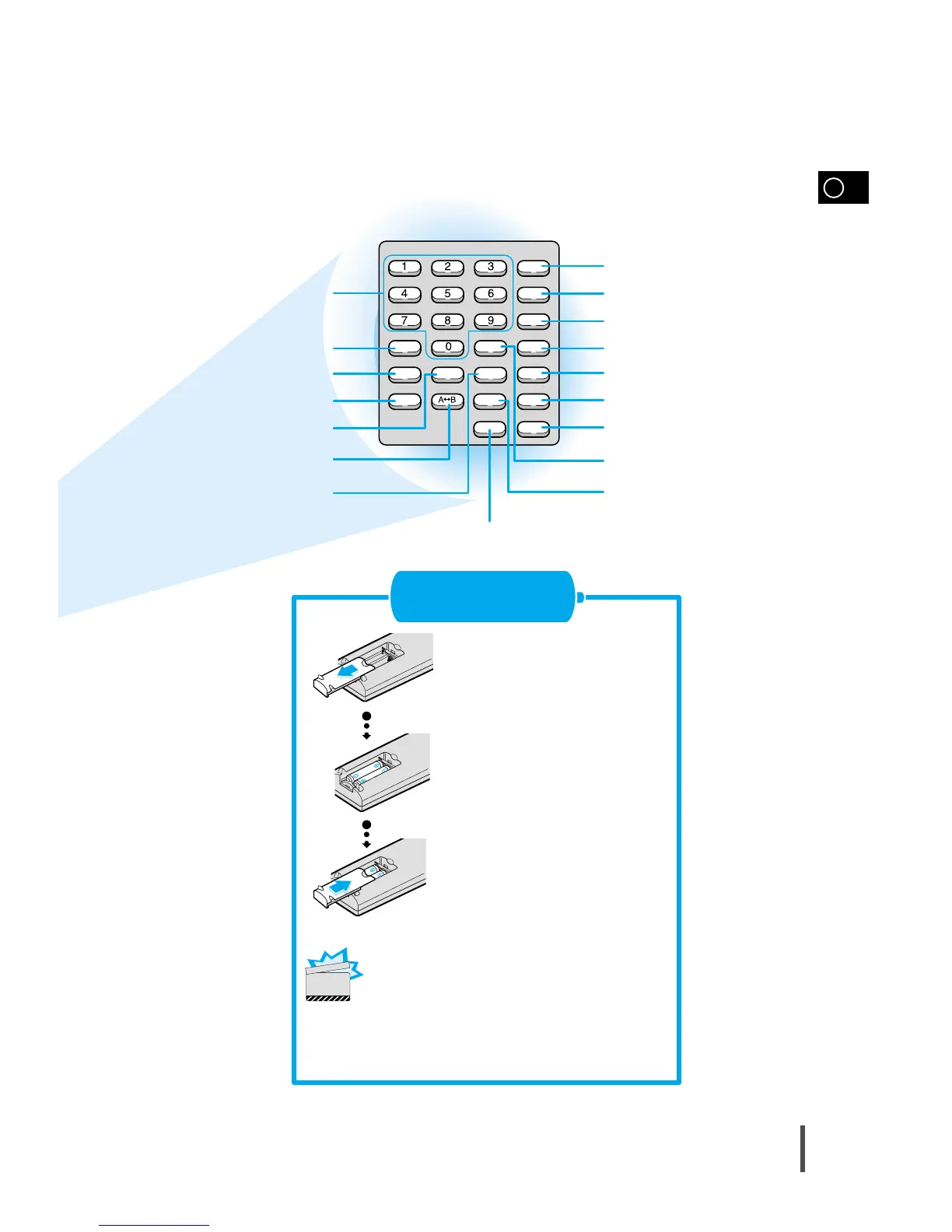
Remove the battery cover on
the back of the remote by
pressing down and sliding the
cover in the direction of the
arrow.
Insert Remote Batteries
1
Insert two 1.5V AAA batteries,
paying attention to the correct
polarities (+ and –).
2
Replace the battery cover.
3
Slow button
Setup button
Title button
Return button
Subtitle button
Clear button
Display button
Step button
Audio button
Go To button
Number(0~9) buttons
Remain button
Angle button
Repeat button
Zoom button
Repeat A
↔B button
Program button
Follow these precautions to avoid leaking or cracking cells:
•
Place batteries in the remote control so they match the
polarity:(+) to (+)and (–)to (–).
•
Use the correct type of batteries.Batteries that look similar
may differ in voltage.
•
Always replace both batteries at the same time.
•
Do not expose batteries to heat or flame.
CAUTION



 To Next Page