Need help?
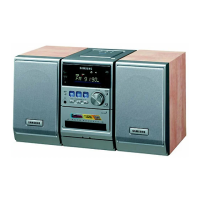
Do you have a question about the Samsung MAX-KT55 and is the answer not in the manual?
Covers risks of electric shock, opening the unit, and preventing exposure to voltage.
Warnings about laser radiation exposure and protecting the unit from moisture.
Guidance on proper installation, ventilation, and avoiding heat sources for optimal performance.
Details the purpose and location of each button on the remote control for easy operation.
Explains how to connect the system to a TV using Composite or SCART video inputs.
Instructions for connecting via Component Video for high-quality progressive scan output.
Explains how to activate and use the progressive scan feature for clearer images.
How to jump to specific titles, tracks, chapters, or time points.
Adjusting the aspect ratio (4:3, 16:9) for optimal display on different TVs.
Detailed guide to fitting 16:9 content on wide or standard screen TVs.
Restricting playback of adult or violent content based on rating levels.
How to set or change the password for parental controls and other settings.
Synchronizing audio delay with video to correct lip-sync issues.
How to play DVD-OK discs and sing along with on-screen lyrics.
Instructions for connecting and using a microphone with the system.
How to save up to 54 favorite songs across three categories for easy access.
How to search for songs by language, then by name or singer, or alphabetically.
Adjusts the pitch and playback speed of music for karaoke performance.
Alternates the vocal key between male and female voices during playback.
Activates a melody guide and adjusts the chorus effect level for vocals.
Step-by-step guide for dubbing audio from one cassette to another.
Recording CDs to cassette by synchronizing start times.
Recording directly from a CD track to a cassette.
Setting the system to turn on or off automatically at specified times.
A guide to diagnose and resolve common operational issues with the unit.
Solutions for problems related to sound, picture, and disc compatibility.
 General
| Brand | Samsung |
|---|---|
| Model | MAX-KT55 |
| Category | Stereo System |
| Language | English |

 To Next Page