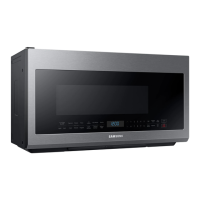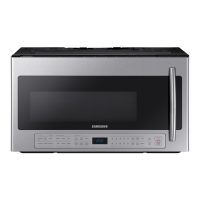
EasyManua.ls Logo

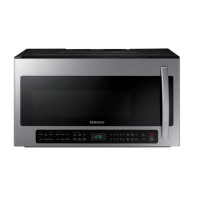
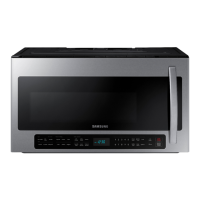
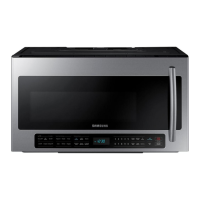
Samsung ME21R7051SS - User Manual

Samsung ME21R7051SS
56 pages
Print Icon
To Next Page IconTo Next Page
Loading...
imagine the possibilities
Thank you for purchasing this Samsung product.
Microwave Oven
user manual
ME21R7051S*

Other manuals for Samsung ME21R7051SS

Questions and Answers

  • C
    Courtney Guzman DDSAug 19, 2025
    How to fix a Samsung ME21R7051SS that isn't working?
    • L
      linda64Aug 19, 2025
      If your Samsung Microwave Oven display and/or the oven is not working, ensure the plug is properly connected to a grounded outlet and that the wall switch (if applicable) is turned on. Try removing the plug, waiting ten seconds, and plugging it back in. Check and reset the circuit breaker, or replace any blown fuses. Test the outlet with another appliance. If that appliance also doesn't work, contact a qualified electrician. You can also try plugging the oven into a different outlet.
  • M
    Michelle PetersenAug 21, 2025
    How to fix a Samsung ME21R7051SS Microwave Oven that won't turn on?
    • A
      Anna WagnerAug 21, 2025
      If your Samsung Microwave Oven display and/or the oven is not working, ensure the plug is properly connected to a grounded outlet and that the wall switch (if applicable) is turned on. Try removing the plug, waiting ten seconds, and plugging it back in. Also, reset the circuit breaker or replace any blown fuses. You can also test the outlet with another appliance or try plugging the oven into a different outlet to rule out electrical issues.
  • A
    Alicia MedinaAug 23, 2025
    Why does my Samsung ME21R7051SS turn off before time?
    • J
      John HoodAug 23, 2025
      If the power goes off on your Samsung Microwave Oven before the set time has elapsed, and the time indicator displays 88:88, this may indicate a power outage. If no power outage occurred, remove the plug from the outlet, wait ten seconds, and plug it in again. Reset the clock and any cooking instructions. Also, check the circuit breaker or fuses.
  • M
    Michelle HardyAug 26, 2025
    What to do if Samsung Microwave Oven power goes off before set time?
    • S
      Sean WatsonAug 26, 2025
      If the power goes off before the set time has elapsed on your Samsung Microwave Oven, and if there was no power outage, remove the plug from the outlet, wait ten seconds, and plug it in again. Then, reset the clock and any cooking instructions. Also, check the circuit breaker and replace any blown fuses.
  • O
    olivia92Aug 28, 2025
    How to fix a noisy or stuck turntable in a Samsung ME21R7051SS?
    • C
      Chelsea AdamsAug 28, 2025
      If the turntable in your Samsung Microwave Oven is making noise or getting stuck, clean the turntable, roller ring, and the oven floor. Also, ensure that the turntable and roller ring are correctly positioned.
  • K
    kdavisAug 30, 2025
    Why does my Samsung ME21R7051SS cook food slowly or have sparks?
    • M
      Michael GoodmanAug 30, 2025
      If your Samsung Microwave Oven cooks food too slowly or you notice sparks or arcing, it might be due to operating another appliance on the same circuit, causing a voltage drop. Ensure the oven has its own 20 amp circuit line, and move it to its own circuit if necessary. Also, remove any metallic utensils, cookware, or metal ties. If using foil, use only narrow strips and allow at least one inch between the foil and the interior oven walls.
  • K
    Kimberly RodriguezSep 1, 2025
    What to do if Samsung Microwave Oven display is on but no power?
    • C
      Catherine RussellSep 1, 2025
      If your Samsung Microwave Oven display is working, but the power won’t come on, ensure the door is closed securely. Check for any packaging material or obstructions in the door seal, and inspect the door for damage. Touch Cancel twice and re-enter all cooking instructions.
  • R
    Robert RyanSep 3, 2025
    How to fix Samsung ME21R7051SS turntable noise?
    • S
      Stephanie HollandSep 4, 2025
      If your Samsung Microwave Oven turntable makes noise or becomes stuck, clean the turntable, roller ring, and oven floor. Make sure the turntable and roller ring are positioned correctly.
  • F
    Felicia CarterSep 6, 2025
    How to stop Samsung Microwave Oven from causing interference?
    • K
      kathleen10Sep 6, 2025
      To address TV or radio interference caused by your Samsung Microwave Oven, move the microwave away from other appliances like TVs or radios.
  • C
    Charles MathewsSep 8, 2025
    Why is my Samsung Microwave Oven vent weak?
    • R
      Rebecca RiceSep 8, 2025
      If the vent motor suction force on your Samsung Microwave Oven is too weak, set the vent mode to high. Note that the Vent Fan will only operate in low speed mode while the microwave is working.

Summary

Safety Information

Important Safety Symbols and Precautions

Explains the meaning of icons and signs used in the manual.

What You Need to Know About Safety Instructions

Emphasizes user responsibility for common sense and care during operation.

Precautions to Avoid Excessive Microwave Energy Exposure

Details precautions to prevent harmful exposure to microwave energy.

Important Safety Instructions

General Safety Precautions

Lists general safety precautions to prevent various hazards.

Preventing Fire in the Oven Cavity

Provides advice on preventing fires within the oven cavity.

Handling Superheated Liquids Safely

Warns about superheated liquids and how to prevent injury.

Caution on Oversized Foods and Utensils

Advises against using oversized foods or metal utensils.

Storing Non-Recommended Oven Items

Caution against storing non-recommended items in the oven.

Grounding Instructions

Grounding Plug Safety Warning

Highlights risks associated with improper grounding.

Safe Use of Extension Cords

Provides guidelines for using extension cords safely.

Critical Installation Warnings

Qualified Technician Installation Requirement

Emphasizes the need for qualified technician installation.

Proper Grounded Outlet Connection

Instruction for proper outlet connection.

Installation Cautions

Electrical Leakage Due to Improper Positioning

Warning about electrical leakage due to improper positioning.

Oven Unplugging During Storms;Long Periods

Safety advice for unplugging the oven during specific conditions.

Critical Usage Warnings

Handling Unusual Operational Signs

Immediate actions for unusual operational signs.

Prohibition of Metal Objects in Microwave

Prohibition on using metal objects in the microwave.

Hot Interior Surfaces Caution After Cooking

Warning about hot interior surfaces after cooking.

Usage Cautions

Burns from Hot Food and Steam

Warning about burns from hot food and steam.

Operating with Wet Hands Caution

Caution against operating with wet hands.

Sealed Container Usage Prohibition

Warning against using sealed containers.

Critical Cleaning Instructions

Unplugging Before Cleaning;Maintenance

Safety step to unplug before cleaning/maintenance.

Restricted Cleaning Agents (Benzene, Thinner, Alcohol)

Warning against using specific cleaning agents.

Setting Up Your Microwave Oven

Checking the Parts

Guide to verify all included parts upon unpacking.

Warranty and Service Information

Details on warranty registration, contact information, and service.

Initial Microwave Oven Setup

Oven Cleaning and Turntable Installation

Steps for initial cleaning and placing the turntable/ring.

Features

Microwave Oven Components Overview

Identifies major parts of the microwave oven.

The Control Panel

Control Panel Button Layout

Shows the arrangement of buttons on the control panel.

Setting the Time

Setting the Clock Time

Step-by-step guide to set the oven's clock.

Child Lock Function

Activating and Deactivating Child Lock

Instructions for activating and deactivating the child lock feature.

Using Your Microwave Oven

Add 30 Sec Button Operation

Guide to using the Add 30 sec button for quick cooking.

Vent Button Controls

Instructions for operating the vent fan speed and on/off.

Using Your Microwave Oven

Set Timer Button Functionality

How to set the microwave light to turn on/off automatically.

Reheating Food Instructions

Instructions for reheating food on multiple levels.

Eco Mode Power Saving

How to activate and deactivate the Eco Mode for power saving.

Sensor Cooking Buttons

Sensor Cooking Usage Caution

Warning against continuous use of sensor cooking.

Microwave-Safe Container Usage

Advice on using microwave-safe containers and venting.

Reheat Button

Reheating Table Details

Table detailing reheating procedures for different food types.

Reheat Button

Reheating Table Instructions

Table detailing reheating procedures for different food types.

Auto Defrost Button

Auto Defrosting Table Instructions

Table with instructions for defrosting various foods.

Fit Choice Button

Fit Choice Table Items

Table listing items and amounts for Fit Choice cooking.

1 Pound Defrost Button

1 Pound Defrost Procedure

Step-by-step guide for the 1 pound defrost function.

Soften;Melt Button

Soften;Melt Table Items

Table for softening and melting various food items.

Kids Meals Button

Kids Meals Table Items

Table with cooking instructions for kids' meals.

Snacks Button

Snacks Table Items

Table with cooking instructions for various snacks.

Microwave Cooking Times & Power Levels

One-Stage Cooking Guide

Guide to setting cooking time and power for one stage.

Multi-Stage Cooking Guide

Instructions for setting up multiple cooking stages.

Power Levels

Optimal Power Level Selection

Describes the 10 power levels for cooking needs.

Keep Warm Function

Keep Warm Operation Steps

Steps for using the Keep Warm feature.

Favorite Cook Button

Storing and Retrieving Custom Cook Settings

How to store and recall custom cooking instructions.

Microwave-Safe Utensils

Simple Microwave-Safe Utensil Test

Guide on how to test if an item is microwave-safe.

Cookware Guide

General Microwave Cooking Tips

General advice for cooking with microwaves.

Microwave Cooking Techniques

Techniques for optimal microwave cooking.

Food Arrangement for Even Cooking

Tips for arranging food for even cooking.

Cooking Meat

Turning Food During Cooking

How to turn food for even cooking.

Importance of Standing Time for Meat

Importance of standing time for food to finish cooking.

Cooking Poultry

Poultry Cooking and Standing Time

Details poultry cooking and standing time.

Cooking Seafood

Seafood Cooking and Standing Time

Instructions for cooking seafood.

Cooking Eggs

Egg Cooking Safety Precautions

Safety precautions for cooking eggs.

Cooking Vegetables

Vegetable Preparation and Cooking

Instructions for washing and cooking vegetables.

Recipes

Beef and Barley Stew Recipe

Recipe for Beef and Barley Stew.

Cleaning and Maintaining Your Microwave Oven

Cleaning the Exterior Surfaces

Instructions for cleaning the exterior of the microwave.

Cleaning the Door and Door Seals

How to clean the door and its seals properly.

Cleaning the Interior

Interior Cleaning Safety Precautions

Ensure the oven has cooled before cleaning to avoid injury.

Cleaning the Turntable and Roller Rings

Turntable and Roller Ring Cleaning

Instructions for cleaning the turntable and roller rings.

Storing and Repairing Your Microwave Oven

Repair and Servicing Precautions

Warning against self-repair and using damaged ovens.

Cleaning the Grease Filter

Grease Filter Cleaning and Maintenance

Instructions for cleaning and maintaining the grease filters.

Replacing the Charcoal Filter

Charcoal Filter Replacement Procedure

Steps for replacing the charcoal filter.

Troubleshooting

Oven Not Working Solutions

Solutions for when the display or oven is not functioning.

Power Not Turning On Solutions

Troubleshooting steps when the display works but power is off.

Slow Cooking Performance Solutions

Advice for when food cooks slower than expected.

Sparks or Arcing Troubleshooting

Troubleshooting steps for sparks or arcing inside the oven.

Troubleshooting

Improper Turntable Rotation Causes

Reasons and solutions for improper turntable rotation.

Appendix

Microwave Oven Specifications

Technical specifications for the microwave oven models.

Warranty (USA)

Limited Warranty for US Purchasers

Details of the limited warranty for US purchasers.

1-Year Parts and Labor Warranty

Specifies the 1-year warranty period for parts and labor.

Exclusion of Implied Warranties

Exclusions from implied warranties like merchantability or fitness.

Warranty (Canada)

Limited Warranty for Canadian Purchasers

Details of the limited warranty for Canadian purchasers.

1-Year Parts;Labor, 5-Year Magnetron Warranty

Specifies warranty periods for parts, labor, and magnetron.

Limitation of Samsungs Liability

Limitation of Samsung's liability for damages.

Samsung ME21R7051SS Specifications

General IconGeneral
Styleover the range
Colorstainless steel
Total Capacity2.1 cu. ft.
Convectionno
Power Levels10
Sensor Cookingyes
Interior Lighthigh/low/off; yes
Wi-Fino
Max Power Consumption1, 000 watts
Microwave Power1, 000 watts
Electrical Requirements120v/60 hz
Weight and Dimensions IconWeight and Dimensions
Depth16 1/2 inch
Height17 1/16 inch
Width29 7/8 inch
Net Weight67.2 lbs

Related product manuals