EasyManua.ls Logo

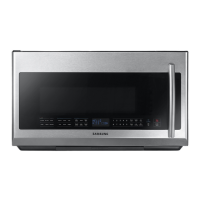
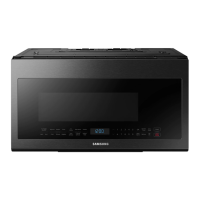
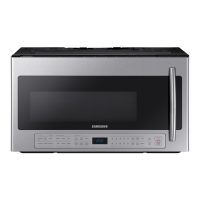
Samsung ME21R7051SG - User Manual

Samsung ME21R7051SG
56 pages
Print Icon
To Next Page IconTo Next Page
Loading...
imagine the possibilities
Thank you for purchasing this Samsung product.
Microwave Oven
user manual
ME21R7051S*

Other manuals for Samsung ME21R7051SG

Questions and Answers

  • T
    Teresa RobinsonAug 18, 2025
    How to fix a Samsung ME21R7051SG that isn't working?
    • L
      Latasha ChurchAug 19, 2025
      If your Samsung Microwave Oven display and/or the oven is not working, ensure the plug is properly connected to a grounded outlet and that the wall switch (if applicable) is turned on. Try removing the plug, waiting ten seconds, and plugging it back in. Check and reset the circuit breaker, or replace any blown fuses. Test the outlet with another appliance. If that appliance also doesn't work, contact a qualified electrician. You can also try plugging the oven into a different outlet.
  • P
    Patrick NelsonAug 21, 2025
    How to fix a Samsung ME21R7051SG Microwave Oven that won't turn on?
    • J
      James FieldsAug 21, 2025
      If your Samsung Microwave Oven display and/or the oven is not working, ensure the plug is properly connected to a grounded outlet and that the wall switch (if applicable) is turned on. Try removing the plug, waiting ten seconds, and plugging it back in. Also, reset the circuit breaker or replace any blown fuses. You can also test the outlet with another appliance or try plugging the oven into a different outlet to rule out electrical issues.
  • J
    Julie HartAug 23, 2025
    Why does my Samsung Microwave Oven turn off before time?
    • P
      Patricia KaiserAug 23, 2025
      If the power goes off on your Samsung Microwave Oven before the set time has elapsed, and the time indicator displays 88:88, this may indicate a power outage. If no power outage occurred, remove the plug from the outlet, wait ten seconds, and plug it in again. Reset the clock and any cooking instructions. Also, check the circuit breaker or fuses.
  • C
    Chelsey ChenAug 26, 2025
    What to do if Samsung ME21R7051SG power goes off before set time?
    • L
      Lonnie TateAug 26, 2025
      If the power goes off before the set time has elapsed on your Samsung Microwave Oven, and if there was no power outage, remove the plug from the outlet, wait ten seconds, and plug it in again. Then, reset the clock and any cooking instructions. Also, check the circuit breaker and replace any blown fuses.
  • R
    Rodney OliverAug 28, 2025
    How to fix a noisy or stuck turntable in a Samsung ME21R7051SG Microwave Oven?
    • K
      Kelly TaylorAug 28, 2025
      If the turntable in your Samsung Microwave Oven is making noise or getting stuck, clean the turntable, roller ring, and the oven floor. Also, ensure that the turntable and roller ring are correctly positioned.
  • A
    Austin HudsonAug 30, 2025
    Why does my Samsung ME21R7051SG cook food slowly or have sparks?
    • J
      jefferytorresAug 30, 2025
      If your Samsung Microwave Oven cooks food too slowly or you notice sparks or arcing, it might be due to operating another appliance on the same circuit, causing a voltage drop. Ensure the oven has its own 20 amp circuit line, and move it to its own circuit if necessary. Also, remove any metallic utensils, cookware, or metal ties. If using foil, use only narrow strips and allow at least one inch between the foil and the interior oven walls.
  • R
    robertslaurenSep 1, 2025
    What to do if Samsung Microwave Oven display is on but no power?
    • C
      Corey McphersonSep 2, 2025
      If your Samsung Microwave Oven display is working, but the power won’t come on, ensure the door is closed securely. Check for any packaging material or obstructions in the door seal, and inspect the door for damage. Touch Cancel twice and re-enter all cooking instructions.
  • J
    James HicksSep 4, 2025
    How to fix Samsung ME21R7051SG turntable noise?
    • M
      Michael WhiteSep 4, 2025
      If your Samsung Microwave Oven turntable makes noise or becomes stuck, clean the turntable, roller ring, and oven floor. Make sure the turntable and roller ring are positioned correctly.
  • K
    Kenneth CainSep 6, 2025
    How to stop Samsung Microwave Oven from causing interference?
    • S
      Stephanie HoltSep 6, 2025
      To address TV or radio interference caused by your Samsung Microwave Oven, move the microwave away from other appliances like TVs or radios.
  • M
    martinscottSep 8, 2025
    Why is my Samsung Microwave Oven vent weak?
    • S
      Savannah EstradaSep 8, 2025
      If the vent motor suction force on your Samsung Microwave Oven is too weak, set the vent mode to high. Note that the Vent Fan will only operate in low speed mode while the microwave is working.

Summary

Safety Information and Precautions

Important Safety Symbols and General Instructions

Explains safety symbols, precautions, and general usage instructions.

Preventing Microwave Energy Exposure

Details precautions to prevent harmful microwave energy exposure.

Installation, Grounding, and Cautions

General Safety Guidelines and Warnings

Comprehensive safety guidelines, including general instructions and warnings.

Grounding, Extension Cords, and Installation Warnings

Proper grounding procedures and guidelines for using extension cords.

Setting Up Your Microwave Oven

Using Your Microwave Oven

Cleaning and Maintenance

Troubleshooting

Common Problems and Solutions

Provides solutions for common issues like display errors or slow cooking.

Samsung ME21R7051SG Specifications

General IconGeneral
Styleover the range
Colorblack stainless steel
Total Capacity2.1 cu. ft.
Convectionno
Power Levels10
Sensor Cookingyes
Interior Lighthigh/low/off; yes
Wi-Fino
Max Power Consumption1, 000 watts
Microwave Power1, 000 watts
Electrical Requirements120v/60 hz
Weight and Dimensions IconWeight and Dimensions
Net Weight67.2 lbs

Related product manuals