EasyManua.ls Logo

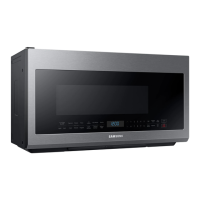
Samsung ME21DG6300SR - User Manual

Samsung ME21DG6300SR
44 pages
Print Icon
To Next Page IconTo Next Page
Loading...
Microwave Oven
User manual
ME21D*6300****

Table of Contents

Questions and Answers

  • J
    Juan RomanSep 18, 2025
    Why does the brightness inside my Samsung ME21DG6300SR change?
    • D
      Dr. Sara WeeksSep 22, 2025
      If the brightness inside your Samsung Microwave Oven varies, it reflects changes in power output depending on the function being used. These power output changes during cooking are normal and not a malfunction.
  • G
    gary94Aug 25, 2025
    How to fix Samsung ME21DG6300SR buttons that don't work?
    • C
      chrisrodriguezAug 25, 2025
      If the buttons on your Samsung Microwave Oven are not working, first check for any foreign matter stuck between the buttons and remove it. For touch models, wipe away any moisture on the exterior. Also, ensure that the Child Lock feature is deactivated.
  • O
    obrienshelleyAug 25, 2025
    What to do if my Samsung ME21DG6300SR Microwave Oven does not heat food?
    • J
      Jason EllisAug 26, 2025
      If your Samsung Microwave Oven isn't heating, it might be due to too much food or improper cookware. To test, place a cup of water in a microwave-safe container and run the microwave for 1-2 minutes. If the water heats, reduce the food amount and use a flat-bottomed container.
  • T
    tamara45Aug 27, 2025
    What to do if my Samsung Microwave Oven door won't open?
    • R
      rmartinezAug 27, 2025
      If you're having trouble opening the door of your Samsung Microwave Oven, check for any food residue stuck between the door and the oven interior. Clean the door and the surrounding area to remove any obstructions.
  • B
    Brittney LopezSep 23, 2025
    Why does the fan keep running after cooking in my Samsung Microwave Oven?
    • V
      Vanessa MillerSep 23, 2025
      If the cooling fan continues to run in your Samsung Microwave Oven after cooking is finished, it is normal. The fan runs for about 3 minutes to ventilate the oven and prevent overheating.
  • J
    James CarrilloSep 23, 2025
    Why does pressing start immediately begin operation on my Samsung Microwave Oven?
    • X
      xbestSep 23, 2025
      Your Samsung Microwave Oven is designed to start operating when you press the Start button if it was not already in operation.
  • M
    Michael TurnerSep 10, 2025
    Why does my Samsung Microwave Oven start automatically when plugged in?
    • A
      anneandersonSep 10, 2025
      If your Samsung Microwave Oven starts working immediately when power is connected, it indicates that the door is not properly closed. Ensure the door is fully closed.
  • G
    George ConnerSep 12, 2025
    Why is there water dripping inside my Samsung ME21DG6300SR Microwave Oven?
    • P
      Philip ThompsonSep 12, 2025
      If you notice water dripping in your Samsung Microwave Oven, it's likely due to steam from cooking or defrosting, which is normal. Allow the oven to cool down and then wipe it dry with a dish towel.
  • M
    michael77Sep 3, 2025
    Why does the outside of my Samsung ME21DG6300SR Microwave Oven get so hot?
    • M
      mbrooksSep 4, 2025
      If the exterior of your Samsung Microwave Oven gets too hot during operation, ensure there is enough ventilation space around the oven, referring to the installation guide for proper clearance from walls and cabinets. Also, remove any objects placed on top of the oven.
  • S
    Steven GarciaSep 1, 2025
    Why does my Samsung ME21DG6300SR stop when I open the door?
    • J
      Jeffery GreenSep 1, 2025
      If your Samsung Microwave Oven stops during operation because you opened the door to turn the food, press the Start button again to resume cooking.

Summary

Important Safety Instructions

General Safety Advice

Key safety information, precautions, and symbols for microwave operation.

Regulatory Compliance and Warnings

FCC, IC, and California Proposition 65 compliance and warnings.

Installation, Grounding, and Extension Cord Safety

Critical warnings for installation, grounding, and using extension cords.

Installation, Usage, and Cleaning Warnings

Critical Installation Warnings

Specific warnings and cautions related to the installation process.

Critical Usage and Cautions

Key warnings and cautions for operating the microwave safely.

Critical Cleaning Instructions

Instructions and warnings for safe and effective cleaning procedures.

Setting Up Your New Microwave Oven

Initial Setup and Parts Check

Unpacking, checking parts, and installing the metal shelf.

Control Panel and Basic Functions

Understanding the control panel, setting time, timer, and child lock.

Advanced Setup Features

System settings, Stop button, Eco Mode, +30 sec, Lamp, and Vent Fan operations.

Smart and Voice Control Integration

Setting up Smart Control, Voice Control, and Auto Connectivity.

Using Your Microwave Oven

Microwave Operation Modes

Using Microwave, Power Levels, One-Stage, and Multi-Stage cooking.

Preset Cooking Functions

How to use Popcorn, Reheat, Defrost, Sensor Cook, Auto Cook, and Keep Warm.

Cookware Guide

Utensil Recommendations and Safety Testing

Suitable, limited-use, and not-recommended cookware, plus safety testing methods.

Cooking Guide

Cooking Techniques and Recommendations

Essential techniques, standing time, moisture, venting, and general cooking advice.

Specific Cooking Guides

Guides for cooking vegetables and eggs in the microwave.

Cleaning and Maintaining Your Microwave Oven

Exterior and Interior Cleaning

Procedures for cleaning the oven's exterior, interior, and control panel.

Component Maintenance and Replacement

Replacing lights and maintaining filters for optimal performance.

Troubleshooting

Common Problems and Solutions

Diagnosing and resolving issues like non-operation, stopping, and error codes.

Appendix

Information Codes and Specifications

Explanation of error codes and detailed technical specifications.

Warranty Information (USA)

Warranty Information (CANADA)

Samsung ME21DG6300SR Specifications

General IconGeneral
Capacity2.1 cu. ft.
Power1000 Watts
TurntableYes
Sensor CookYes
ColorStainless Steel
Cooking PresetsYes
Child LockYes
TypeOver-the-Range
Control TypeTouch
Turntable Diameter14.2 inches
Warranty1 Year Limited
Exterior Dimensions29.875" x 15.875" x 17.5"

Related product manuals