
 Need help?
Do you have a question about the Samsung ME21D 6700 Series and is the answer not in the manual?
Essential safety symbols, general precautions, and exposure avoidance.
Details FCC regulations, interference, and user responsibilities for radio/TV.
Information on Industry Canada compliance and RF exposure limits.
Warning concerning cancer and reproductive harm.
Proper grounding procedures to prevent electrical hazards.
Guidelines for safe use of extension cords with the appliance.
Key warnings and precautions for safe microwave installation.
Specific cautions to follow during the installation process.
Critical warnings to observe during microwave operation.
Important cautions to follow while using the microwave oven.
Essential instructions for safe and effective microwave cleaning.
Guide to unpacking and verifying all included microwave oven components.
Explains the functions and layout of the microwave's control panel.
Instructions for properly installing the metal shelf to prevent arcing.
Steps to set the built-in clock and date for the microwave.
Instructions on how to enable or disable the turntable rotation.
How to use the built-in timer function for cooking durations.
How to activate and deactivate the child lock feature.
Explanation of stop button uses and power saving Eco Mode.
Features for adding cooking time and controlling the cooktop lamp.
Operating the vent fan for steam and vapor removal.
Options for customizing settings like filter reminders, weight units, and language.
Connecting via SmartThings app for remote microwave control.
Using voice commands with Bixby for microwave operation.
Linking the microwave with Alexa and Google Assistant.
Automatically connecting the microwave with a compatible Samsung cooktop.
Basic microwave usage and explanation of power level settings.
How to perform multi-stage cooking and use the popcorn preset.
Steps and guidelines for reheating various food types.
Instructions for thawing frozen foods by weight.
Using sensor cook presets for favorite foods.
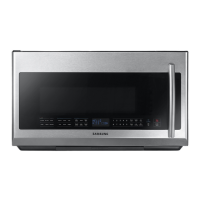
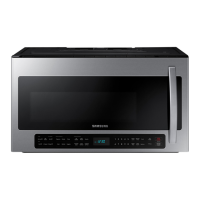
This document is a user manual for a Samsung Microwave Oven, model ME21D6700***. It provides comprehensive instructions for installation, operation, maintenance, and troubleshooting.
The Samsung Microwave Oven is designed for various cooking tasks, offering multiple modes and features to enhance the user's cooking experience. Its primary function is to heat food using microwave energy, with adjustable power levels and cooking times.
Microwave Cooking: The oven supports one-stage and multi-stage cooking (up to two stages), allowing users to set different power levels and durations for complex recipes. Power levels range from 1 (Warm) to 10 (High), providing control over heating intensity.
Popcorn: A dedicated Popcorn button simplifies cooking popcorn. The oven automatically senses the popcorn inside (for 3 - 3.5 oz bags) and adjusts cooking time and power level accordingly.
Reheat: The Reheat function allows users to warm up various foods without needing to set specific cooking times or power levels. The oven senses the food to determine optimal reheating. Categories include Casserole, Dinner Plate, and Pasta.
Defrost: This feature thaws frozen foods based on their weight. Users input the weight, and the oven automatically calculates the defrosting time, power level, and standing time. It prompts the user to turn the food over during the process for even thawing. Categories include Roast Beef/Pork, Steaks/Chops/Fish, and Ground Meat.
Sensor Cook: The Sensor Cook feature uses preset power levels and times for popular foods like potatoes and pizza. The oven automatically operates by sensing the food inside, ensuring optimal cooking results.
Auto Cook: Similar to Sensor Cook, Auto Cook provides preset cooking options for various dishes, simplifying the cooking process.
Keep Warm: This function helps maintain the temperature of cooked food, ensuring it stays warm until ready to serve.
The microwave oven is equipped with a user-friendly control panel and several convenience features:
Control Panel: The panel includes a numeric pad for setting times and weights, as well as dedicated buttons for Popcorn, Sensor Cook, Reheat, Auto Cook, Defrost, and Keep Warm. Navigation buttons (<, OK, >) and Start/Stop buttons are also present.
Settings: The Settings menu allows users to customize various aspects of the oven's operation:
Smart Control: This feature allows remote control and monitoring of the microwave oven via the SmartThings app on a mobile device. Users can check the oven's status, control the vent fan speed, and operate the cooktop lamp remotely. For safety, remote activation of microwave cooking requires prior setting of cooking time on the oven.
Voice Control: The oven integrates with Bixby, Amazon Alexa, and Google Assistant, enabling voice commands for various functions. Users can check the microwave's status, remaining time, and control the hood light and fan. It also supports voice commands for "Send Auto Cook Recipe" for specific dishes like pizza and heat pizza.
Auto Connectivity: This function enables automatic Wi-Fi connection between the microwave's hood and a compatible Samsung cooktop. Once paired, the hood fan will automatically turn on and off with the cooktop.
The manual provides instructions for cleaning and maintaining the microwave oven to ensure its longevity and efficient operation:
Cleaning the Exterior: General cleaning instructions for the outer surfaces.
Cleaning Under the Microwave Oven: Specific guidance for cleaning the area beneath the appliance.
Cleaning the Control Panel: Instructions for safely cleaning the control panel.
Cleaning the Door and Door Seals: Important for maintaining the integrity of the oven and preventing microwave energy leakage.
Cleaning the Interior: Advice on keeping the oven cavity clean to prevent paint damage and maintain efficiency.
Cleaning the Turntable and Roller Rings: Regular cleaning of these components is necessary for proper operation.
Replacing the Cooktop/Night Light: Instructions for changing the light bulb for the cooktop area.
Replacing the Oven Light: Guidance on replacing the interior oven light.
Cleaning the Grease Filter: Regular cleaning of the grease filter is crucial for the vent fan's performance. The Filter Remind function can alert users when cleaning is due.
Replacing the Charcoal Filter: Instructions for replacing the charcoal filter, which helps remove odors.
The manual also includes troubleshooting tips and information codes to help users diagnose and resolve common issues.
 General
| Type | Over-the-Range |
|---|---|
| Capacity | 2.1 cu. ft. |
| Power | 1000W |
| Control Type | Digital |
| Ventilation | 400 CFM |
| Turntable | Yes |
| Sensor Cook | Yes |
| Power Output | 1000W |
| Preset Cooking Programs | Yes |
| Child Lock | Yes |
| Display Type | LED |
| Color | Stainless Steel |


 To Next Page