EasyManua.ls Logo

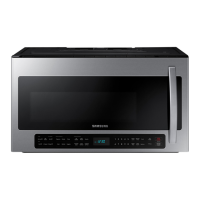
Samsung ME21K7010DS/AA - User Manual

Samsung ME21K7010DS/AA
80 pages
Print Icon
To Next Page IconTo Next Page
Loading...
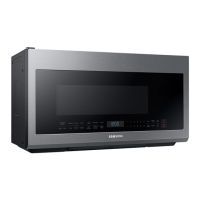
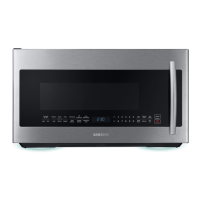
Microwave Oven
User manual
ME21K7010DS/AA
ME21K7010DS_AA_DE68-00000A_EN.indd 1 1/5/2016 12:17:01 PM

Table of Contents

Questions and Answers

  • M
    Megan WatsonSep 23, 2025
    Why does my Samsung ME21K7010DS/AA turn table come out of place?
    • T
      Trevor WatersSep 23, 2025
      If the turntable in your Samsung Microwave Oven comes out of place or stops turning, check that the roller ring is properly installed. Reinstall it if necessary.
  • S
    sarahnortonAug 25, 2025
    What to do if my Samsung ME21K7010DS/AA is not working?
    • Z
      zmichaelAug 25, 2025
      If your Samsung Microwave Oven isn't working, first ensure that it's properly connected to a power source, checking the plug, fuses, and circuit breakers. Make sure the door is fully closed and that no foreign objects are blocking the door's safety mechanisms. If any foreign matter is present, remove it and try again.
  • C
    catherinejordanAug 25, 2025
    What to do if my Samsung ME21K7010DS/AA Microwave Oven buttons cannot be pressed properly?
    • A
      Ann PrattAug 26, 2025
      If the buttons on your Samsung Microwave Oven aren't working, check for any foreign matter stuck between them and remove it. For touch models, wipe away any moisture on the exterior. Also, verify that the Child Lock feature is deactivated.
  • A
    aarondelgadoAug 27, 2025
    What to do if my Samsung ME21K7010DS/AA Microwave Oven door cannot be opened properly?
    • A
      Andrew CummingsAug 27, 2025
      If you're having trouble opening your Samsung Microwave Oven door, check for any food residue stuck between the door and the oven interior. Clean the door and the surrounding area to ensure smooth operation.
  • G
    gilbertangelaAug 27, 2025
    Why is the time not displayed on my Samsung ME21K7010DS/AA Microwave Oven?
    • E
      Erin FloresAug 27, 2025
      If the time isn't displayed on your Samsung Microwave Oven, first ensure that the oven is receiving power, checking the plug, fuses, and circuit breakers. Also, check if the Eco (power-saving) function is enabled and turn it off if necessary.
  • C
    Christopher SmithSep 16, 2025
    Why does the brightness inside my Samsung ME21K7010DS/AA Microwave Oven vary?
    • W
      Willie BanksSep 16, 2025
      Changes in brightness inside your Samsung Microwave Oven reflect changes in power output, which vary depending on the functions being used. These power output changes during cooking are normal.
  • T
    Tina YatesSep 13, 2025
    Why does my Samsung ME21K7010DS/AA smoke during operation?
    • C
      Christopher MccarthySep 13, 2025
      During initial use of your Samsung Microwave Oven, smoke may come from the heating elements. This is normal and should stop after 2-3 uses. If smoke appears later, check for food on the heating elements and remove it after the oven cools. Ensure food isn't too close to the grill and is properly prepared and arranged.
  • R
    rebeccahenrySep 14, 2025
    Why does my Samsung Microwave Oven thaw function not work?
    • B
      Brooke JohnsonSep 14, 2025
      If the thaw function on your Samsung Microwave Oven isn't working, it could be due to thawing too much food or using improper cookware. To test the oven, put one cup of water in a microwave-safe container, place it in the oven, and run the microwave for 1-2 minutes to see if the water heats up. If it does, reduce the amount of food and try again, using a cooking container with a flat bottom.
  • I
    Isaac CummingsSep 5, 2025
    Why is my Samsung Microwave Oven making sparks during cooking?
    • S
      Scott CortezSep 5, 2025
      Sparks during cooking in your Samsung Microwave Oven are likely caused by using metal containers. Avoid using metal containers in the microwave.
  • W
    William Webb MDSep 3, 2025
    Why is my Samsung ME21K7010DS/AA turn table rattling while turning?
    • C
      Catherine PowersSep 3, 2025
      If the turn table in your Samsung Microwave Oven rattles and is noisy, it's likely due to food residue stuck to the bottom of the oven. Remove any such residue to resolve the issue.

Summary

Important Safety Instructions

Precautions to Avoid Excessive Microwave Energy

Measures to prevent harmful exposure to microwave energy.

California Proposition 65 Warning

Warning regarding chemicals known to cause cancer and reproductive harm.

Grounding Instructions

Proper grounding procedures to prevent electric shock and fire.

Critical Installation Warnings

Warnings regarding installation by qualified personnel and preventing hazards.

Installation Cautions

Cautions related to oven installation, plug accessibility, and ventilation.

Usage Cautions

Cautions for safe operation, handling hot items, and avoiding damage.

Critical Cleaning Instructions

Instructions for safe and effective cleaning of the microwave oven.

Safety Symbols and Precautions

Explanation of symbols and general safety precautions.

General Safety Warnings

General warnings to reduce risk of burns, shock, fire, and injury.

Extension Cord Usage

Guidelines for safe use of extension cords with the appliance.

Critical Usage Warnings

Warnings about potential hazards during microwave operation.

Setting Up Your New Microwave Oven

Checking the Parts

List of included accessories and components to verify upon unpacking.

Checking the Control Panel

Identification and function of buttons on the microwave control panel.

Setting the Time

Instructions for setting the built-in clock for standard or 24-hour display.

Installing the Metal Shelf

Proper placement of the metal shelf to prevent electrical arcing.

Using Your Microwave Oven

Cooking Guide

Cleaning and Maintaining Your Microwave Oven

Troubleshooting

Check Points for Common Problems

Table of common problems, their causes, and recommended actions.

Grill Operation Issues

Troubleshooting steps for smoke or food placement during grill operation.

Samsung ME21K7010DS/AA Specifications

General IconGeneral
Capacity2.1 cu. ft.
Power Output1000 W
ColorStainless Steel
TurntableYes
Sensor CookYes
ConvectionNo
GrillNo
Pre-Programmed SettingsYes
Child LockYes

Related product manuals